Blackmagic Camera Review: Ideal for Beginners Getting into Photography
Many beginners who want to try photography imagine that if they had a pro camera, they could shoot photos and videos that are just as sharp and beautiful as everyone else's. While cameras are far more capable than phones in terms of hardware, their many settings and bulky bodies can be off-putting.
If those downsides didn't matter, a camera would usually be the best choice — it does a lot to improve image quality and give photos a richer look. Still, anyone starting out would rather know what to expect before spending money. It's frustrating to buy a camera and then realize you don't feel comfortable using it.
To help beginners set realistic expectations, we recommend the Blackmagic Camera app. It lets you try out some professional camera features so you can get a feel for them before buying. Check out our article to see how it works.

In this article, you will learn:
- What Is Blackmagic Camera?
- What Are Blackmagic Camera's Standout Features?
- Blackmagic Camera: Experience and Tips
- System Compatibility & Notes
- Summary: Try It Before You Buy
What Is Blackmagic Camera?
Blackmagic Camera is a free video app from Blackmagic Design, a well-known maker of film gear. Blackmagic Design is famous for cinema cameras and the professional color-grading software DaVinci Resolve.
The Blackmagic Camera app gives your phone an interface and features like a professional camera. With a few taps, you can quickly change frame rate, shutter angle, white balance, ISO, and other settings to capture footage with a cinematic look.
What Are Blackmagic Camera's Standout Features?
- Manual Controls: You can manually set frame rate, shutter angle, ISO, white balance/tint, and more. It lets you shoot like a pro camera.
- Professional Codecs: It supports 10-bit Apple ProRes (up to 4K) and common formats like H.264 and HEVC (H.265). You can choose the best balance of image quality and file size.
- Professional Monitoring Tools: Built-in tools include zebra (exposure), focus peaking, and frame guides to check exposure and focus. You can also load 3D LUTs and preview film-style color in real time.
- Multiple Shooting Modes: The app works in both landscape and portrait. You can pick different aspect ratios for different needs — for example, 16:9 in portrait or 16:9 in landscape — so it fits social media and cinema work.
- Cloud Collaboration: You can record straight to Blackmagic Cloud and have footage sync automatically with DaVinci Resolve projects. That makes sharing clips with teammates and moving into post much faster.
- Free with No Watermark: Blackmagic Camera is free on the App Store and Google Play. There are no in-app purchases or ads, and it won't add a watermark to your videos.
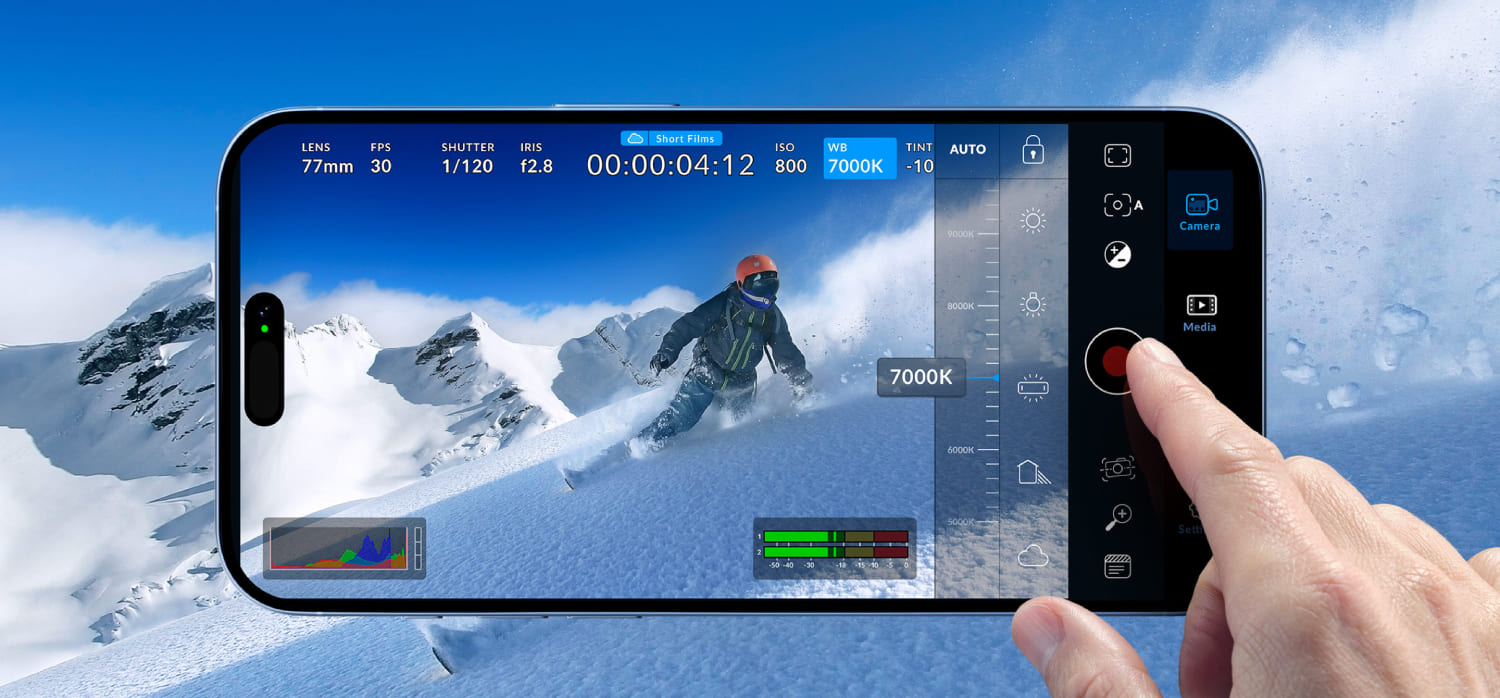
Those feature descriptions can feel a bit official. For beginners, the two main points to remember are: 1) Blackmagic Camera is completely free and adds no watermark, and 2) it does a great job of simulating the look and controls of a professional camera.
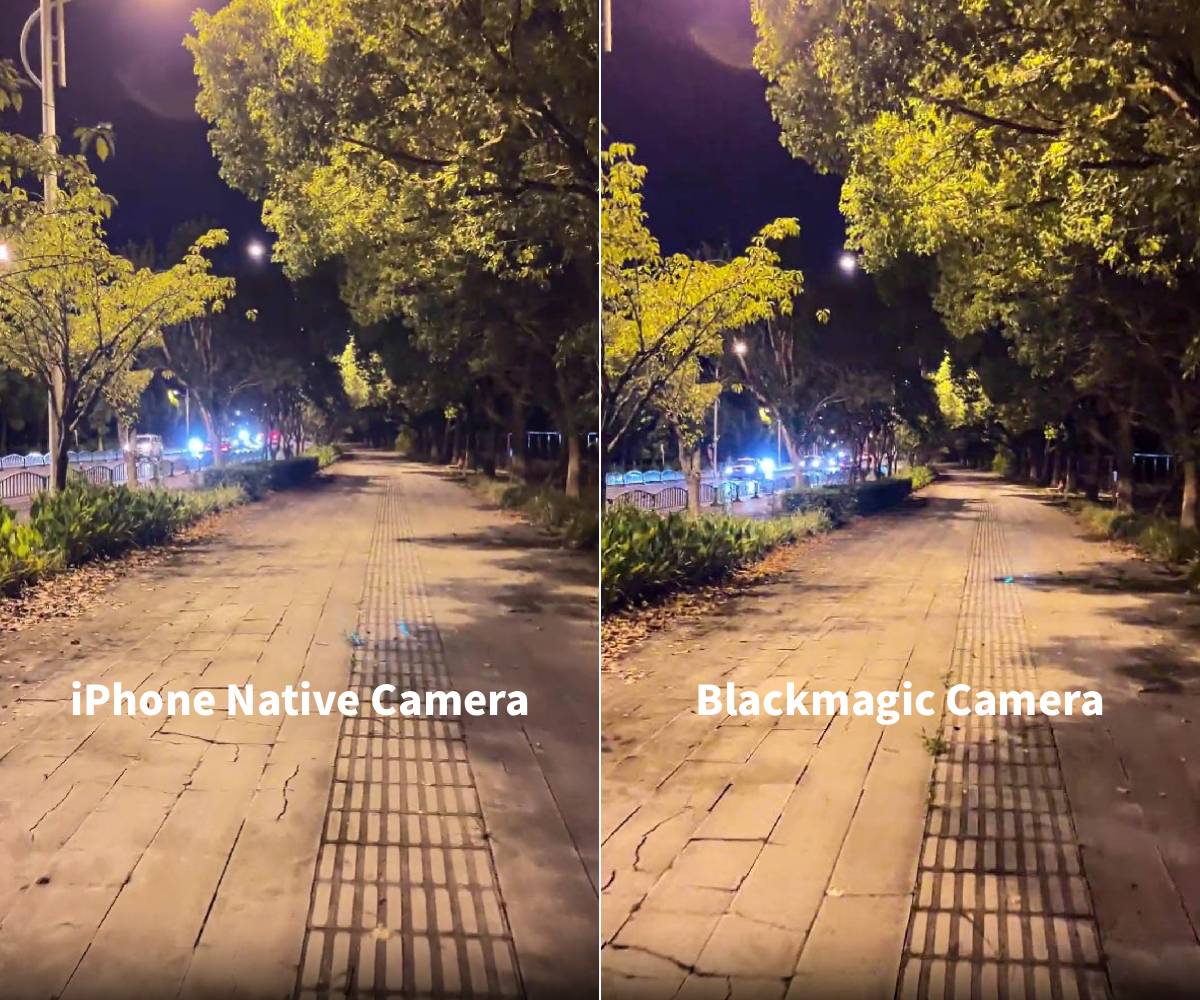
In practice, try this test: shoot the same night scene with your iPhone's native Camera app and with Blackmagic Camera. The iPhone's default app often shows more noise and loses that "cinematic" texture at night. With Blackmagic Camera and its manual controls, the image will usually look cleaner and more film-like, with less visible noise.
Blackmagic Camera: Experience and Tips
Blackmagic Camera is packed with features. At first the screen can look crowded, and that may feel a bit overwhelming. But it's not hard to use.
Spend a few minutes tapping around, and you'll learn the layout and controls. That's thanks to its interactive on-screen HUD: the main settings are shown right on the screen and can be changed with a tap, so you don't have to dig through menus.
If you already know how to set exposure and other manual camera settings, you'll feel right at home. The app performs well in our tests — it runs smoothly and rarely crashes or freezes.
There's no automatic mode. For people who want to learn photography, that's actually a plus. Blackmagic Camera is a great way to practice. It includes tools (like False Color) that even some pro cameras don't have. With this app, you can learn cinema-style shooting before you buy a camera.
Another benefit is that it records in high-quality formats (for example, Apple ProRes), so you get more control over color and image quality in post.
The only downside is that it only records video — it can't take photos. Odd for a "camera" app, but it's easy to work around. Import the video into an editor and export a still frame.
For example, on the Color page in DaVinci Resolve, move the playhead to the frame you want, then in the viewer choose Grab Still. In the Gallery, right-click the still you just grabbed and choose Export. Pick a format (TIFF, DPX, PNG, or JPEG), choose a save location, and export.
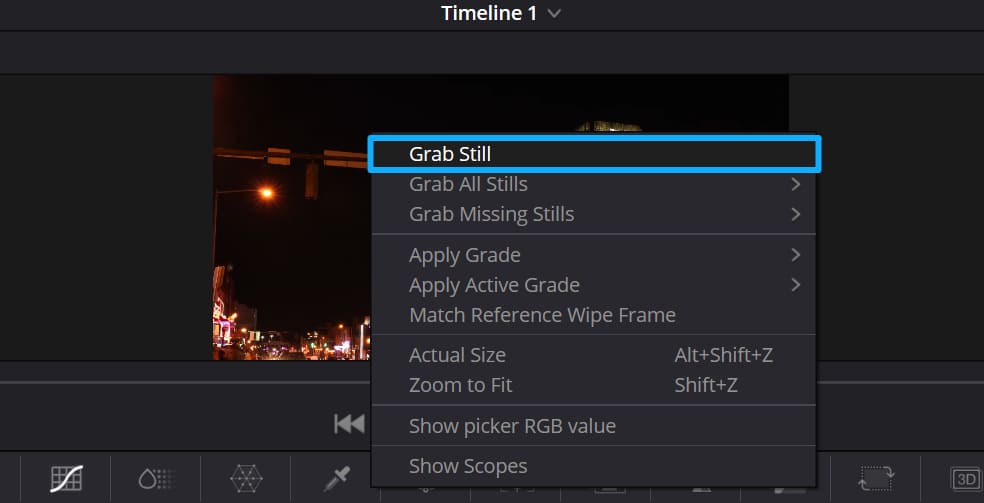
You can also grab stills with many phone editing apps, so this limitation is easy to work around.
Quick ad break. If you plan to go deeper into photography or videography, you'll run into a lot of tedious post-production work. Whether you're editing photos or editing video, you usually have to learn a ton of keyboard shortcuts to speed things up. But honestly, one TourBox can fix slow workflows.

The TourBox works like a PS5 controller and replaces many keyboard commands, so you can work and create faster. It also has plenty of built-in features, like HoverAdjust for color grading in DaVinci Resolve and the Dynamic Panel for Lightroom. If you're interested, click the link to learn more.

System Compatibility & Notes
Blackmagic Camera does have some system requirements. The iPhone/iPad version needs iOS 16.0 or later, and the device must have an A12 Bionic chip or newer. The Android version needs Android 13 or later.
The developer also warns that "some features depend on the device and may not be available on all devices." In plain terms, even if your phone's OS meets the requirements, different phone models have different camera hardware and API support. That means some high frame-rate modes, resolutions, or hardware-accelerated features might not work on every device.
So before you rely on a feature, check the app description and try it out on your phone. The app's settings will also show a list of features your device supports.
Summary: Try It Before You Buy
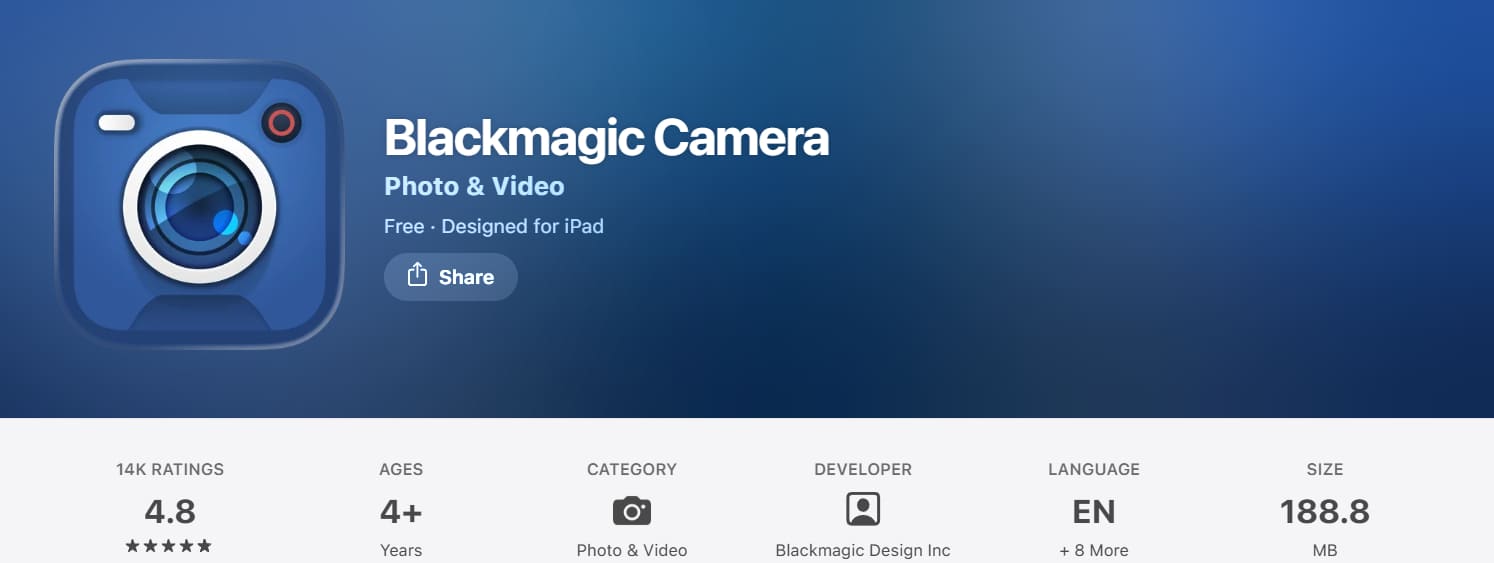
Blackmagic Camera is a fully free, pro-level video app with a strong reputation. On the App Store, it scores about 4.8 out of 5 from nearly 14,000 reviews, and its Google Play rating is also over 4.5 stars.
Unlike many paid pro video apps, Blackmagic Camera has almost no barrier to entry. You can safely download it and give it a try.
Before you rush into buying expensive gear, use this app first. See if you like manually adjusting settings and whether the results meet your needs.
Bottom line: test the pro shooting with Blackmagic Camera before deciding to buy gear. It's a smart, risk-free way to find out whether you really need a camera — or if your phone plus an app is enough.


