Recommended Free Video Compression Tool: HandBrake
Still stuck dealing with incompatible video formats? Or frustrated because your video files are huge, take up space, and are hard to share? Today, we'll show you a really handy free video compression tool — HandBrake — that makes processing videos easy.

In this article, you will learn:
- What Is HandBrake?
- What Can HandBrake Do?
- How to Compress a Video for Free with HandBrake?
- Conclusion
What Is HandBrake?
HandBrake is a free, open-source video transcoder maintained by volunteers. It can convert almost any common video file — and non-DRM DVD or Blu-ray sources — into modern, widely supported formats like MP4 or MKV.
Link: https://handbrake.fr/
It runs on Windows, macOS, and Linux. Best of all, it's totally free.
Many creators like HandBrake. It's one of those small tools in your toolbox that you don't notice until you need it — then it's really handy.
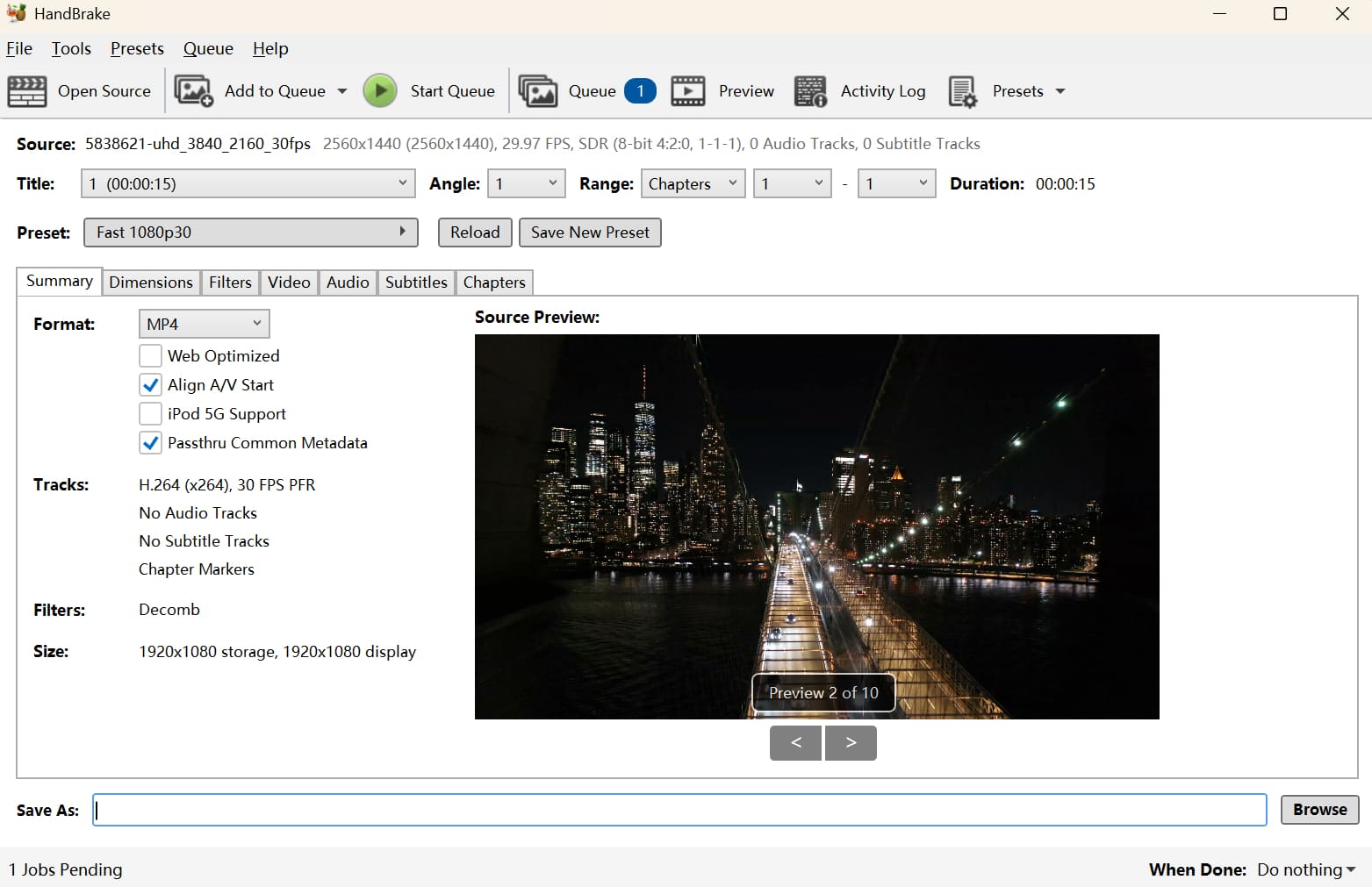
What Can HandBrake Do?
- Wide Format Support: It can turn old files or camera footage into formats that work better on phones, web, or media players. You can output MP4, MKV, WebM, and more.
- Device Presets: HandBrake includes presets for common devices (iPhone, Android phones, PlayStation, etc.). Pick a preset and you’ll get a file that’s ready for that device.
- Basic Editing and Filters: You can crop and resize video. It also has filters like deinterlace, detelecine, and denoise.
- Subtitles and Audio: You can add, remove, or edit subtitles and audio tracks. HandBrake can embed external subtitle files or extract subtitles from the source. It supports audio formats like AC-3, AAC, and FLAC, and lets you choose languages and map channels.
- Batch Processing and Queue: You can import many files at once and let HandBrake process them in a queue. This saves time for bulk conversions.
- Custom Encoding Settings: You can change resolution, bitrate, frame rate, and other encoding options. This helps you balance file size and video quality.
Of course, HandBrake is mainly a video transcoder. You can use it for free to compress videos and make basic adjustments. But it's not a full video editor, so for cutting clips, adding special effects, or doing more complex work, you should use a dedicated editing program.
How to Compress a Video for Free with HandBrake?
HandBrake is a video transcoder, but you can easily use it to compress videos for free. It doesn't share your files, and it shows no ads.
Here are the steps:
Step 1:
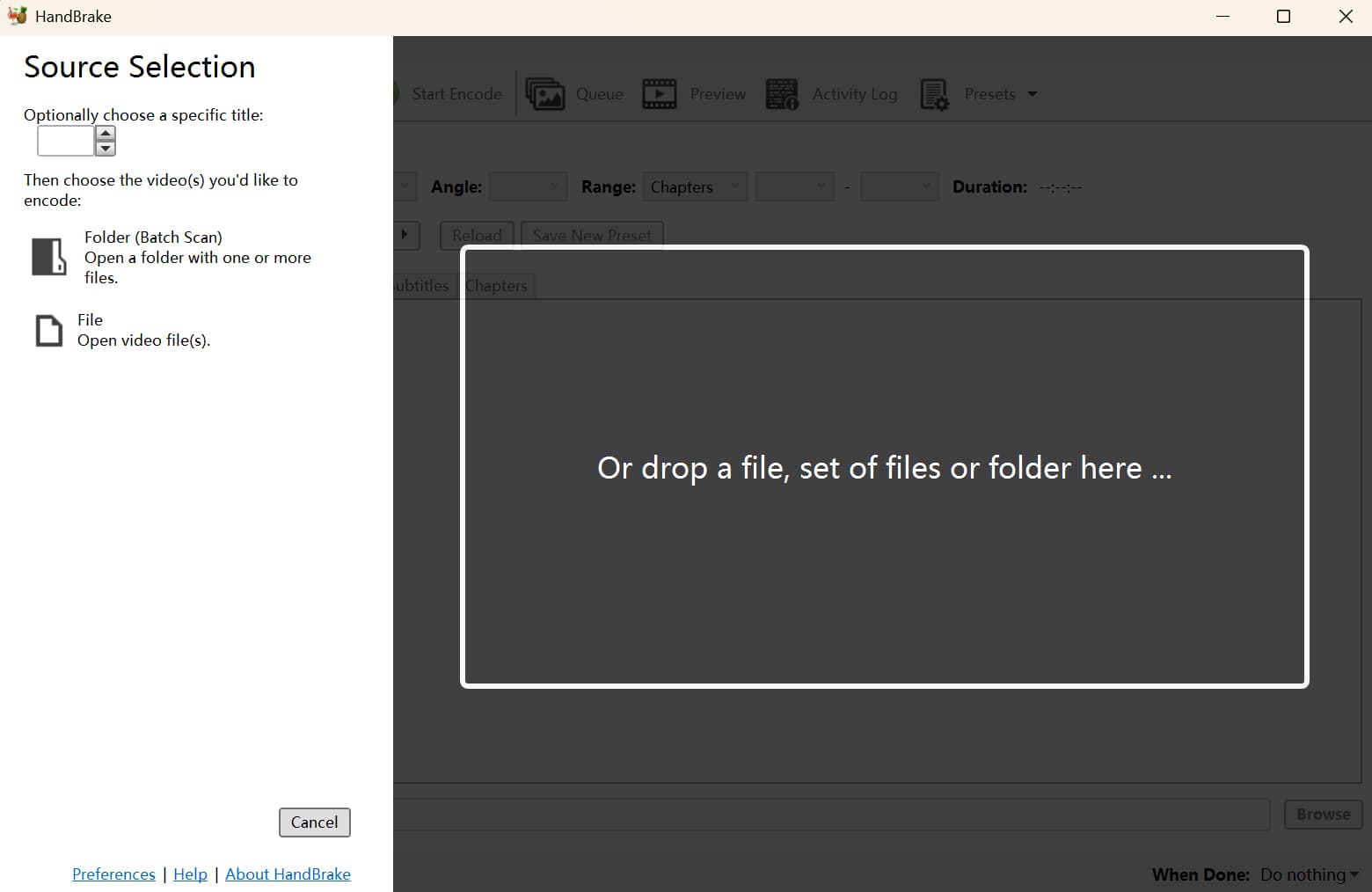
Download and install HandBrake from the official website. Open HandBrake, then drag your video file into the window.
Step 2:
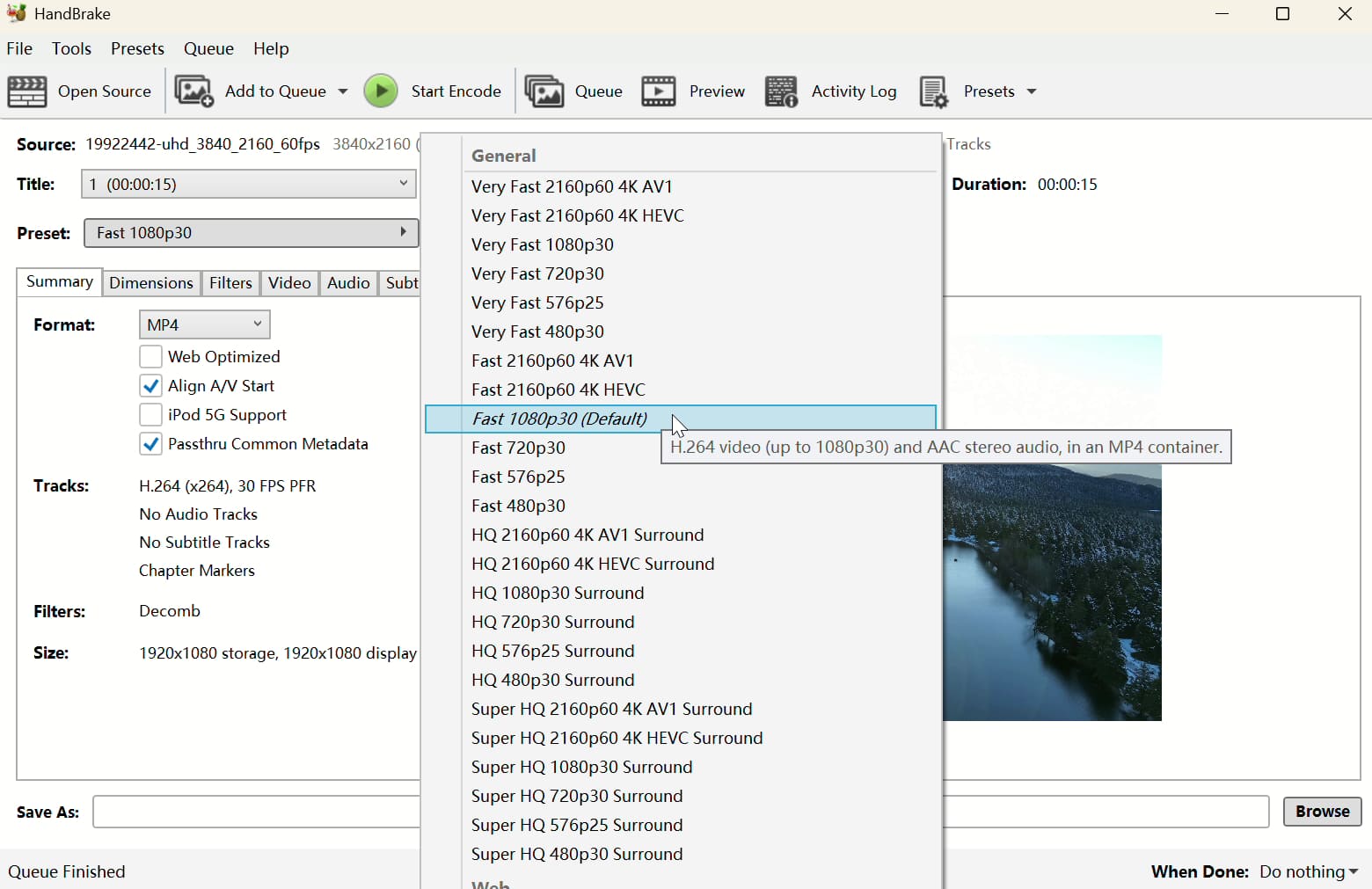
In the Preset dropdown, choose a compression preset. The default Fast 1080p30 is a good, balanced choice. If you want higher quality, pick a higher-resolution preset. If you want a smaller file, pick a lower-resolution one.
Step 3:
At the bottom, choose where to save the new file. Click Start Encode and wait for the conversion to finish.
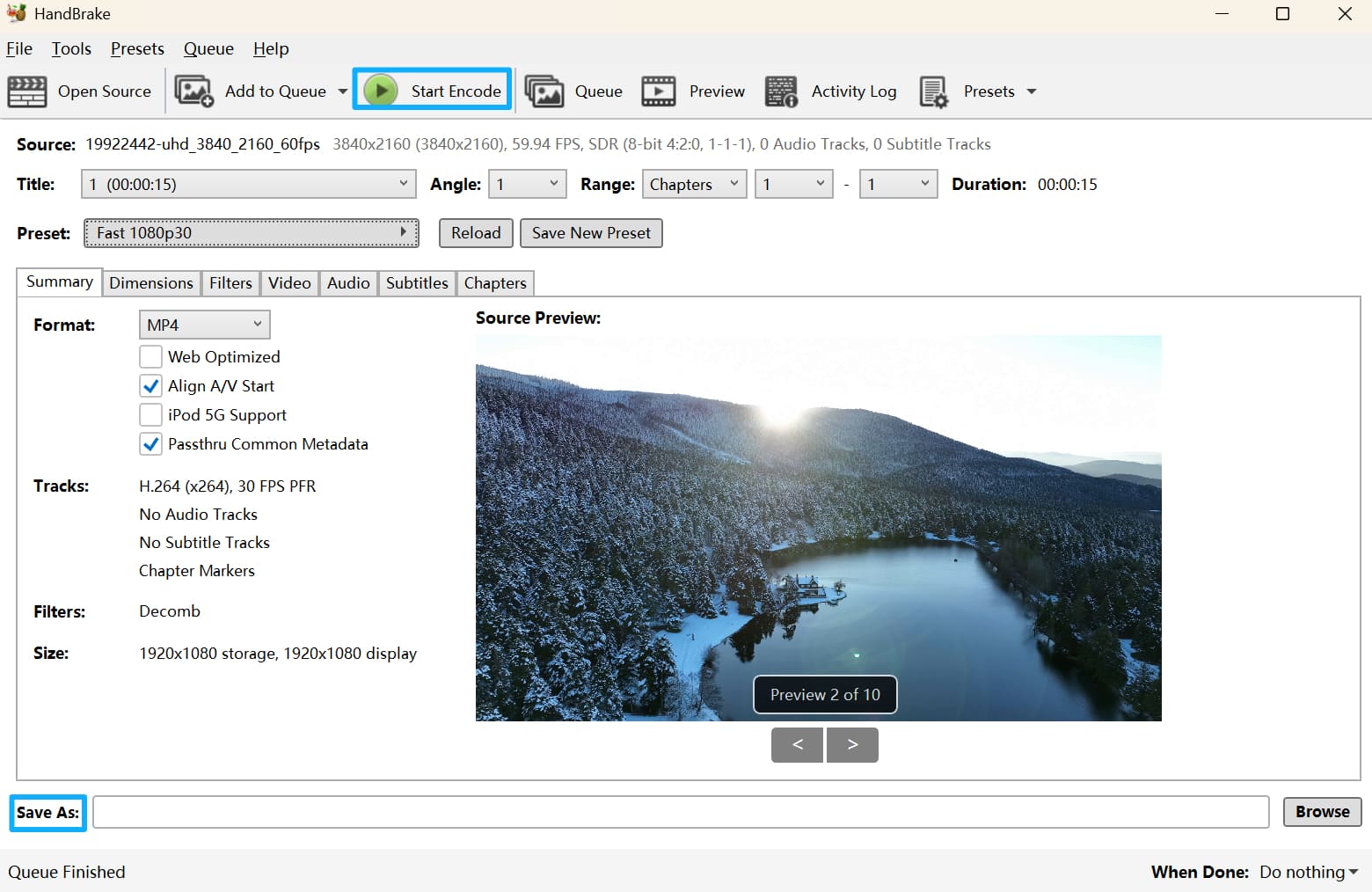
In a quick test, we used HandBrake to compress a 45 MB video down to 15 MB. In another test, we took a recorded 6 GB 8K video and converted it to 1080p — after encoding, it was just over 600 MB. That saved a lot of storage space and cut the data needed to upload or share.
Conclusion
With HandBrake — a free video compression tool — you can easily do things like convert an HD movie into a phone-friendly format or compress a recorded clip for sharing on social media. It's like a handy, all-in-one video helper that solves lots of common video problems.
At the end of this article, we want to recommend a tool that can also speed up your video work: TourBox. It makes each step of editing simpler. Tasks you usually do in your editing software — moving the timeline, adding transitions, and so on — become quick, physical controls on the device.

Like switching from a keyboard to a game controller, you'll soon forget about the slow parts of mouse-and-keyboard editing and enjoy creating with TourBox.

If you're curious, check out our Video Editing page to learn more.


