Best Free Video Editing Software for Mac: Say Goodbye to Final Cut Pro
First, let us look at a painful set of numbers. Adobe Creative Cloud costs about $70 a month for the full suite. If you only subscribe to Premiere Pro by itself, it still costs $23 a month. After a year or two, that can add up to the cost of a phone.
For Mac users, Final Cut Pro is clearly a better deal. It is a one-time purchase of $299. But Final Cut Pro only works on Mac. What if you plan to switch to a Windows computer in the future?
The good news is that Mac already has some very solid free alternatives. They are not only free, but some are also open source. And they are powerful enough to make paid software feel a little nervous. Today, let us take a look at the best free video editing software options for Mac users.
Free Video Editing Software for Mac
Before we talk about real free video editing software for Mac, we first need to clear up one thing: whether the software is open source.
Of course, if you only care about how well a tool works, being open source is often not the first thing to look at. What matters more is whether it is stable, whether it has enough features, whether the interface feels easy to use, whether it gets updates on time, and whether it handles privacy well.
Here, we will look at Mac video editing software from two sides: free closed-source commercial software and free open-source software.
If you care more about a full experience, commercial support, and an easy start, then closed-source commercial software is the better choice. If you care more about transparency, control, and long-term use, then open-source software is the better choice.
1. Free Closed-Source Commercial Editing Software for Mac
(1) DaVinci Resolve: The Best Free Video Editor
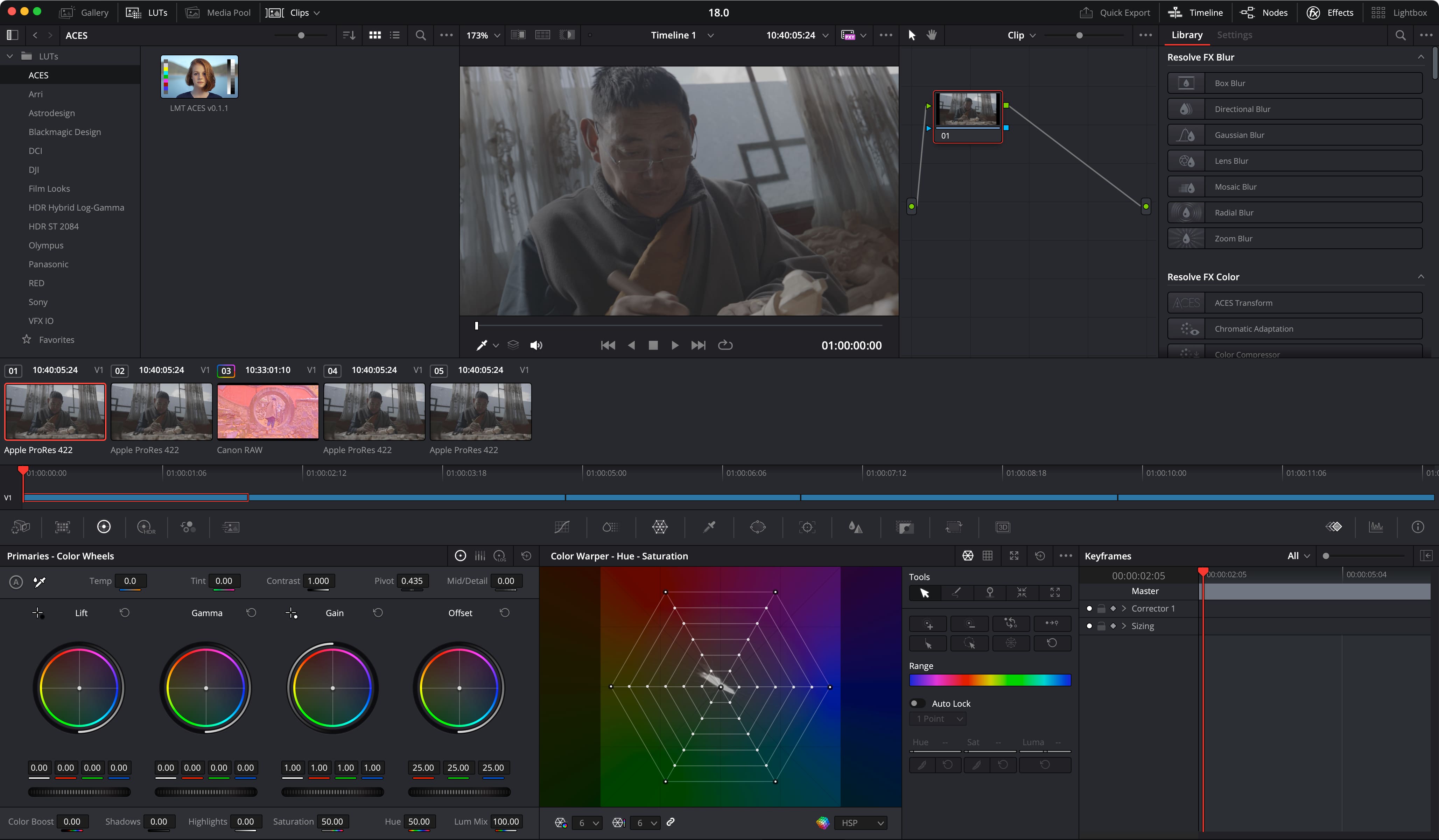
If you search for "free video editing software for Mac," the top result is very likely DaVinci Resolve. Yes, it does have a free desktop version, and that free version is powerful enough to cover most serious creative needs.
It offers Hollywood-level color grading, professional Fairlight audio post tools, and full Fusion visual effects. And it is completely free, with no watermark, supports 8K without limits, and even the free version can be used for commercial projects without any problem.
DaVinci Resolve is truly one of the best free video editing tools out there. Countless professional editors and content creators around the world use it. But there is one thing you need to know: DaVinci Resolve is not open source.
Resolve is proprietary software developed by Blackmagic Design. It does have a generous free version, but the source code is not open. You cannot change it or customize it to fit your own needs.
If you are just looking for a "free and good video editor," DaVinci Resolve is clearly the first choice. But if what matters more to you is open source — meaning open code, community-driven development, always free, and not controlled by a company's pricing — then keep reading and check out our picks for the best free open-source video editing software below.
(2) iMovie: The Most Hassle-Free Free Editing Software for Beginners
Yes, the free video editor that comes preinstalled on Mac, iMovie, is also a solid choice. It is made for beginners, completely free, and has a very simple, easy-to-use interface. It is a great fit for editing home movies, vlogs, and other basic video projects.
That said, many people do not put iMovie on their list of the best free video editing software for Mac. The usual reason is that people now want more than just a tool that can "cut clips." They also want a free version with a more complete workflow.
The main problem with iMovie is not just that its features are limited. More accurately, it was never meant to be a full-featured professional editor. Apple itself describes iMovie as "easy to use" and having a "streamlined design," with the goal of helping everyday users make nice-looking videos quickly.
Of course, it can handle basic editing, 4K video, trailers, and similar tasks. But the main idea behind it is still simple: easy, smooth, and good enough for basic use. Once you start caring more about subtitle tools, effects, color grading, audio, AI features, or a more advanced workflow in the future, iMovie can quickly start to feel too limited.
2. Free Open-Source Video Editing Software for Mac
(1) Shotcut: a Lightweight All-Rounder
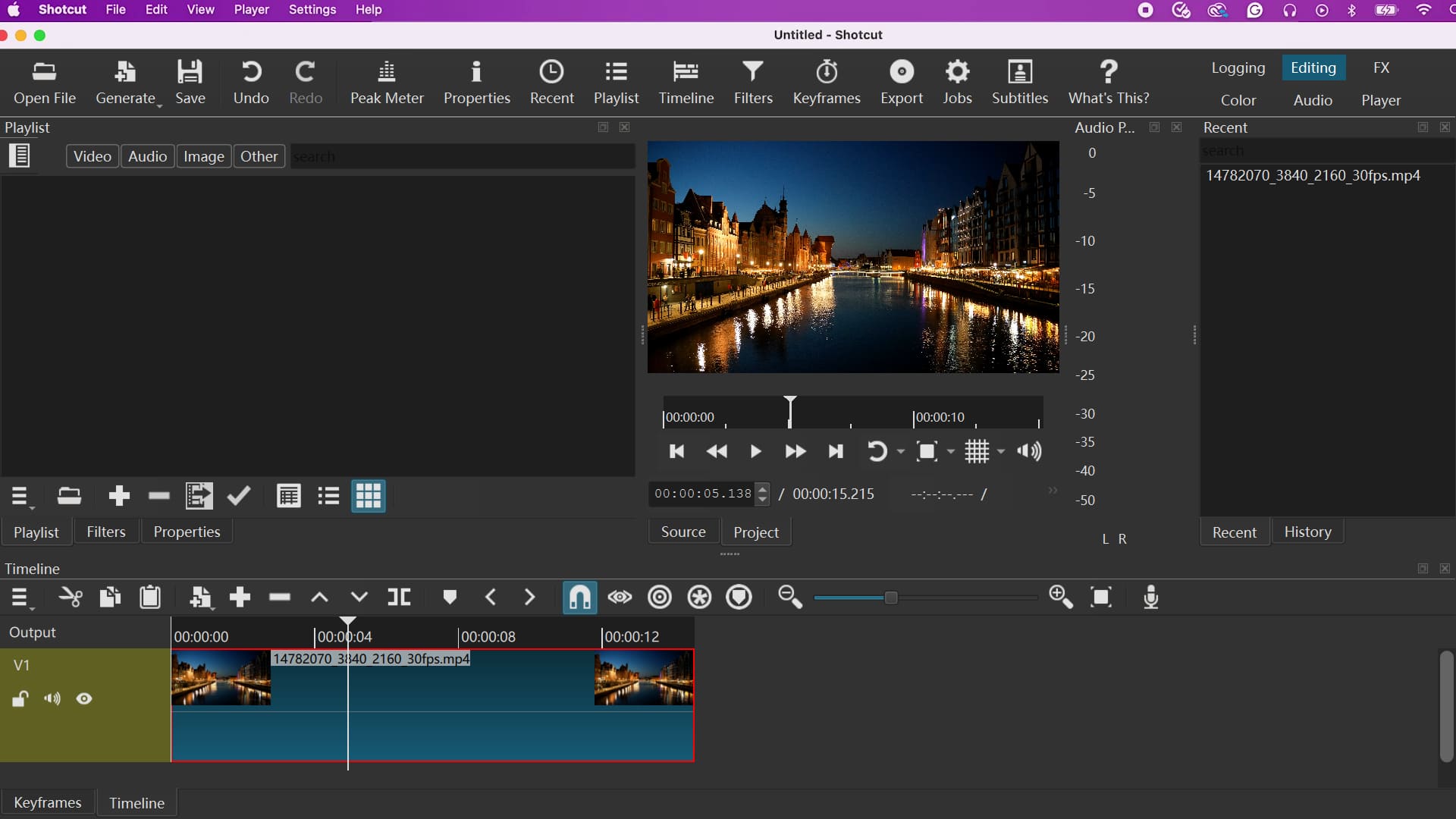
If we could recommend only one free open-source video editor, we would pick Shotcut.
Shotcut was born in 2004. It was first imagined by Charlie Yates, one of the co-founders of the MLT framework, and was later completely rewritten by Dan Dennedy, another MLT co-founder. After more than 20 years of development, it has become a very mature tool.
Its biggest strength is that it is light.
For video editing, DaVinci Resolve takes up more than 30 GB, while Shotcut is much smaller and uses very few system resources. Even an older Mac can run it smoothly. For people still using a MacBook from a few years ago, and who hear the fan go wild as soon as they open Resolve, Shotcut is a real lifesaver.
It is also surprisingly powerful.
Thanks to deep FFmpeg integration, Shotcut supports hundreds of audio and video formats and codecs. You can edit files directly without importing them first. It even lets you mix clips with different formats, resolutions, and frame rates in the same project.
The Shotcut 25.12 release, which came out in early 2026, was a big step forward. It added full 10-bit video editing support. Before that, 10-bit processing was only available for GPU filters. Now, most CPU filters, transitions, and blending options can handle 10-bit and 12-bit footage, making end-to-end high-quality color work possible.
It also turns hardware decoding on by default, and GPU-accelerated rendering makes playback and editing much smoother. It supports up to 8K resolution (8640), and it can even edit VR180 video.
So, who is Shotcut for?
- Mac users with less powerful computers.
- People who want something light and clean, and do not want to install a 30 GB software.
- People who need cross-platform support, so they can learn once and use it on Windows or Linux, too.
- People who care about open source and do not want their software controlled by a commercial company.
One thing to keep in mind: Shotcut does not have AI-assisted tools, so most tasks need to be done manually. Its interface is also fairly traditional, so there is a bit of a learning curve.
(2) Kdenlive: a Full-Featured Video Editing Software from the KDE Community
Kdenlive is an open-source video editor maintained by the KDE community. Development started in 2002, so it is one of the oldest and most battle-tested tools in the open-source editing world.
Its design is very close to traditional pro editing software like Premiere Pro and Final Cut Pro. If you have edited videos with those tools before, Kdenlive will feel familiar right away. It has a multi-track timeline, clip grouping, nested sequences, magnetic snapping, and more.
Thanks to deep FFmpeg integration, Kdenlive can handle almost any format you throw at it. MKV, MOV, AVI, MP4, ProRes, and even some formats that give paid editing software a headache can be placed directly on the timeline without converting them first.
It also includes unlimited video and audio tracks, a full effects and transition library, keyframe animation, and color correction tools. In short, it covers the core features needed for professional editing.
So, who is Kdenlive for?
- Users who are used to the workflow of Premiere Pro or Final Cut Pro.
- Creators who want a tool with a broad feature set.
- Projects that involve many different and complex media formats.
Kdenlive works on Mac, Windows, and Linux. It is completely free, has no watermark, no export limits, and does not require an account. Just download it and start using it.
(3) Olive: a Promising Open-Source Editor with a Lot of Potential
Olive is a relatively young cross-platform nonlinear video editor built for Mac, Windows, and Linux. Its goal is to offer pro-level editing features while staying open source and free.
Its biggest highlight is a fully customizable rendering pipeline. In most video editors, the processing flow is fixed. Olive lets users go deeper and adjust the rendering process based on their own needs, which gives creators a lot more control.
It also includes key features like a multi-track timeline and GPU-accelerated rendering. The project is still active on GitHub, and the community keeps improving it.
That said, one thing to keep in mind is that Olive is still in alpha. So its stability is not as strong as the first two tools. If you like trying new things and want to be part of an open-source project as it grows, Olive is a very interesting choice. But if you want the most stable option, Shotcut or Kdenlive is still the better place to start.
(4). OpenShot: the Most Beginner-Friendly CapCut-Like Experience
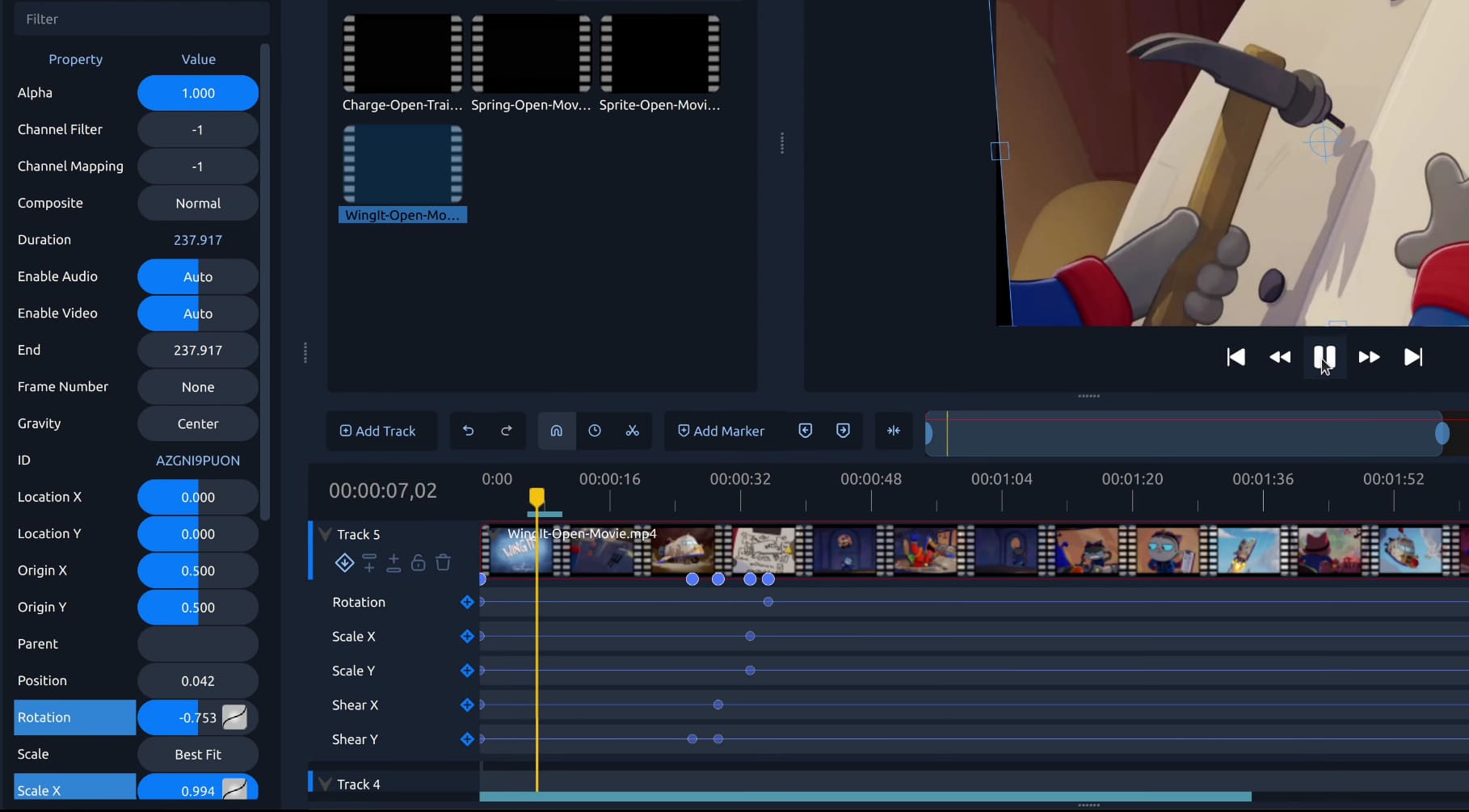
If you are totally new to video editing and have never even heard of terms like "timeline" or "keyframes," OpenShot may be the best place to start.
OpenShot is built with Python and PyQt5. Its interface is carefully designed and feels a lot like CapCut, so it is very easy to use. You can drag clips from the file manager straight onto the timeline, trim them with a click, and add transitions. In just a few steps, you can make a video.
So why not just use CapCut?
In the past, CapCut was a very beginner-friendly free editor. But now, if you do not pay for CapCut, the free version gives you very little. You will run into many limits while using it. Also, CapCut is not open source.
OpenShot, on the other hand, gives you all the basic tools you need: unlimited tracks, transition effects, title animations, keyframe animation, and more. It is not as powerful as Shotcut or Kdenlive, but for simple vlogs, tutorial videos, or family highlight videos, it is more than enough.
OpenShot also works on multiple platforms, uses the GPL open-source license, and is completely free.
So, who is it for?
- People who have never edited a video before.
- People who only need simple editing and do not want to learn complex tools.
- Everyday users who want to cut home videos or make memory slideshows for family members.
Which Free Mac Video Editing Software Should You Choose?
Let's explain all the choices clearly in a table below.
| Recommended Tool | Your Situation | Main Reason |
|---|---|---|
| DaVinci Resolve Free Version | You need professional color correction and audio editing, and don't care about open source. | Hollywood-level tool, completely free. |
| iMovie | Beginners and casual users who want simplicity, free service, and smooth editing for Apple media files. | Super easy to learn. You can start editing right away. |
| Shotcut | You have a low-spec Mac and want light, fast software. | Small size, uses little computer power. Works well on old Macs. |
| Kdenlive | You are used to the controls of traditional video editors. | Full functions and professional experience. |
| Olive | You want deep customization and like trying new software. | Custom rendering system with great potential. |
| OpenShot | New video editors who want software ready to use right away. | Simple interface. No experience is needed. |
You can download these free video editing software options for Mac from the official website links listed below.
Conclusion
Do Mac users really have to spend a lot on editing software? Not at all. Whether you are a pro looking for Hollywood-level color grading or a casual creator who just wants to edit the occasional vlog, there are solid free options on Mac.
The free version of DaVinci Resolve gives you pro-level tools. iMovie lets you get started right away. Shotcut is light and open source. Kdenlive is full-featured and stable. Olive gives you depth and freedom. OpenShot is simple and easy to use.
The value of a tool is never about making life harder. The money you save on subscriptions can go toward more storage, a better microphone, or a few more good meals. More importantly, once you stop worrying about paying for editing software, that alone is already worth it.
Finally, if you want to save even more time in your video post-production workflow, or just want a better hands-on feel, you may want to try TourBox, our creative controller made for creators.

You can map shortcuts and common functions in any video editing software, open source or not, to TourBox's physical buttons and dials. We also built in support for common video editing tasks, like timeline control, so you can work more accurately and efficiently in editing and color grading.
If your budget is limited, you can also check out our more affordable models, like the NEO and Lite. To learn more about how TourBox can help with video editing, please visit our Video Editing Use Case Page.


