[TourBox Tutorial] What Is Global Preset?
The TourBox Console features a "Global (Other applications)" option in the "Application List". In TourBox Console, aside from the applications you have already linked with presets, you can control all other unlinked applications through this Global preset.
Usage Scenarios:
- When you disable "Auto Switch" and select the Global preset, you can control all the software you operate using this single Global preset.
- When you enable "Auto Switch" and have also set up a Global preset, the TourBox Console will automatically switch to the Global preset and associate it with the software you're using if you haven't set up a specific preset for that software.
As a versatile device, TourBox is suitable for almost all software that supports shortcut keys. This includes, but is not limited to, digital creative software, music software, computer games, software development tools, etc.
How to Set Up a Global Preset
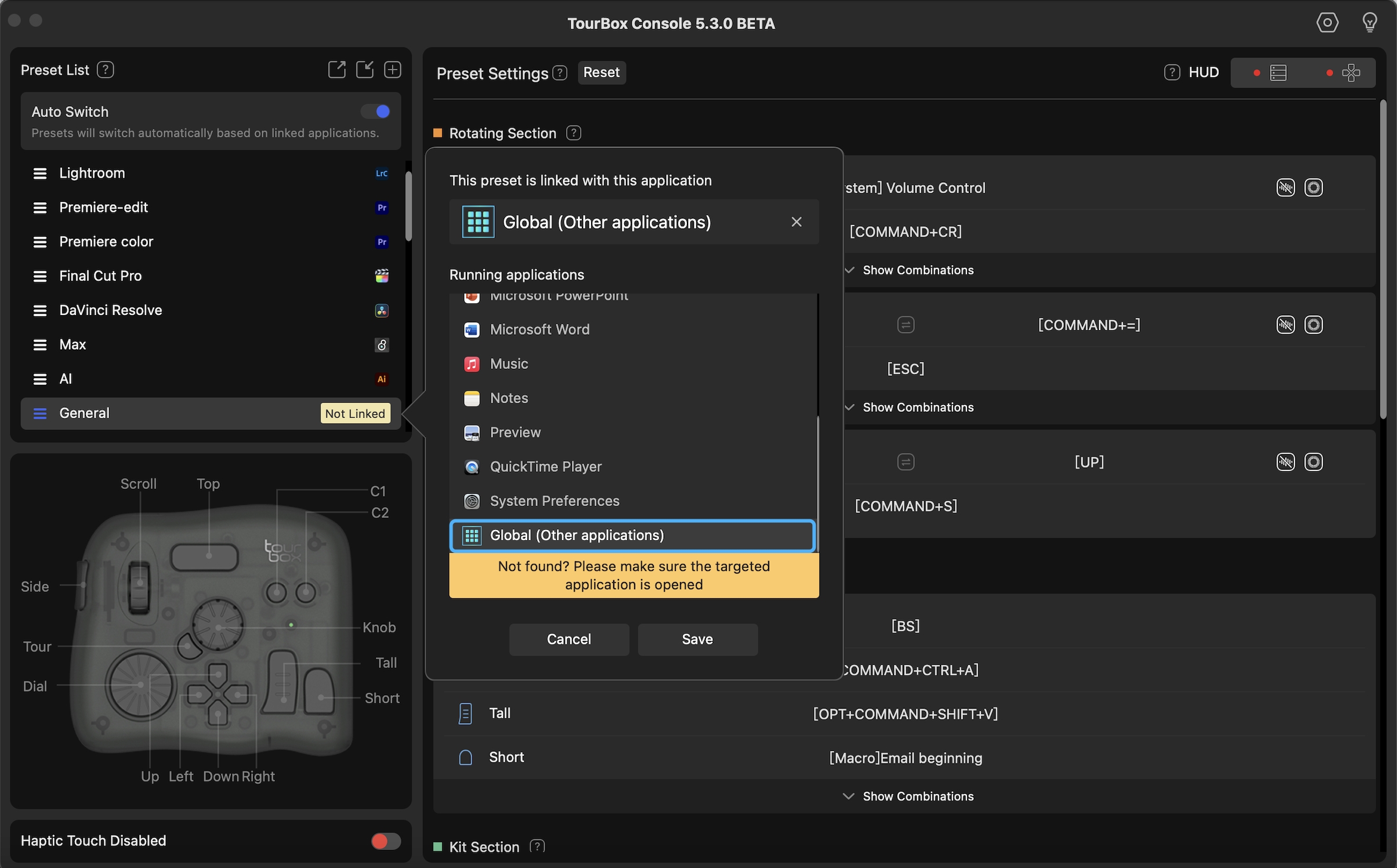
After creating a new preset in TourBox Console, click on the "Not Linked" tag to the right of the preset in the Preset List to go to the "Link Application" page.
In the Application List on the "Link Application" page, find "Global (Other applications)", then click 'OK' to confirm.
Have a Question?
To explore more about using TourBox and learn additional tips and tricks, check out our TourBox tutorials series.
If the tutorials above do not answer the questions you have, please contact support@tourboxtech.com.


