How to Sell Digital Art: A Complete Guide
For digital artists, great work is not enough. They also need to learn how to bring their art to market more effectively. So how can digital art be sold? And what should artists pay special attention to along the way? Let's take a look in this blog.

In this article, you will learn:
- Who Will Buy Your Art?
- Which Platform Should You Choose to Sell Your Art?
- How Should You Price Your Art?
- How Can You Protect Your Rights as a Creator?
- How to Deliver Your Digital Art?
- How to Promote Your Digital Art?
- What Should the Process of Selling Digital Art Look Like?
- Conclusion
Who Will Buy Your Art?
Before you start selling digital art, it is often more important to think about who will buy it than to set a price right away. Different audiences care about different things.
Art collectors may care more about rarity, limited releases, and what makes a piece unique. Designers and creative professionals usually care more about whether the work can be used in commercial projects, such as illustrations, graphics, or high-quality templates. Regular buyers may see digital art as home decor, phone wallpapers, or something they buy simply because they love it and want to support the artist.
One thing worth noting is that younger collectors are growing fast. In Art Basel's report on the Survey of Global Collecting 2025, 68% of Gen Z women own digital art, compared with 49% of Gen X women. This also shows that digital art is being embraced more and more by younger people who are more familiar with digital culture.
So instead of treating everyone as the same kind of buyer, it is better to define your audience first and then offer the right buying options based on their needs. For example, you can offer personal-use licenses, commercial-use licenses, custom artwork services, or digital products with a stronger decorative appeal. That way, your work is not only seen, but also has a better chance of being truly sold.
Which Platform Should You Choose to Sell Your Art?
Different platforms are better for different kinds of creators. Some artists are better off using a platform's built-in traffic to test their work first. Others are better suited to building their own independent store and growing a brand. Some may choose platforms made for digital products, creative communities, or even NFT marketplaces. The following options cover most common digital art selling situations.
1. Etsy (Marketplace)
One of Etsy's biggest strengths is its built-in traffic and its well-established handmade and creative buyer community. It is also easy to get started, so it works well for quickly testing digital download products. Its fee structure is also fairly clear: the official transaction fee is 6.5%, plus a $0.20 listing fee for each item. Depending on where you sell, there may also be other payment or ad-related fees.
It is a good choice for creators who want to test the market first and then slowly expand their product line.
2. Shopify (Independent Store)
Shopify is better for people who want to build a personal brand seriously. It is basically a website-building tool for independent stores. It supports digital products, and it can also work with physical products and print-on-demand sales. Shopify also clearly says that selling digital products in an online store does not add extra fees.
Its strengths are strong brand control and flexible features, but it also depends more on you to bring in traffic, and subscription prices can vary by region and plan.
3. Big Cartel (Small Independent Store)
Big Cartel is a good fit for artists who do not have many works and want a lightweight store. Its free plan lets you list up to 5 products, and it does not take a platform sales cut. Paid plans support more products and also allow the sale of digital products and services.
Overall, it is simple, fast to launch, and low-cost. The tradeoff is that its features are more limited, so it is best for creators who want something small but well done.
4. Gumroad (Digital Product Platform)
If you mainly sell digital downloads, tutorials, or courses, Gumroad is very easy to use. Its pricing is also simple. When a sale comes through your profile page or a direct link, the platform takes 10% + $0.50. If the sale comes through Gumroad's discovery marketplace, the fee is higher.
It also offers automatic delivery for digital files and handles taxes as the merchant of record, which makes it very convenient for people just starting to sell digital products.
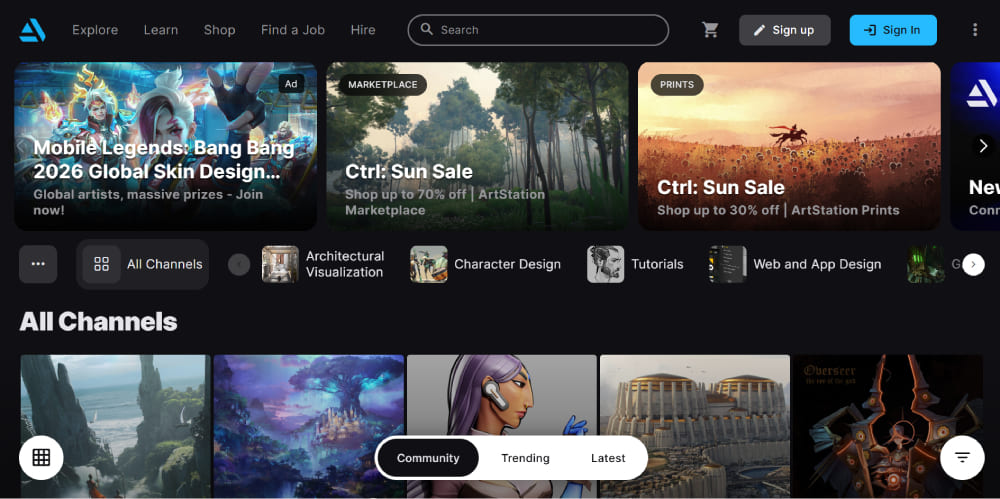
5. ArtStation (Creative Community + E-commerce)
ArtStation is more of a professional creator community, aimed at artists in games, film, media, and entertainment. According to the official platform, even the free version lets you display your work and sell digital products. The Pro plan starts at $9.95 per month, and digital product revenue splits are better.
If you sell products on the platform, ArtStation also charges a platform service fee. It is a strong choice for professional artists who want to show and sell their work in one place.
6. Behance (Creative Community + Asset Sales)
Behance is a natural fit for designers and illustrators already working in Adobe's creative ecosystem. It now supports the sale of downloadable creative assets, and sellers can set their own prices and license types. The standard platform fee is 20%, but if you have a Creative Cloud membership or a Behance Pro subscription, that fee is waived. Stripe will still charge its own payment processing fee.
For people who want to combine exposure with asset sales, it is a very natural choice.
7. OpenSea (NFT Marketplace)
If your work is in the NFT space, OpenSea is still one of the most typical platforms. It lets artists mint and sell ownership of digital works on-chain. The platform usually charges a 1% fee on NFT sales and a 10% fee on primary drop mints. Trading also requires wallet signing, and you need to deal with the complexity of the blockchain network itself.
It is best for creators who already know they want to enter the NFT space and can handle the learning curve.
8. A Simple Practical Choice
If you want to test the waters quickly, start with Etsy or Gumroad. If you want to build a brand seriously, Shopify is a better fit. If you have only a few works and want a light setup, Big Cartel is worth considering. If you are more focused on the professional creative world, look at ArtStation and Behance. And if you are going the NFT route, OpenSea is the main platform to look at.
How Should You Price Your Art?
Pricing digital art usually does not have one fixed answer. It often depends on how the work will be used, how rare it is, and what kind of license you offer. Common sales models include a one-time buyout of download rights, limited-edition releases, subscription-based content delivery, and usage-based licensing, such as separate pricing for personal use and commercial use.
For digital works, copyright is created automatically once the work is made and fixed in a final form. Registration is not required, but in the United States, you usually need to register the work before bringing a lawsuit for infringement
In real sales, the most important thing is not just "selling" the work. It is making clear what the buyer can and cannot do. For example, the same piece can be sold as a digital download, a decorative print, or even a numbered limited edition.
If you are selling to designers or business clients, you can also separate "personal use" and "commercial use" into two versions, and the commercial version usually deserves a higher price.
How Can You Protect Your Rights as a Creator?
For digital artists, protecting your rights is just as important as pricing. The safest approach is to clearly state the usage rules in the product description, the license agreement, or the download file. For example, say whether commercial use is allowed, whether reposting is allowed, and whether editing is allowed.
That way, buyers know how they can use the work, and creators can keep better control over their art. Copyright is created automatically once the work is fixed, and if you find that your work has been uploaded to a platform without permission, the copyright owner can send a DMCA takedown request to the platform's designated agent to ask for removal.
One thing to keep in mind is that a DMCA takedown does not require copyright registration first. But if you later want to file an infringement lawsuit in a U.S. court, registration is usually necessary.
That is why many digital creators treat "clear licensing + keeping copyright + saving proof" as basic rules. This not only reduces misuse but also helps you act faster if your work is stolen.
How to Deliver Your Digital Art?
The best way to deliver digital art is to keep it simple, clear, and secure. For file formats, you can offer different options based on your customer's needs, such as JPEG, PNG, TIFF, PSD, or AI. If the work is meant for printing, you can also provide a high-resolution version at 300 DPI, while keeping the preview image at a lower resolution.
To reduce the risk of theft, it is a good idea to show only watermarked, low-resolution preview images on your website or store. After the order is completed, you can then send the buyer the high-resolution file without a watermark. This way, you can protect your work while still showing it well.
In practice, a common method is to bundle the files into a ZIP folder for download, or send a download link by email or through an automated delivery tool. If you use a platform like Shopify, you can also add plugins to handle automatic delivery. That way, customers can get their files right after payment, without you having to send each order by hand. It saves time and gives buyers a much better experience.
If your work also involves print-on-demand, you will need to set up the delivery process with your print provider ahead of time so that ordering, production, and shipping all work smoothly together.
How to Promote Your Digital Art?
Promoting digital art is not just about the work itself. It is also about helping more people see it and remember it. The most effective approach usually combines social media, content marketing, and some traditional promotion methods.
Social media is the most direct way to show your work. Platforms like Instagram, TikTok, X (formerly Twitter), and Pinterest are great for sharing finished pieces, process shots, inspiration, or short video content. Compared with posting only the final image, content with a bit of story often gets more attention. You can share the idea behind the piece, the trends that inspired it, or small details from the creative process. Many artists build their audience slowly by sharing content consistently over time.
Content marketing is also very important. You can start a blog or build an SEO-friendly website, then keep posting creative notes, tutorials, inspiration, or stories behind your work. This not only helps more people find your art, but also helps them understand your style and build trust in your work.
Email marketing is another useful tool. You can collect email addresses from visitors and send regular updates about new work, product launches, discounts, or limited-time offers. For people who already know your work, email often converts better than cold promotion.
Collaboration and exhibitions are also worth trying. You can team up with other artists, join online or in-person exhibitions, or show your work at art fairs and creative events. These opportunities can increase your reach and help you connect with new audiences.
If you are ready to spend a little budget, paid ads can also help. For example, you can use Google Ads or Facebook Ads to reach potential buyers more directly. If you are just getting started, you do not need to spend a lot at first. It is better to test on a small scale, then adjust based on the results.

What Should the Process of Selling Digital Art Look Like?
Selling digital art is usually a full process that goes from creation to purchase, and then to repeat sales. The first step is to choose your sales platform, such as opening a shop on Etsy, signing up for Gumroad, or building your own Shopify store. Then you upload your work, set your price, and clearly explain the copyright and usage terms.
For example, is it for personal use only, or can it also be used for commercial work? Is sharing or resale allowed?
After the basic setup is done, you can start promoting your work through the channels mentioned above to get more exposure and bring in more potential buyers. Once someone places an order, the platform can usually handle payment and digital delivery automatically, such as through a download link, email delivery, or access through the buyer's account.
Most of the time, you do not need to handle this manually. After the sale, do not forget to keep the relationship going. You can send a thank-you note, ask for a review, or offer a small discount to returning customers. Step by step, this helps you build a more mature sales system over time.
4 things you can start doing right now:
- Define your audience before choosing a platform: First, think about who your work is for. Is it for collectors, designers, or everyday buyers? Different audiences fit different platforms. For example, Etsy, Shopify, Gumroad, and ArtStation all work best in different situations. If you choose the right direction first, the rest of your work will be much easier.
- Make your copyright and license terms clear: Whether your work is for personal use, commercial use, or not allowed for resale, make sure the rules are written clearly on the product page or during checkout. The clearer the rules are, the less likely you are to run into confusion later, and the better you can protect your work.
- Set up a safe delivery process: When showing your work, use watermarked preview images when possible so your high-resolution files are not stolen easily. After the sale, use the platform, plugins, or automation tools to send the high-resolution digital file to the buyer safely. This is both easier and more professional.
- Keep doing content marketing: Building your brand matters. You can share your creative process, work previews, and sources of inspiration on social media on a regular basis. You can also create content around holidays or trending topics. At the same time, keep growing your email list so you can stay in touch with your audience over the long run.
One Extra Reminder:
Tax rules for digital products can vary by region, especially when you sell to customers in different countries or areas. A safer approach is to use the tax tools built into your platform whenever possible. If needed, it is also a good idea to ask a professional for help so your sales process follows the right rules and avoids unnecessary risk.
Conclusion
Selling digital art is not just about putting your work online. What really matters is first thinking through who your work is for, which platform is the best fit, how you want to price it, and how you want it to be used and shared. If you get these basics right early on, the rest of the selling process will go much more smoothly.
For many creators, one of the biggest strengths of digital art is that it is flexible, low-cost, and easy to share. It also makes it easier to build your own style and brand.
As long as you keep creating, keep improving how you present your work, and slowly find the sales path that works best for you, digital art can absolutely grow from a hobby into a steady source of income. The most important thing is to start first, then keep adjusting as you go.

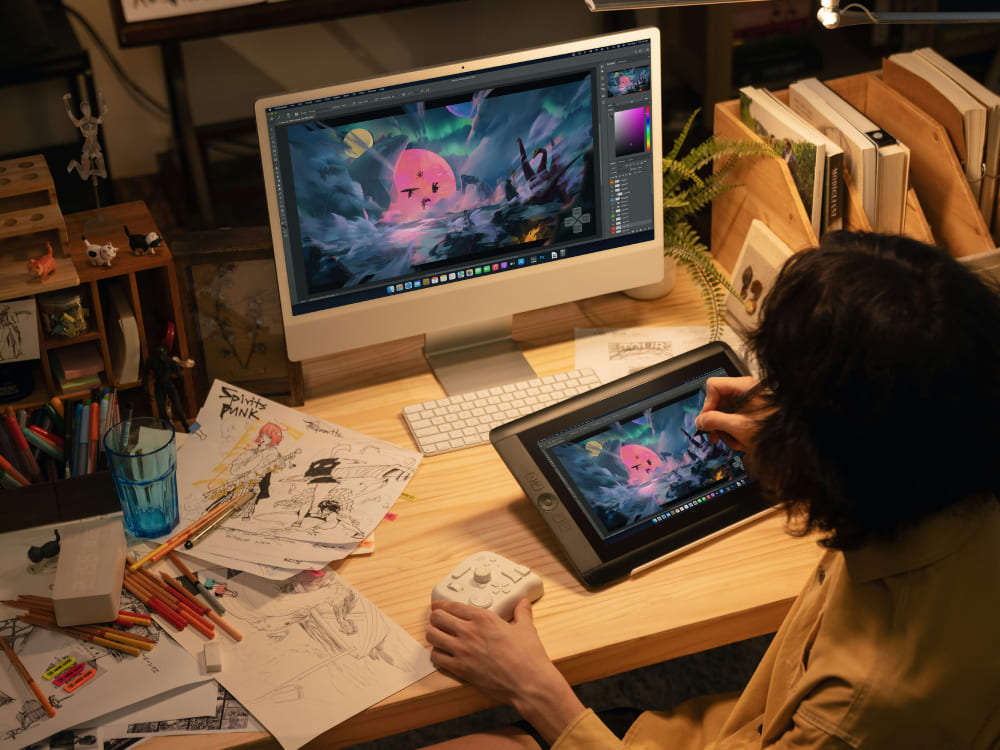
Finally, we would like to recommend TourBox, a creative controller that many digital artists love. Just like using a game controller to play a video game, you can map the shortcuts and functions you use most in your art software to the physical buttons and dials on TourBox. This helps you break free from complicated software controls and handle creative tasks more easily and efficiently.

Our tests show that TourBox can improve your drawing efficiency by 270%. If you are interested in a more focused and efficient digital art workflow, click through to our Digital Art page to learn more about how TourBox can be used.


