A Guide to Monitor Calibration: Are Your Colors Accurate?
In today's digital world, we spend countless hours looking at screens. Whether you are a photographer editing images, a designer creating visual assets, a video editor working on color grading, or simply someone watching movies and browsing photos, your monitor plays a critical role in how you experience color.
But there is a common misconception about display color accuracy: "My monitor was calibrated at the factory, so I don't need to calibrate it again." Unfortunately, that is not entirely true.
A factory-calibrated monitor does not guarantee that the colors you see every day are truly accurate. In reality, many factors — from your room lighting to the age of your display — can gradually change how colors appear on your screen.
If you care about accurate colors, especially for creative work, regular monitor calibration is not an optional extra. It is an essential part of maintaining a reliable workflow.
Why Factory Calibration Is Not Enough?
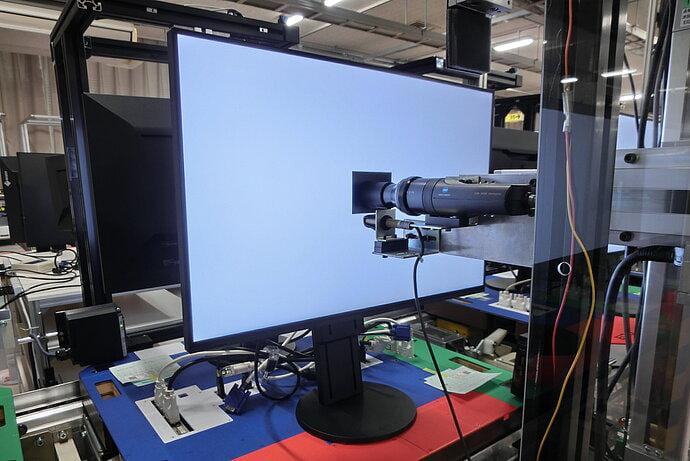
Many professional monitors advertise factory calibration as a key feature. Manufacturers use advanced equipment to measure and adjust displays before they leave the factory, ensuring they meet certain color standards. This sounds reassuring, but factory calibration has limitations.
The first problem is that factory calibration happens in a controlled laboratory environment, not in your actual workspace.
During the calibration process, manufacturers use specific brightness levels, contrast settings, color temperatures, and lighting conditions. However, your working environment is completely different. The lighting in your room, the position of your monitor, and your personal display settings all affect how colors are perceived.
A monitor calibrated in a factory cannot automatically adapt to your desk setup at home.
The second problem is that factory calibration only represents the monitor's condition at the moment it leaves the production line.
Like any electronic device, monitors change over time. The backlight slowly loses brightness, the panel's color performance shifts, and the overall color balance can gradually drift away from its original state.
In other words, factory calibration gives your monitor a good starting point, but it does not guarantee long-term color accuracy.
What Affects Your Monitor's Color Accuracy?
Even if you have an expensive monitor with a wide color gamut and excellent specifications, the colors you see can still be affected by many external factors. Understanding these factors is the first step toward achieving more accurate colors.
1. Room Lighting: The Most Overlooked Factor
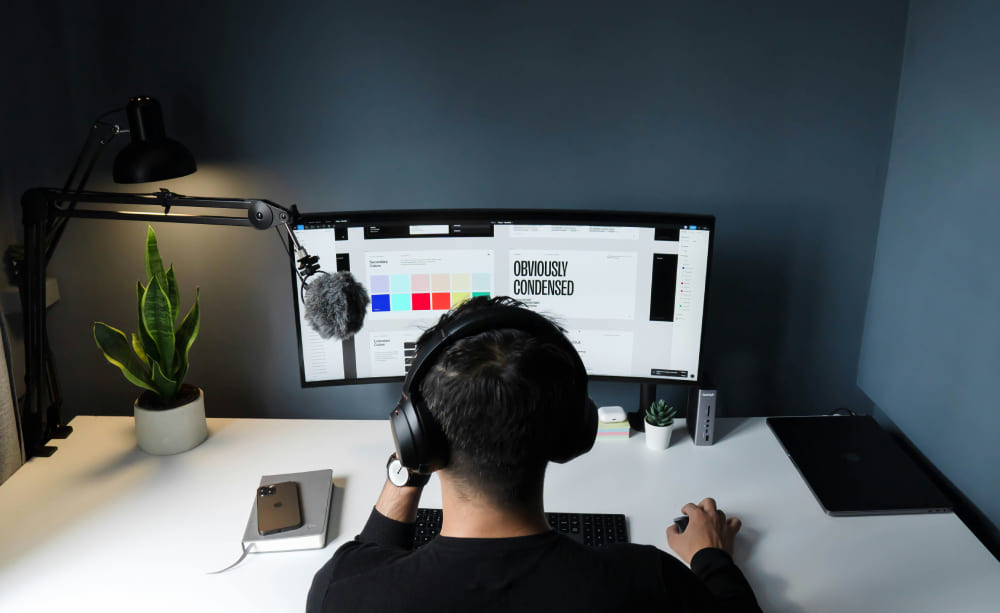
When people think about color accuracy, they usually focus on the monitor itself. However, the lighting around your display can have a huge impact on how you perceive colors. Different light sources have different color temperatures.
For example:
- Warm incandescent bulbs can make your screen appear slightly yellow.
- Cool white LED lights can make colors look more blue.
- Mixed lighting from different sources can create inconsistent color perception.
Even natural daylight is constantly changing. Morning sunlight has a warmer tone, midday sunlight is usually more neutral, and evening light becomes warmer and more orange.
This means the same image can look different depending on the time of day you view it.
For professional creators, a controlled lighting environment is often just as important as the monitor itself. Many photographers and colorists use neutral lighting conditions to reduce outside influence and create a more consistent editing environment.
2. Monitor Age: Color Performance Changes Over Time
A monitor does not stay exactly the same throughout its entire lifespan. Over time, the components inside a display naturally age. The LED backlight gradually becomes less bright, color reproduction may become less accurate, and the color temperature can shift. This process happens slowly, which makes it difficult to notice.
You might use the same monitor every day and feel that everything looks normal. But when you compare it with a newly calibrated display, you may suddenly notice that the older monitor has a noticeable color cast.
For creative professionals, this gradual change can create serious problems. You may unknowingly adjust your images or videos based on inaccurate colors, only to discover later that the final result looks completely different on another calibrated device.
3. Different Creative Work Requires Different Levels of Color Accuracy
Not everyone needs the same level of color precision. For everyday tasks like browsing websites, writing documents, or watching videos, small color differences may not matter much.
However, for creative professionals, inaccurate colors can directly affect the quality of their work.
- Photographers: A photographer may spend hours carefully editing an image, adjusting skin tones, shadows, and highlights. But if the monitor is displaying inaccurate colors, the printed photo or final exported image may look completely different from what was edited.
- Graphic Designers: For designers working on branding, packaging, posters, or marketing materials, even small color differences can create problems. A logo that looks perfect on screen may appear different when printed.
- Video Editors and Colorists: Color grading relies heavily on accurate displays. If your monitor is too warm, too cool, too bright, or unable to reproduce certain colors correctly, your footage may look inconsistent across different devices.
- UI/UX Designers: Digital products need to look consistent across different screens. Incorrect colors during the design process can lead to unexpected results when users view the interface on their own devices.
Even for everyday users, a color-accurate monitor can improve your overall viewing experience. Whether you are watching a movie, enjoying photography, or playing games, accurate colors help you see the content closer to the creator's original intention.
How to Calibrate Your Monitor for More Accurate Colors?
Many people think monitor calibration simply means adjusting brightness, contrast, or color settings manually. While these adjustments can improve the viewing experience, they cannot guarantee accurate colors.
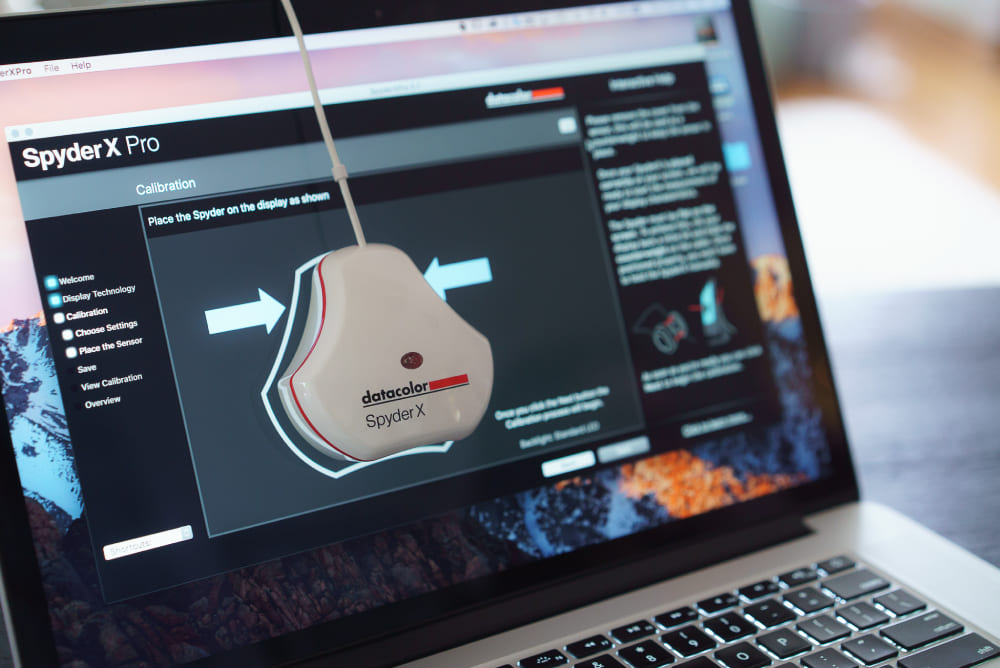
Professional calibration requires a color calibration device, also known as a colorimeter. Tools such as Calibrite or Datacolor measure the actual colors produced by your display and create a custom color profile based on your monitor's performance.
Before starting the calibration process, it is important to prepare your workspace properly:
- Let your monitor warm up for around 30 minutes so it reaches a stable operating condition.
- Set your monitor to the brightness level you normally use.
- Avoid strong direct light or reflections hitting the screen.
- Keep your room lighting consistent throughout the calibration process.
Once everything is ready, the calibration device is placed directly on the screen. The calibration software will display a series of colors and measure how accurately your monitor reproduces them. Based on these measurements, it creates a custom ICC color profile that your operating system uses to display colors more accurately.
After calibration, your monitor may look slightly different from before. Some users notice that the screen appears less vibrant or slightly warmer at first — but this usually means the previous settings were exaggerating certain colors.
The biggest difference is not always obvious in everyday browsing. It becomes much more noticeable when editing photos, grading videos, or comparing your work across different devices. Skin tones look more natural, shadow details become more reliable, and colors are closer to the creator's original intention.
The first time you calibrate your monitor, you may be surprised to discover how much your eyes have adapted to inaccurate colors. A properly calibrated display does not simply make your screen look "better" — it makes it more trustworthy.
How Often Should You Calibrate Your Monitor?
Monitor calibration is not a one-time task. Even the best displays will gradually change over time, which means maintaining accurate colors requires regular calibration.
For professional creators, regular calibration is an important part of a reliable color workflow. Photographers, graphic designers, and video editors who depend on precise colors should consider calibrating their monitors every 1–2 months. For hobbyists and general users who occasionally edit photos, create content, or simply want a better viewing experience, calibrating every 3–6 months is usually enough.
However, the ideal calibration schedule depends on how you use your monitor and your working environment. If you use your display for many hours every day, frequently adjust brightness settings, work in a room with changing lighting conditions, or notice that colors no longer look consistent, it may be time to recalibrate.
Final Thoughts: Start Seeing More Accurate Colors
Your monitor is the window through which you see your digital world. But without proper calibration, that window may be showing you colors that are slightly distorted. Factory calibration is a great first step, but it cannot account for your environment, your usage habits, or the natural aging of your display.
If color matters to your work or your creative hobbies, regular monitor calibration is one of the best investments you can make.
Stop trusting inaccurate colors. Give your eyes a more reliable reference, and start seeing images, videos, and designs the way they were truly meant to be seen. Accurate color is not just about professional standards. It is about respecting your creative work and experiencing the digital world more faithfully.
For photographers, designers, and video creators, accurate color is only one part of the creative process. Once your monitor is properly calibrated, the next challenge is controlling those colors efficiently. Creative applications often require hundreds of small adjustments — changing exposure, fine-tuning curves, adjusting color balance, modifying saturation, and switching between different tools. Repetitive mouse movements can interrupt your creative flow.
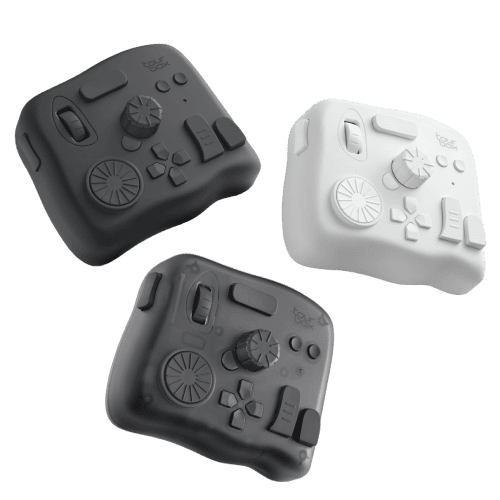
This is where a dedicated creative controller like TourBox can help. Designed for photographers, video editors, and digital artists, TourBox provides physical controls such as dials, knobs, and customizable buttons, allowing creators to make precise adjustments without constantly searching through menus.
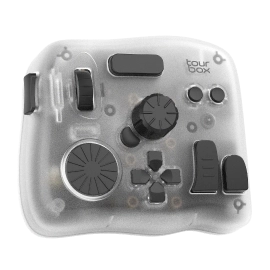
For example, while editing photos in Lightroom or Photoshop, you can quickly adjust parameters, fine-tune colors, or access frequently used tools directly through customized controls. Combined with a properly calibrated monitor, a more efficient control workflow allows you to focus less on repetitive operations and more on the creative decisions that matter.


