How to Make Color Palettes in Photoshop: 2 Fast Methods
You've probably seen color palettes made from beautiful images. How do they get made? There are lots of online tools that extract a palette from an image. But you can do the same thing in Photoshop using its built-in tools. It's simple, and the results look great.
Below are two quick ways to get a color palette in Photoshop. Both methods are easy and only take a few seconds. Let's get started.

In this article, you will learn:
Method 1: Save for Web (Legacy)
First, drag the image you want to turn into a palette into Photoshop.
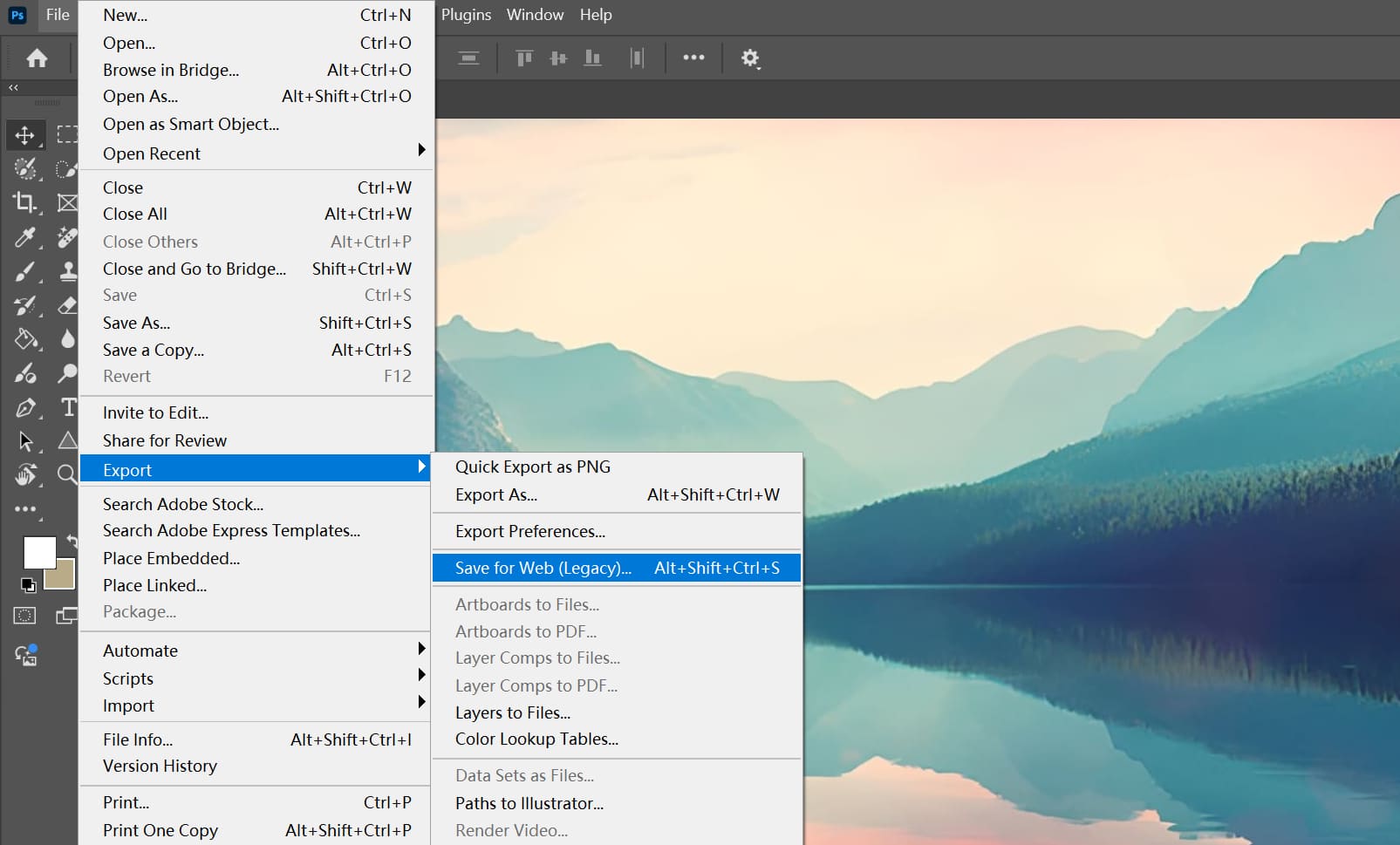
Then go to the top menu: File → Export → Save for Web (Legacy) to open the Save for Web panel.
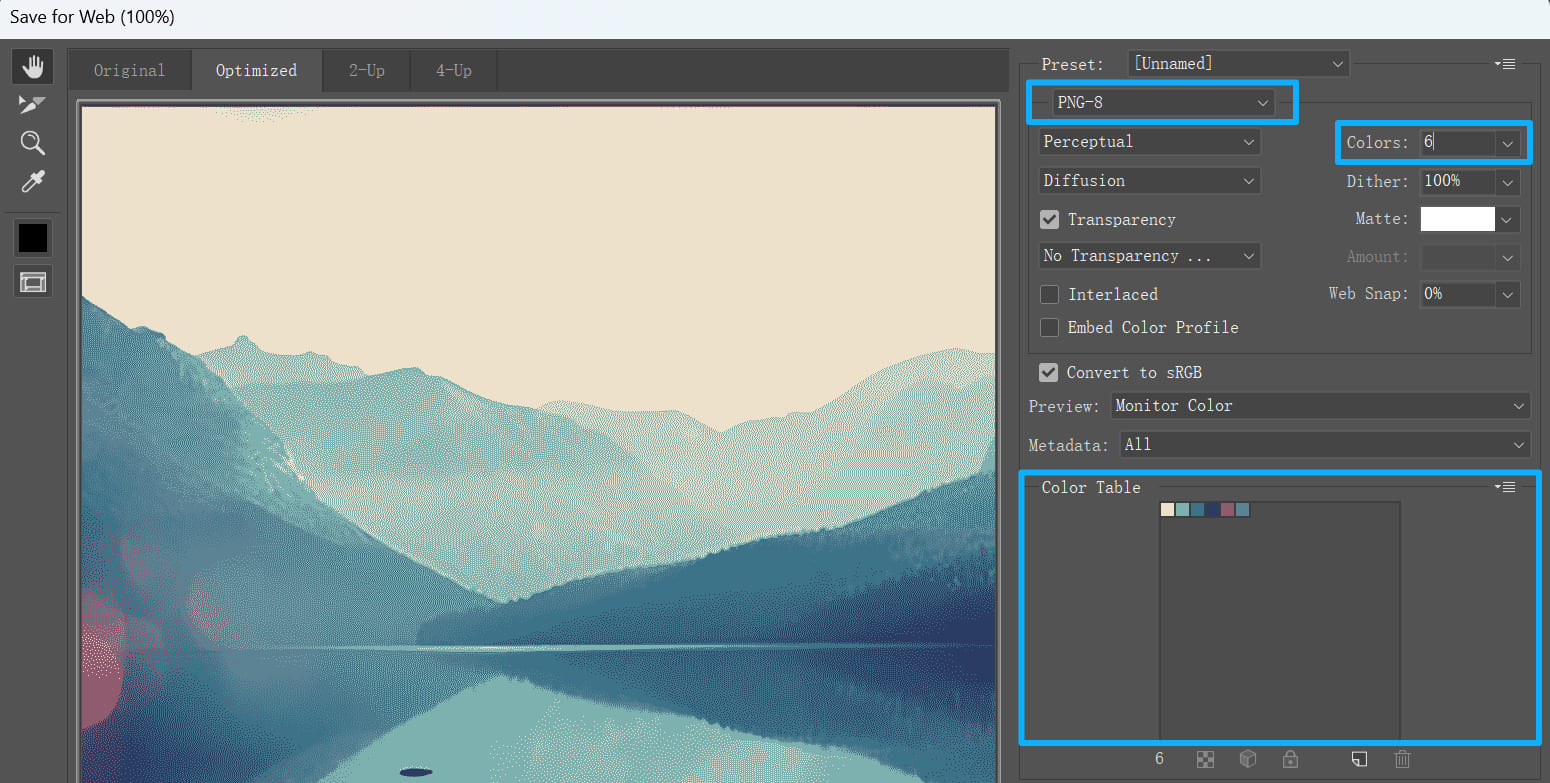
In that panel, choose PNG-8 and set the Colors box to 6. Now you'll see a neat palette in the Color Table.
Now let's check the result.
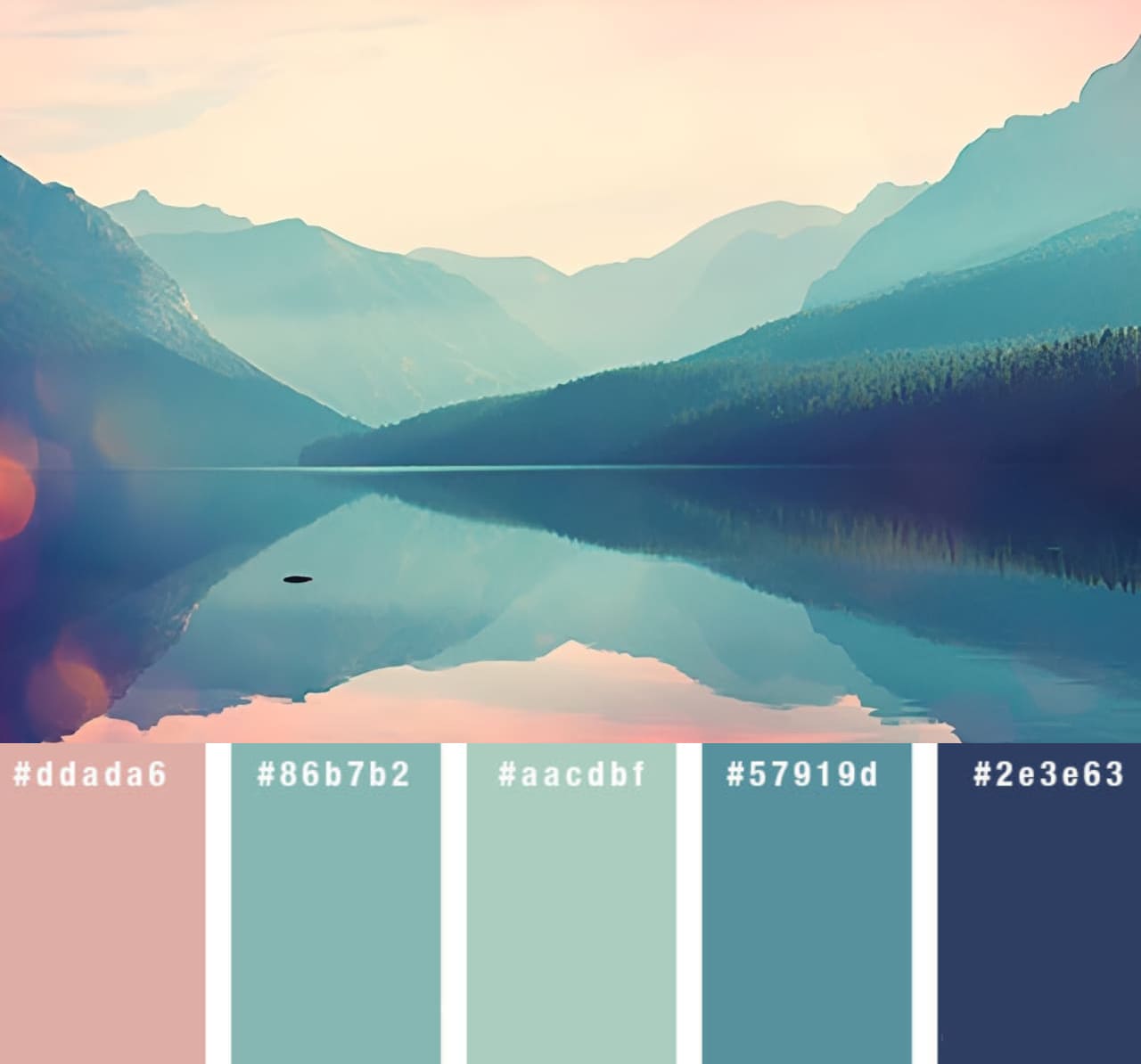
Sometimes six colors aren't enough. If so, increase the number (for example, 8 or 16) and then pick the best ones from that set. Of course, the colors Photoshop gives you are only a starting point. You'll usually want to tweak the palette by hand to get the best look.
Method 2: Mosaic Filter
Besides the first method, you can use another quick way in Photoshop to make a palette.
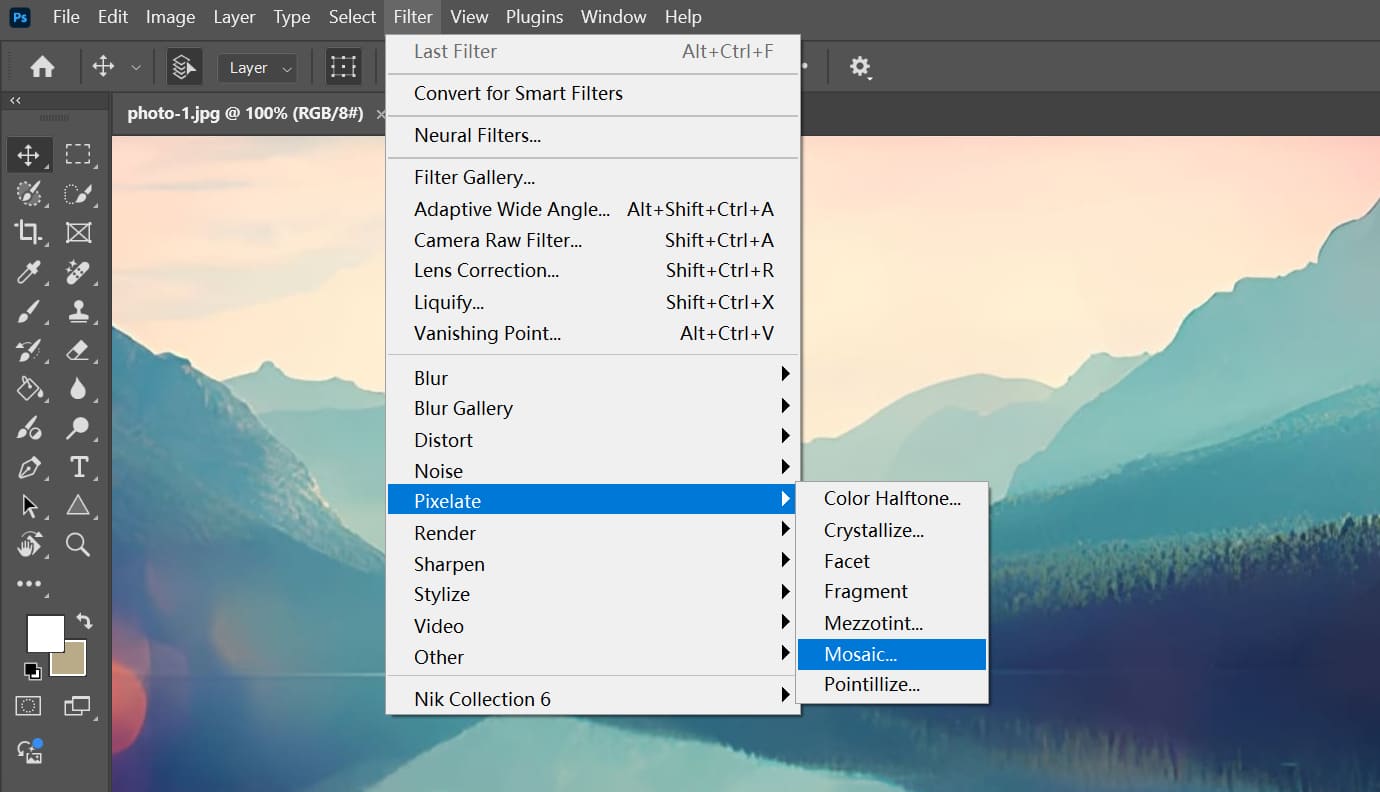
Use the Mosaic filter. From the top menu, choose Filter → Pixelate → Mosaic.
In the Mosaic settings panel, adjust the Cell Size value to control how the palette looks. The higher the number, the bigger each color block will be.
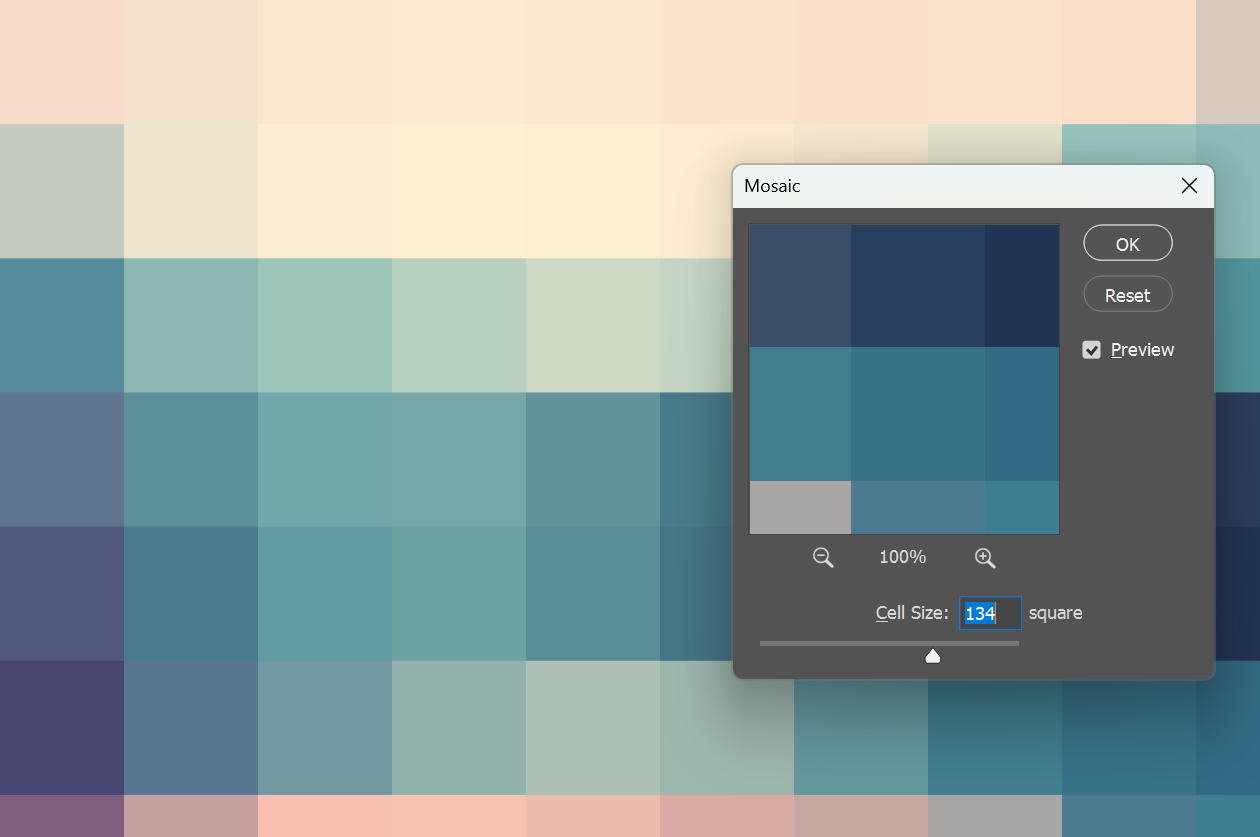
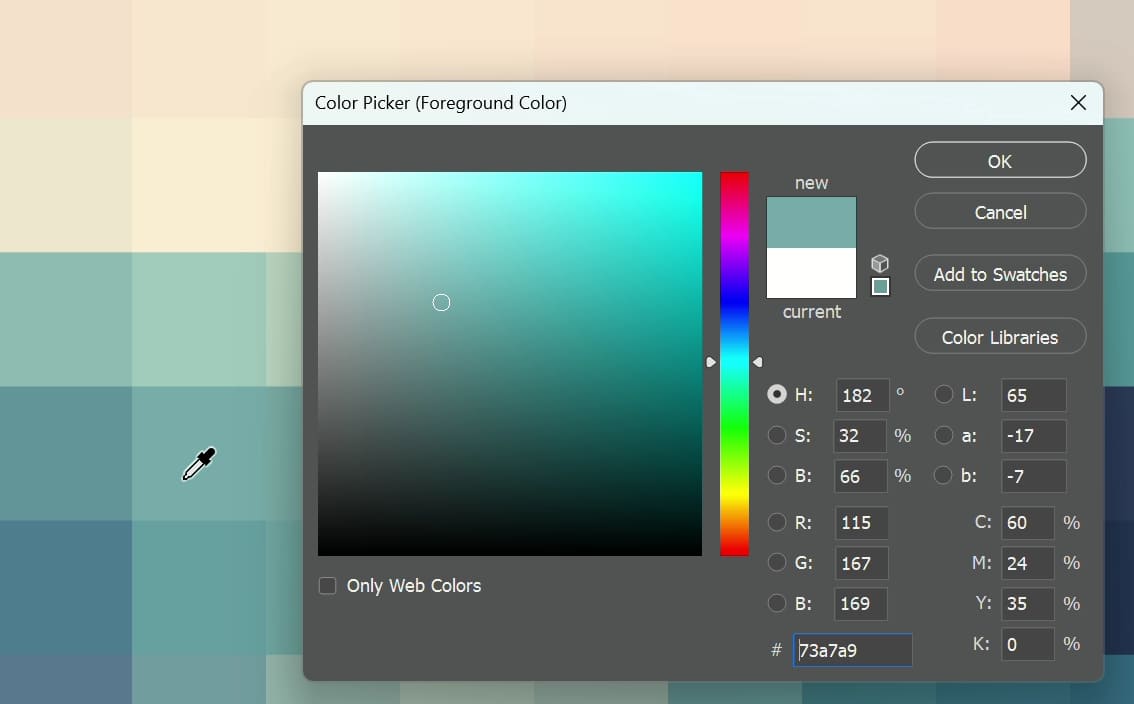
After the image is pixelated, it turns into big color blocks. Use the Color Picker (or the Eyedropper tool) to sample colors from those blocks and collect them into a palette. That gives you a simple color palette you can use in your project.
Conclusion
In this article, we showed two simple ways to make color palettes in Photoshop. Both methods are easy, so when you find a great photo or design, you don't need to hunt for an online palette tool — just make the palette right in Photoshop.
Product Recommendation:
If you learn Photoshop shortcuts, you can speed up your workflow a lot. For example, the Save for Web command from this article can be opened with a shortcut. Learn the shortcut, and you can pull up the panel without digging through long menus.

The problem is that the shortcut — Alt (Option) + Shift + Ctrl (Cmd) + S — is hard to remember and a bit awkward to press. A TourBox can solve that. You can map your most-used shortcuts and tools to its buttons and dials. Using it feels like using a game controller and can replace all keyboard commands.

TourBox also has a lot of built-in features to help your creative work. Curious to learn more? Check out the link.


