TourBox Console 5.12.0 Beta 5: Dynamic Panel V2 & Dynamic Color Picker
TourBox Console 5.12.0 Beta 5 for PC was released on June 18, 2026. This update brings several very useful new features. Let's take a quick look at what's new in this version.
1. Dynamic Panel V2
Dynamic Panel is a customizable floating panel we built for Lightroom and Lightroom Classic. It frees Adobe's controls from fixed, static panels, so you can focus more on the image itself and enjoy a smoother, more efficient editing workflow. In the future, we will also keep expanding this feature to more photo editing software, including Camera Raw and Capture One.
In this new version, Dynamic Panel V2 adds built-in panel options that feel even closer to the native Adobe experience, including Tone Curve, Color Grading, and Crop. These three new panels also support preview, so you can view and use them in real time right inside TourBox Console.
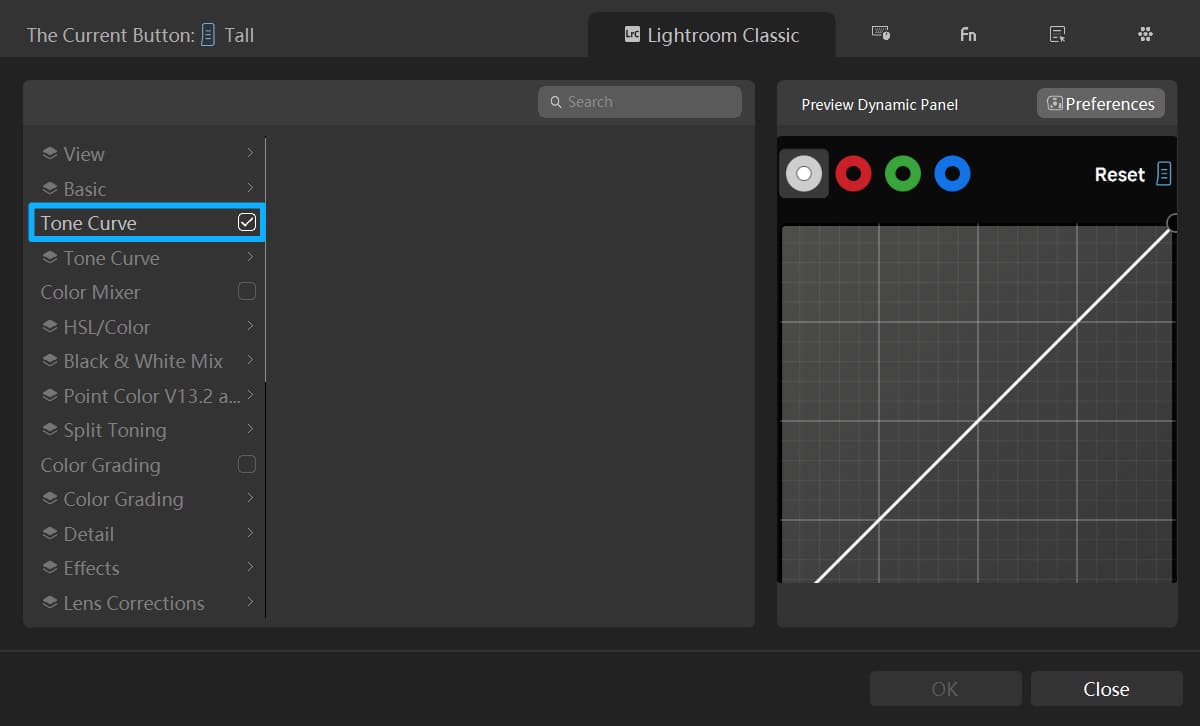
As shown below, once you finish setting up TourBox Console, you can open a Dynamic Panel in Lightroom / Lightroom Classic with one click, and it will look almost the same as Adobe's native panel.
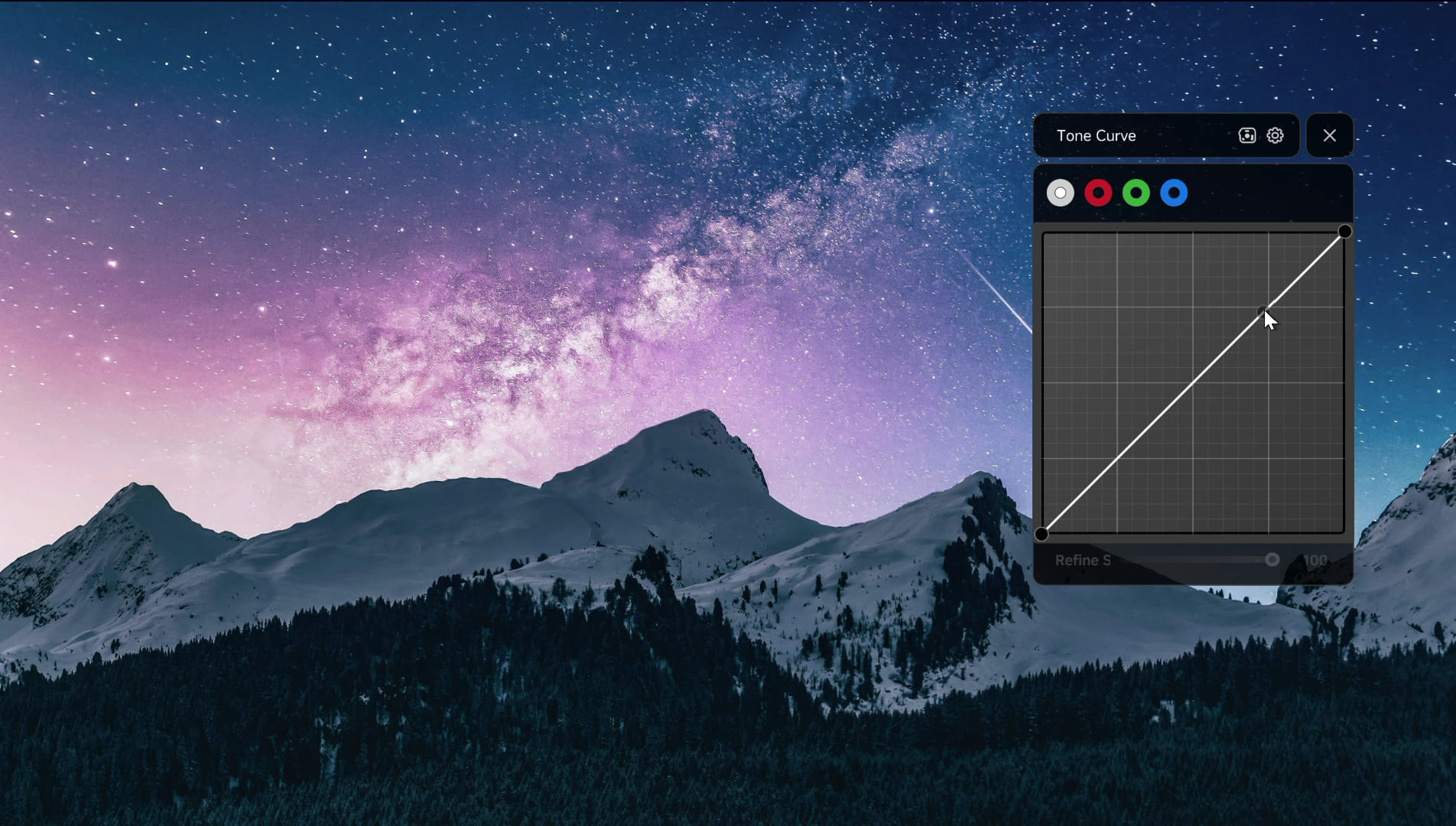
Tone Curve in Dynamic Panel V2
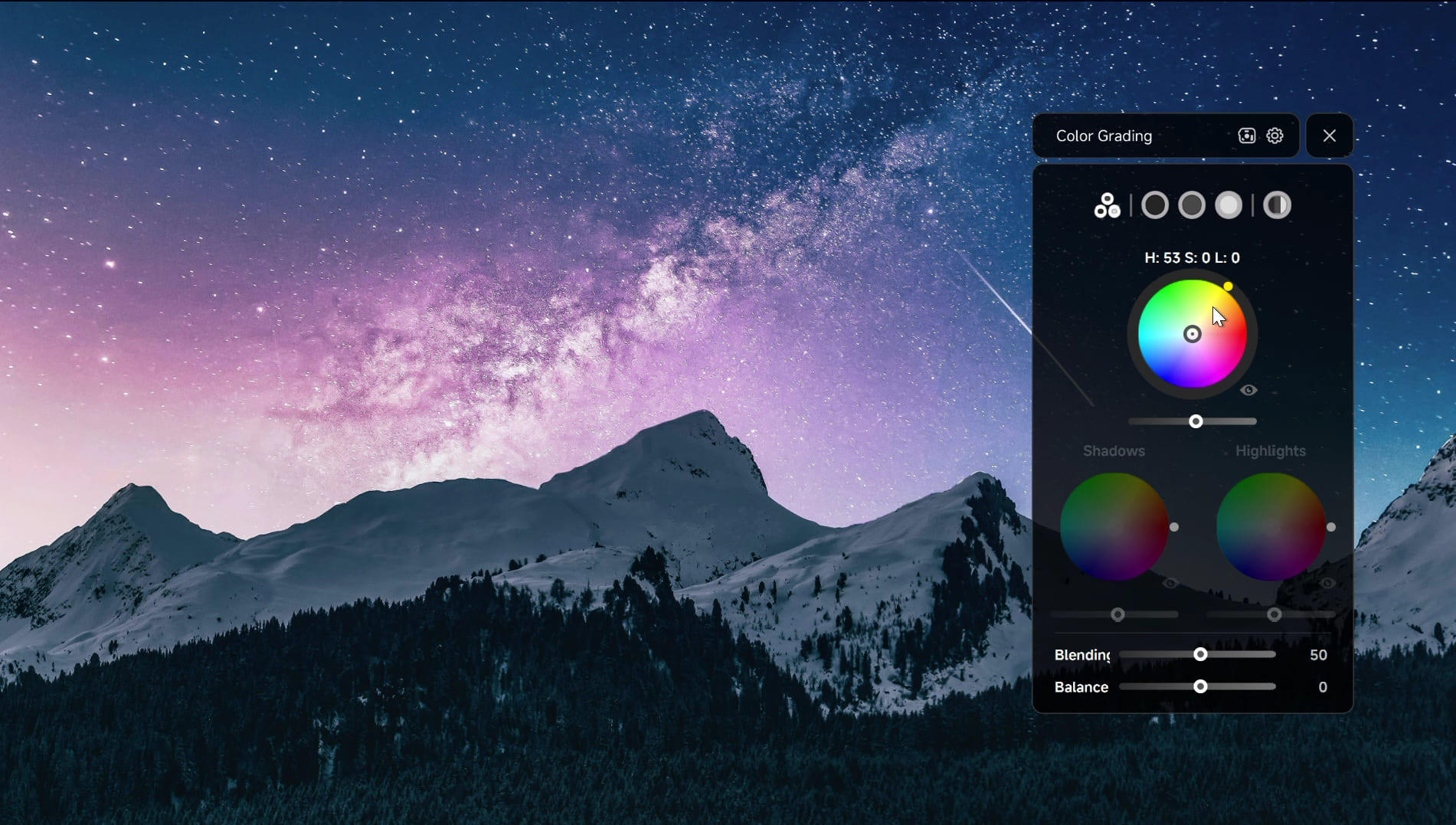
Color Grading in Dynamic Panel V2
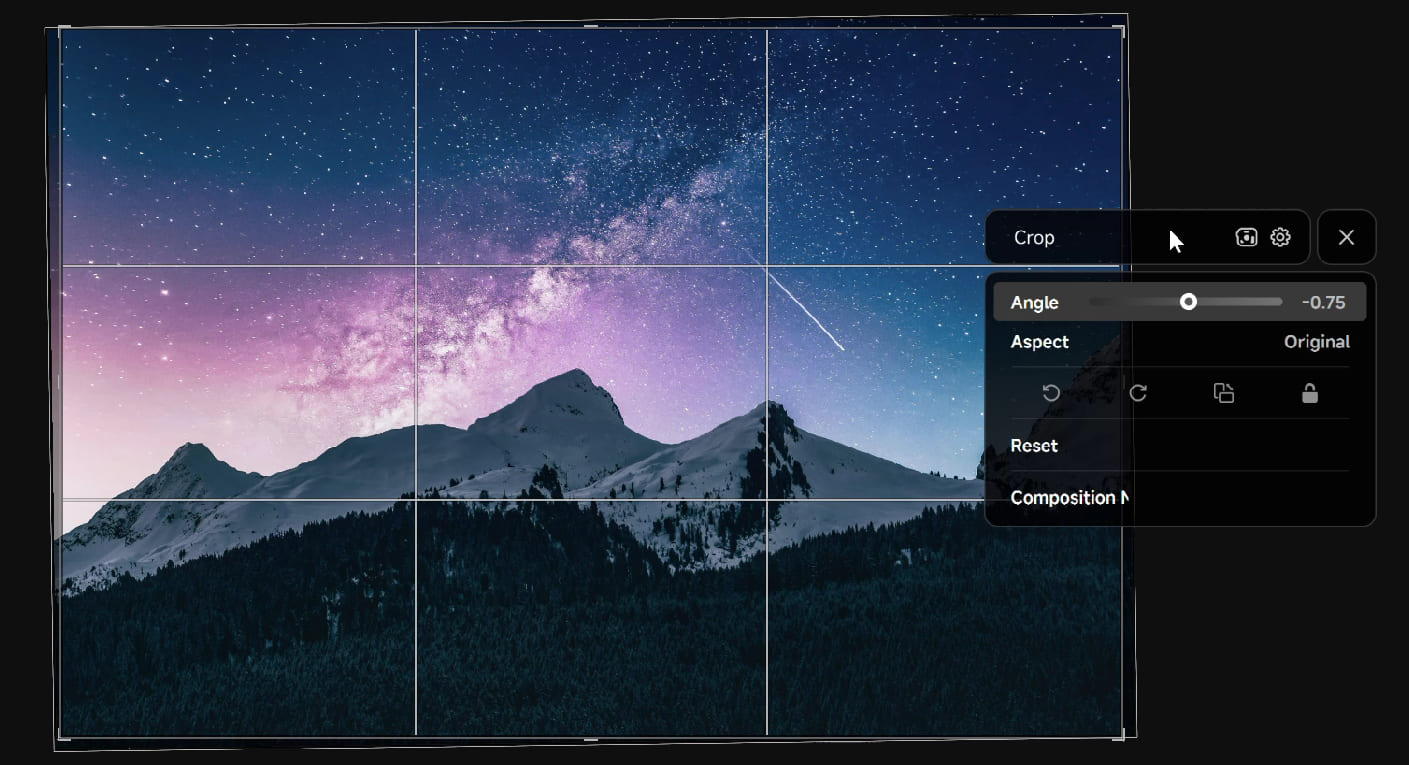
Crop in Dynamic Panel V2
You can use TourBox to control these panels, or you can also drag the curves and settings directly with a mouse or stylus. If you like working in full-screen mode, Dynamic Panel can help you catch the small details that often make or break a photo.
Of course, we still keep the parameter-bar version of Dynamic Panel for Tone Curve, Color Grading, and Crop. You can choose the mode that fits your own workflow best.
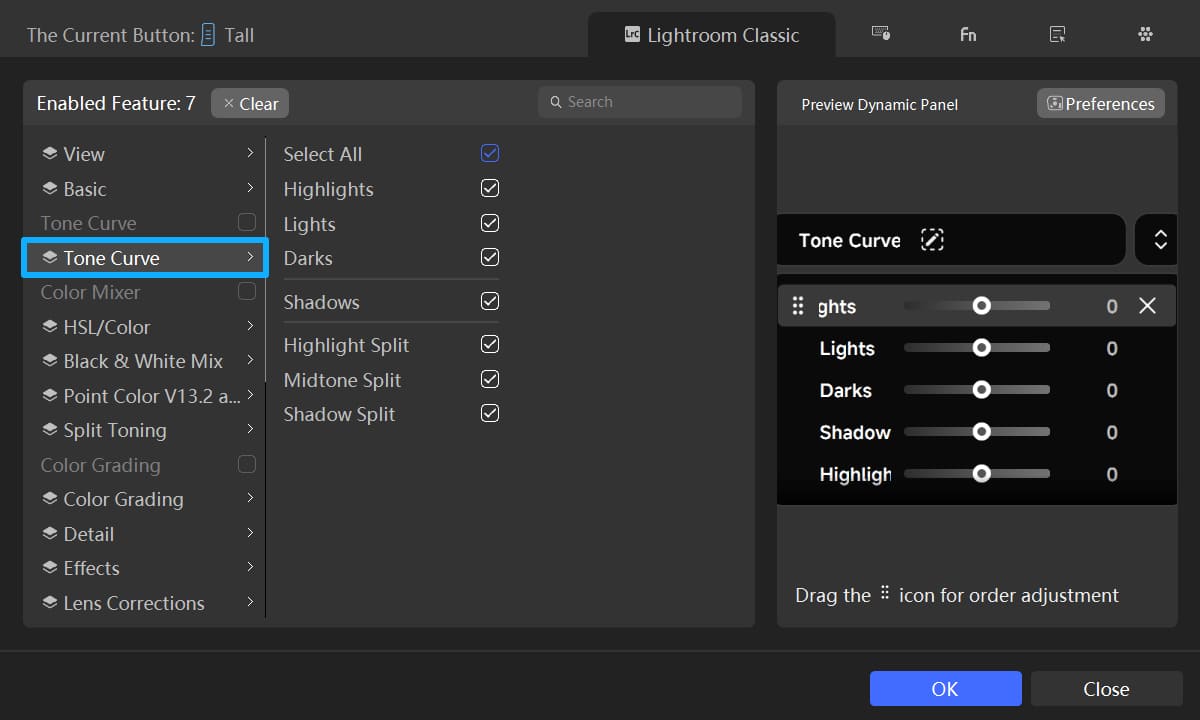
In addition to the three new panels mentioned above, Dynamic Panel V2 also improves the experience of using Preset Panels. When you create a Dynamic Panel made up of presets, the live preview feature will also work.
All you need to do is select the presets you use most often in TourBox Console and map them to TourBox buttons. Once you open the panel, you can quickly preview the matching effect.
After that, you can use either your mouse or TourBox to switch between different presets and browse them faster, without going through long lists again and again or clicking back and forth all the time. The whole process becomes much smoother and more efficient.
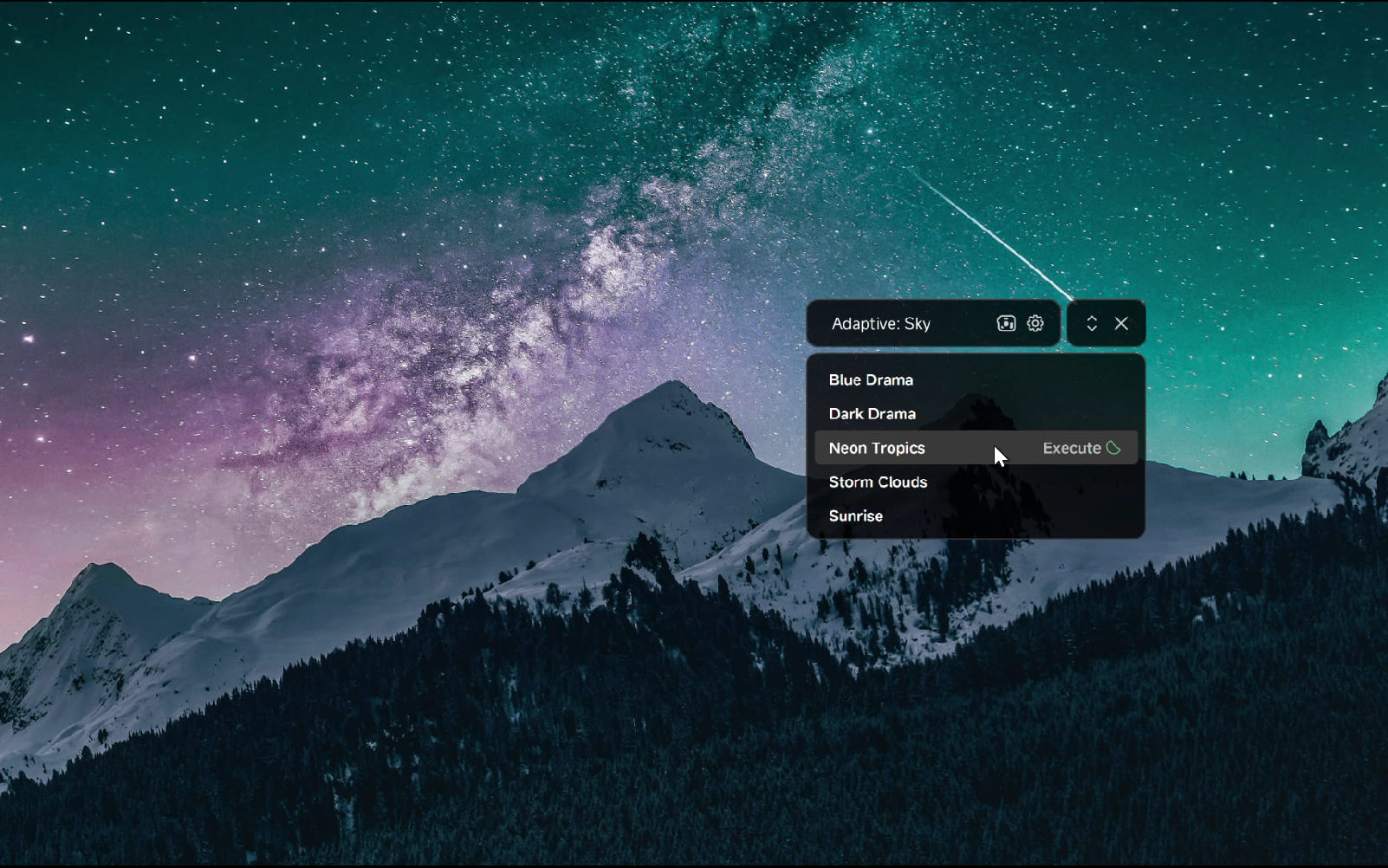
Presets in Dynamic Panel V2
2. New Photoshop Feature: Dynamic Color Picker
In an earlier update, we added Dynamic Color Picker as a built-in feature for CLIP STUDIO PAINT, and it was very well received by many digital artists. This time, we are bringing the same feature to Photoshop.
Now, you no longer need to go to the color panel in the lower left corner of Photoshop to pick a color by hand. Just press the TourBox button you set for the Dynamic Color Picker, and the panel will pop up right next to your pen tip.
You can pick colors directly with your pen on the panel, or use the TourBox dial to adjust colors quickly. This helps reduce extra hand movement and makes the creative process feel more natural.
Dynamic Color Picker offers two color picking modes: Color Wheel and Luma-Based Palette. You can switch between them anytime based on your needs:
Color Wheel works the same way as Photoshop's native color panel. It is a great choice when you want to quickly pick and adjust colors within a familiar color system. It also makes TourBox even better at color matching.
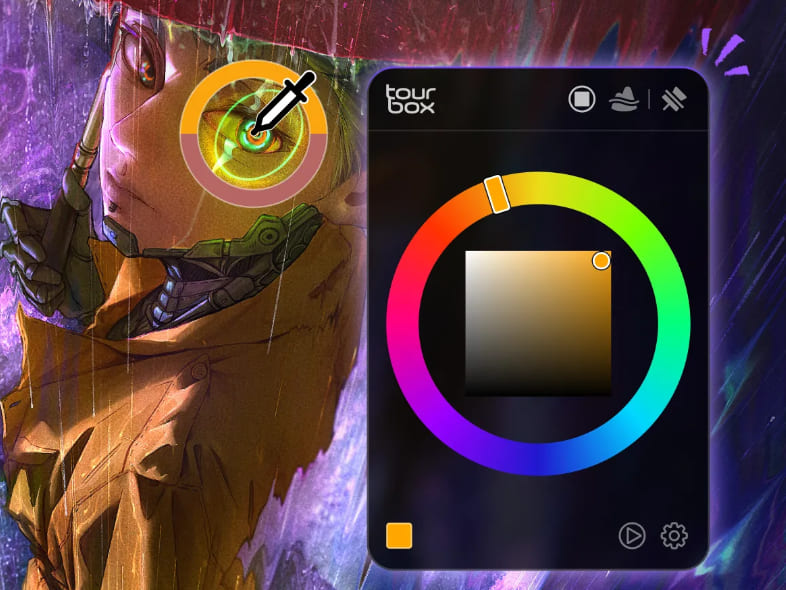
Color Wheel | Dynamic Color Picker
Luma-Based Palette gives you other colors with a similar brightness to the one you picked. It helps you quickly explore different color tones at the same brightness and reduces repeated color-matching work.
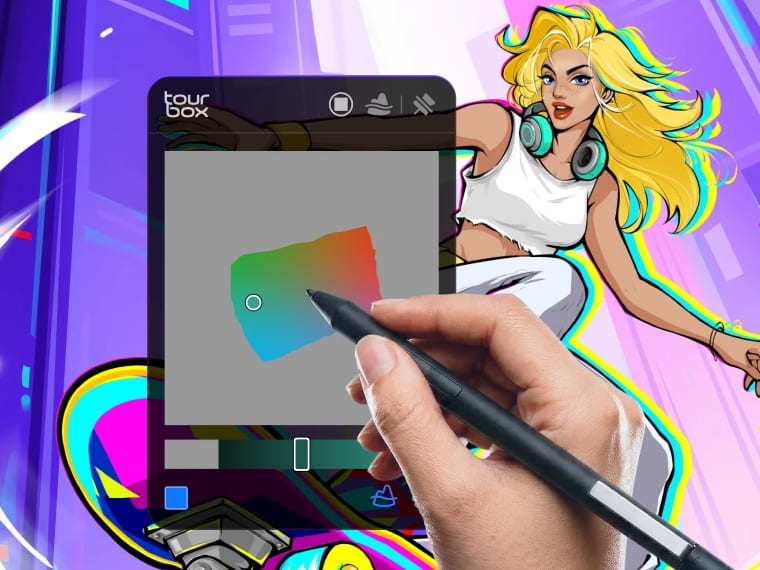
Luma-Based Palette
In this update, we also upgraded Photoshop's dedicated Configuration Interface. In addition to the new Dynamic Color Picker, this page also brings together common tools like brushes, layers, and tools, so you can find and use Photoshop actions more quickly.
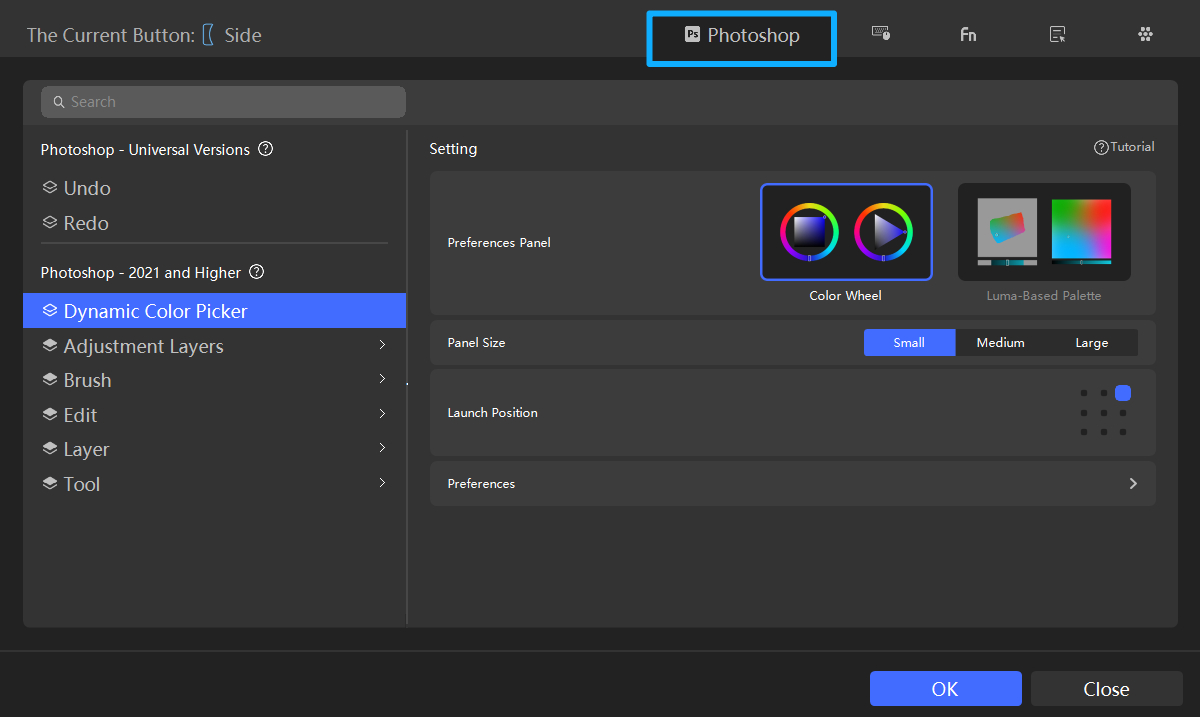
For more on digital art workflows with TourBox in Photoshop and a demo of Dynamic Color Picker, please visit our Dedicated Page to learn more.
3. New Live2D Cubism Editor Preset
Live2D Cubism Editor is a 2D modeling and animation tool. It can turn flat artwork, such as layered PSD illustrations, into content with more depth, perspective, and movement. That is why it is widely used for VTubers, mobile and console games, visual novels, and video animation.
In this update, we also added a new preset for Live2D Cubism Editor. It comes with a dedicated Configuration Interface, including common built-in functions like Brush Size, Brush Hardness, Virtual Numeric Keyboard, Rotate Canvas, and Zoom Canvas.
4. Bug Fixes
We also fixed an issue in CLIP STUDIO PAINT where the interface would sometimes stop responding when using the Dynamic Color Picker.


