TourBox Console 5.11.0 for PC: Adds Lightroom Dynamic Panel Support
TourBox Console 5.11.0 Beta for PC was released on December 15, 2025. This update adds several new features. Read our blog for a quick overview of what changed.
1. New Lightroom Preset and Dynamic Panel Support
We added default presets for Lightroom (not Lightroom Classic).
Further Reading:
TourBox Dynamic Panel: True Full-Screen Color Grading for LrC
Two workspace sub-presets, Library and Develop, come included. The Console will automatically switch to the matching sub-preset based on the current Lightroom workspace.
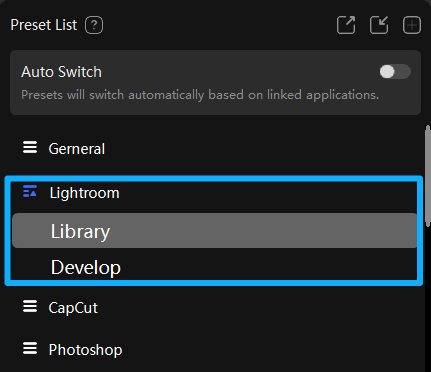
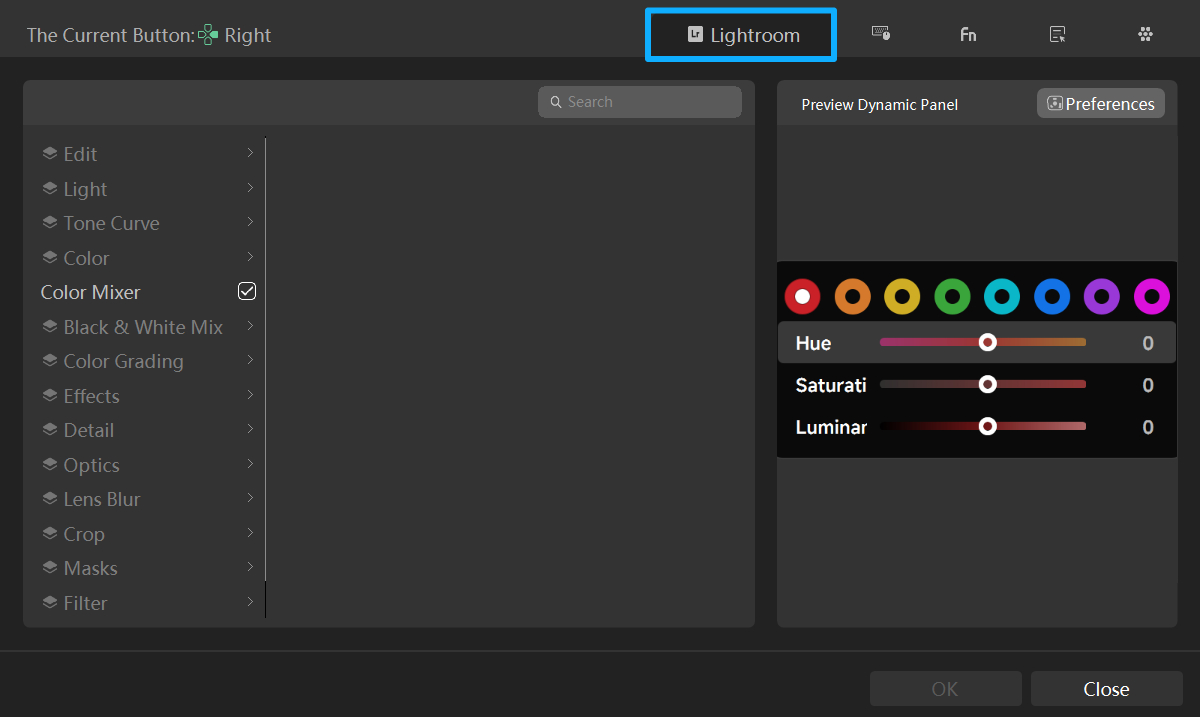
We also added a Lightroom setting page. There, you can turn on the Lightroom features you want and build a custom Dynamic Panel. Controls in the Dynamic Panel can be freely added, removed, reordered, and grouped.
The Lightroom setting page includes many built-in Lightroom functions. You can drag and drop those functions into your Dynamic Panel.
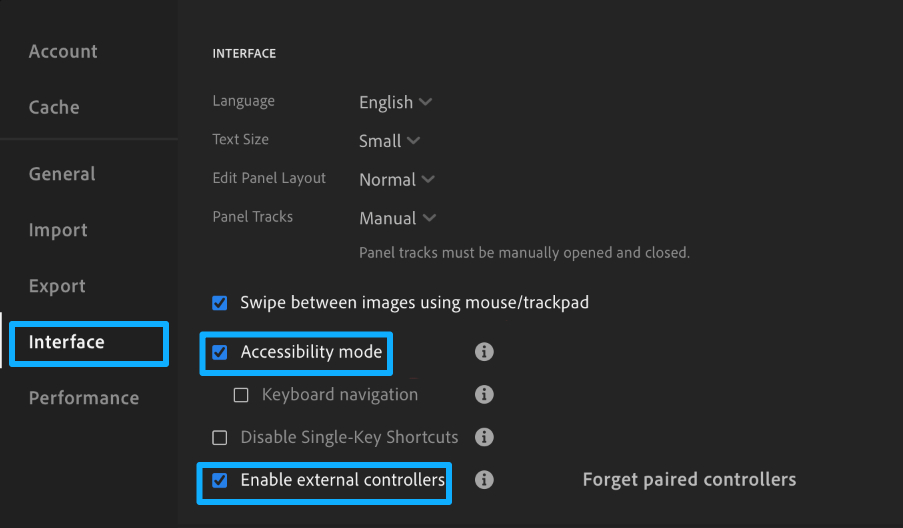
If any built-in features don't work in Lightroom, open Preferences (Ctrl/Cmd + ,) → Interface, check Accessibility mode and Enable external controllers, then restart Lightroom.
2. DaVinci Resolve Improvements and New Features
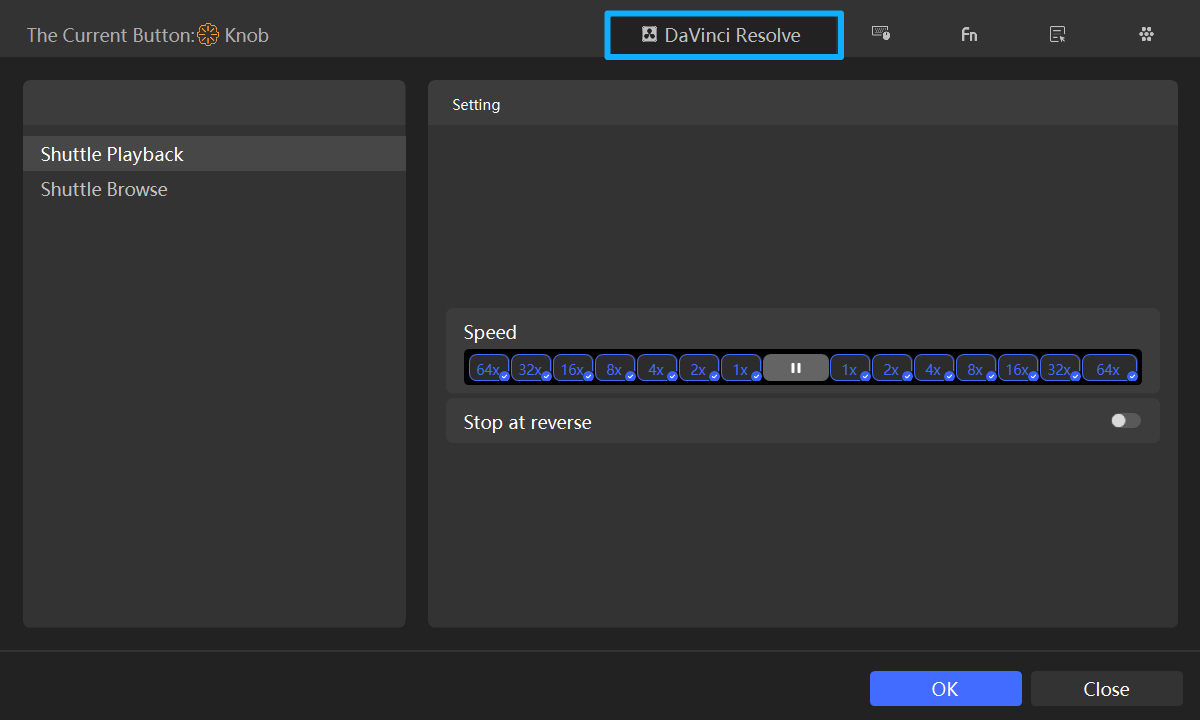
In this update, we added a settings page for two Resolve-only features: Shuttle Browse and Shuttle Playback. That reduces menu depth and makes it easier to pick and tweak options.
We also improved the color-grading feel for HoverAdjust, especially the color wheels and curves. We lowered the minimum step size and smoothed out the stepping when you adjust controls, so changes feel much more fluid and precise.
Further Reading:
TourBox for DaVinci Resolve: HoverAdjust, Shuttle Browse & Playback
We also added a Color Wheel Indicator for HoverAdjust. When your mouse moves over the color wheel, a small TourBox dot appears on the outer rim to show the color under the cursor. If you turn a TourBox knob to change hue, the dot moves around the rim and updates in real time.
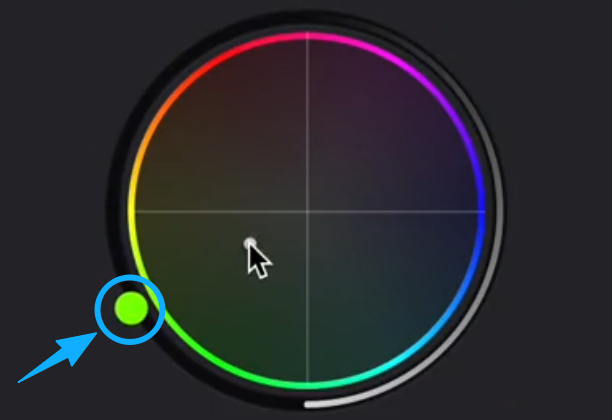
In short, this gives you a clear visual cue for the color position on the wheel. Watch the video below to see it in action.
3. New Final Cut Pro Features
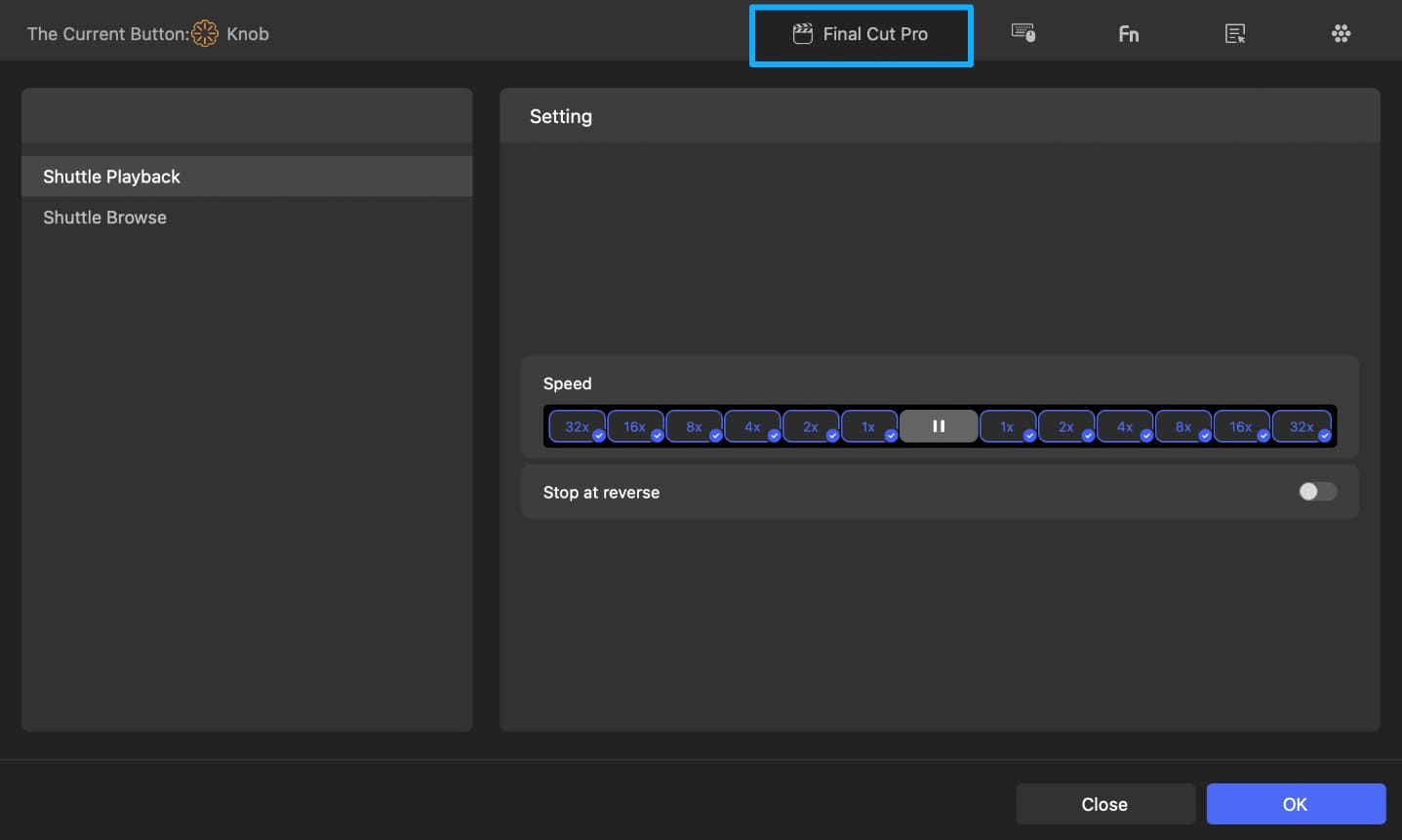
This update adds two features to Final Cut Pro: Shuttle Browse and Shuttle Play. We also added a dedicated settings page to make setup and option selection easier.
- Shuttle Browse: Turn a knob to scroll the timeline left and right with a momentum effect.
- Shuttle Play: Turn a knob to play forward or backward and to control playback speed.
4. Other Updates
We add official presets for MediBang Paint Pro.
5. Other Improvements and Fixes
Optimizations:
- Improved the built-in Shuttle Play for DaVinci Resolve so it monitors playback speed in real time. That keeps Shuttle Play synced with the software's actual play speed.
- Added a preview when you select Adjust Slider (Mouse Pointing) on the Lightroom Classic settings page.
- Made the search on the Lightroom Classic and Lightroom settings pages case-insensitive to speed up finding items.
Fixes:
- Fixed a crash in the Console that happened on macOS 11.6 when opening the Lightroom Classic feature introduction page.
- Fixed an issue in Clip Studio Paint where rotating the canvas could cause the canvas to scale incorrectly.
- Fixed a bug where the mouse left-click could be triggered twice when clicking "More" in the Dynamic Panel.
- Fixed a problem that prevented Windows PCs from sleeping when visiting the Experimental Features page or the DaVinci Resolve color-grading intro page.
- Fixed an issue in the TourBox Lite preset creator that mixed up Photoshop preset settings.
- Fixed a rare bug where pressing a single key could accidentally trigger a modifier key combination.


