Best Video Editing Controllers Compared: Which One Is Right for You?
Video editing has become more demanding than ever. Whether you're editing YouTube videos, grading cinematic footage, or producing commercial projects, your workflow often involves hundreds of repetitive actions—from trimming clips and scrubbing the timeline to adjusting color controls and triggering shortcuts. Over time, these repetitive tasks can slow you down and interrupt your creative flow.
That's why video editing controllers have become increasingly popular. Instead of constantly switching between a mouse and keyboard, these devices put your most-used commands at your fingertips with programmable buttons, dials, knobs, and jog wheels. The result is a faster, more comfortable editing experience that lets you focus more on creating and less on repetitive inputs.
The challenge is choosing the right one. Some controllers are built specifically for applications like DaVinci Resolve, while others work across multiple creative apps, including Premiere Pro, Final Cut Pro, After Effects, Photoshop, and Lightroom.
In this guide, we'll compare some of the best video editing controllers available today. We'll look beyond the specifications to explain which controller is best for, where it excels, and the trade-offs you should consider before making your decision. Whether you're a professional editor or just getting started, you'll find an option that fits your workflow.
Quick Picks
If you're short on time, here's a quick overview of our top recommendations. Each controller excels in a different area, so the best choice ultimately depends on your editing software, workflow, and budget.
| Category | Our Pick | Why We Recommend It |
|---|---|---|
| Best Overall | TourBox Elite Plus | The most versatile controller for creators who work across multiple creative apps. Excellent customization, tactile controls, Bluetooth connectivity, and support for Windows, macOS, iPadOS, and Android make it a great long-term investment. |
| Best Dedicated Video Editing Controller | XPPen Pilot Pro | With its video-centric design and intuitive control layout, the Pilot Pro is an excellent choice for editors who want a dedicated editing controller. |
| Best for DaVinci Resolve | Blackmagic Speed Editor | Purpose-built for DaVinci Resolve with a precision jog wheel and dedicated editing keys that dramatically speed up timeline editing. |
| Best Value | Logitech MX Creative Console | A well-priced modular controller with customizable LCD keys, Adobe integrations, and growing support for additional creative applications. |
| Best Budget Option | Contour ShuttlePRO v2 | An affordable entry point for editors who want shuttle and jog-wheel controls without spending hundreds of dollars. |
| Best for Streamers & Hybrid Creators | Elgato Stream Deck+ | Combines customizable LCD keys with rotary dials, making it ideal for creators who edit videos, livestream, and automate repetitive tasks. |
| Best for Professional Colorists | Tangent Element Panels | Designed specifically for high-end color grading with multiple trackballs and precision control over color correction. |
| Best Entry-Level Editing Controller | TourBox Lite | Offers many of the customization features of higher-end controllers at a much lower price, making it ideal for beginners and hobbyists. |
How We Evaluated These Controllers?
Every editor works differently, so there isn't a single "perfect" controller for everyone. Instead of focusing solely on technical specifications, we evaluated each product based on the factors that have the greatest impact on everyday editing workflows.
- Workflow Efficiency: Does the controller genuinely reduce the number of keyboard and mouse movements during editing? Can frequently used actions be performed more naturally?
- Customization: We looked at how easily users can assign shortcuts, macros, or software-specific functions, as well as whether the controller supports multiple application profiles.
- Software Compatibility: Some controllers only support a single editing application, while others integrate with dozens of creative programs. We considered compatibility with popular software such as Adobe Premiere Pro, DaVinci Resolve, Final Cut Pro, After Effects, Photoshop, and Lightroom.
- Ergonomics: Because editing sessions often last several hours, comfort matters. We considered button layout, dial placement, tactile feedback, and how naturally each controller fits into a typical desktop setup.
- Value: Price alone doesn't determine value. A more expensive controller may save hundreds of hours over its lifetime, while an inexpensive device with limited functionality may not significantly improve productivity. We evaluated how much workflow improvement each product delivers relative to its cost.
Best Video Editing Controllers Compared
When we first published this Best Video Editing Controller guide, we included the Loupedeck in our recommended list. Without a doubt, Loupedeck CT and Loupedeck Live are still excellent creative controllers. However, Logitech discontinued the Loupedeck product line in 2025 to focus on its MX Creative Console ecosystem.
Existing users will continue to receive software updates and support. However, since the hardware is no longer being produced, we have removed Loupedeck from our list of the best video editing controllers in our July 2026 update.
Now, let's take a look at our top picks for the best video editing controllers and get straight into the comparison.
1. Best Overall: TourBox Elite Plus
The TourBox Elite Plus is our top pick because it strikes the best balance between versatility, customization, and ease of use. Unlike controllers designed for a single application, it works seamlessly across a wide range of creative software — including Adobe Premiere Pro, DaVinci Resolve, Final Cut Pro, CapCut, After Effects, Photoshop, and more — making it an excellent long-term investment for creators who work across multiple workflows.
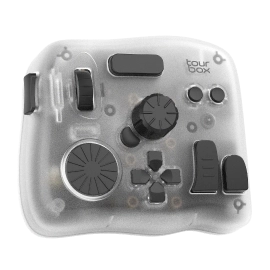
Its compact, ergonomic design features programmable buttons, tactile dials, and haptic feedback that make common editing tasks feel fast and intuitive. Whether you're scrubbing through a timeline, trimming clips, adjusting color wheels, or triggering complex macros, the controls are easy to locate by touch, helping you build muscle memory over time and stay focused on your edit instead of your keyboard.
One of its biggest advantages is flexibility. The Elite Plus supports Windows, macOS, iPadOS, and Android, and its dual Bluetooth connectivity lets you switch between two paired devices in seconds.
Combined with TourBox Console, which offers ready-made presets, automatic profile switching, powerful macros, and continuously updated features like HoverAdjust, the controller adapts to virtually any creative workflow.
Whether you're editing videos in the studio or finishing projects on the go with an iPad, the TourBox Elite Plus delivers one of the most complete and customizable editing experiences available today.
Besides the TourBox Elite Plus, TourBox also offers other models to choose from. If you are new to video editing, we especially recommend taking a look at the TourBox Lite. It offers a great balance of price, customization options, and cross-app compatibility, making it an ideal first editing controller for beginners.
If you're interested in TourBox, click the link below to learn more about our different models.
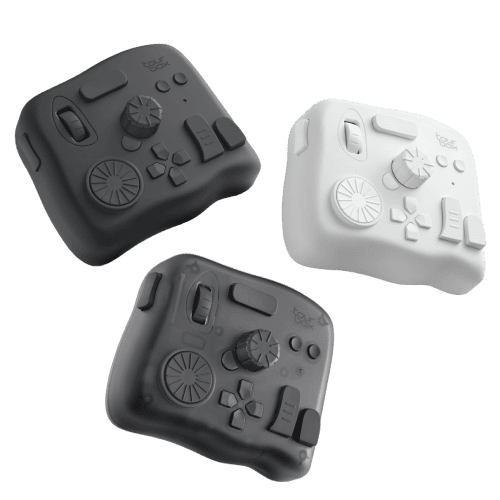
Why We Recommend It:
Its unmatched combination of cross-platform compatibility, deep customization, and continuous software innovation makes the TourBox Elite Plus the most versatile video editing controller for both professionals and enthusiasts.
Best For:
- Editors who work across multiple creative apps, including Premiere Pro, DaVinci Resolve, and Final Cut Pro
- Creators who switch between a computer and an iPad
- Professionals looking to automate repetitive editing tasks with macros and custom workflows
- Anyone who wants a compact, wireless controller that can adapt as their creative workflow evolves
2. Best Dedicated Video Editing Controller: XPPen Pilot Pro
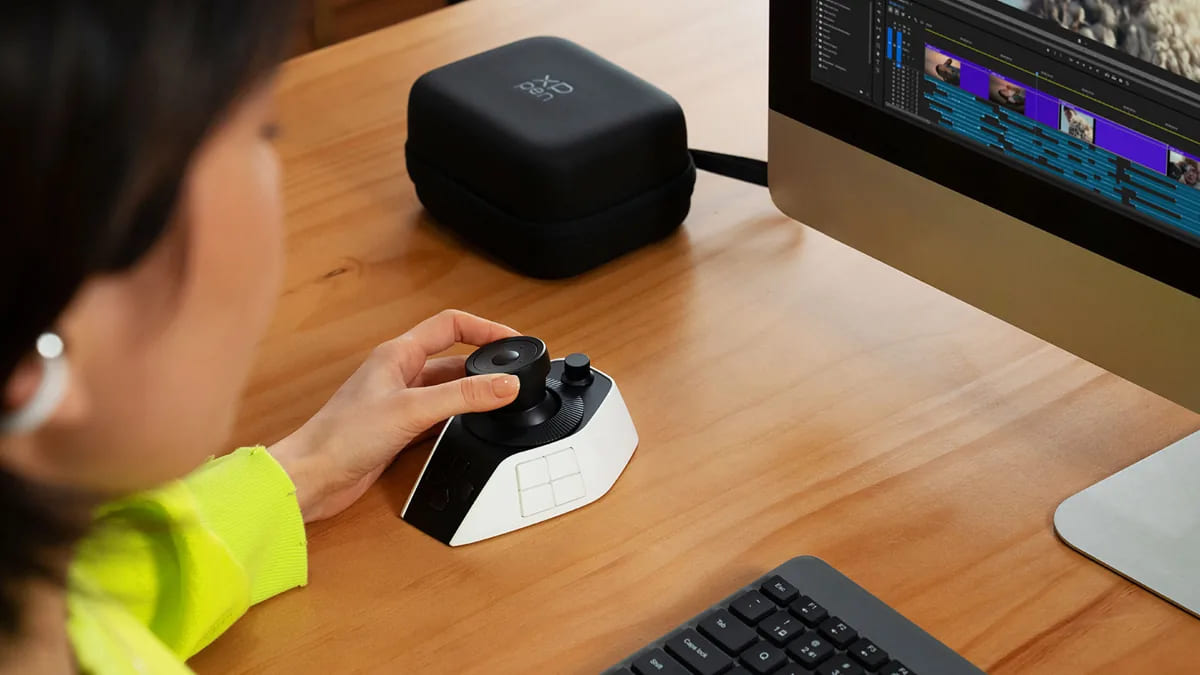
Unlike all-purpose creative controllers, the XPPen Pilot Pro is designed specifically for video editing. Its hardware layout prioritizes timeline navigation and editing efficiency, combining a joystick, precision dial, programmable buttons, and dedicated editing controls into a compact desktop console.
For editors who spend most of their time in Adobe Premiere Pro or DaVinci Resolve, the Pilot Pro offers a workflow that feels purpose-built rather than adapted from a general creative controller.
One of its biggest strengths is its intuitive control scheme. The joystick and rotary controls make scrubbing through timelines, trimming clips, adjusting parameters, and navigating projects feel smooth and natural, while the thoughtfully arranged buttons help reduce unnecessary hand movement during long editing sessions.
Over time, editors can build muscle memory and perform common actions without constantly reaching for the keyboard.
The Pilot Pro also supports customizable shortcuts and profiles for popular editing software, allowing users to tailor the controller to their own workflow. While its software ecosystem is still newer than some long-established competitors, its modern hardware design and editing-focused approach make it one of the most compelling controllers for dedicated video editors.
Why We Recommend It:
Its video-first design, intuitive joystick controls, and ergonomic layout make the Pilot Pro one of the most capable controllers built specifically for professional video editing.
Best For:
- Editors who primarily work in Adobe Premiere Pro or DaVinci Resolve
- Creators looking for a controller designed specifically for video editing rather than general creative work
- Professionals who prefer tactile hardware controls for timeline navigation and clip editing
- Editors who want a dedicated editing console with an intuitive, muscle-memory-friendly layout
3. Best for Streamers & Hybrid Content Creators: Elgato Stream Deck+
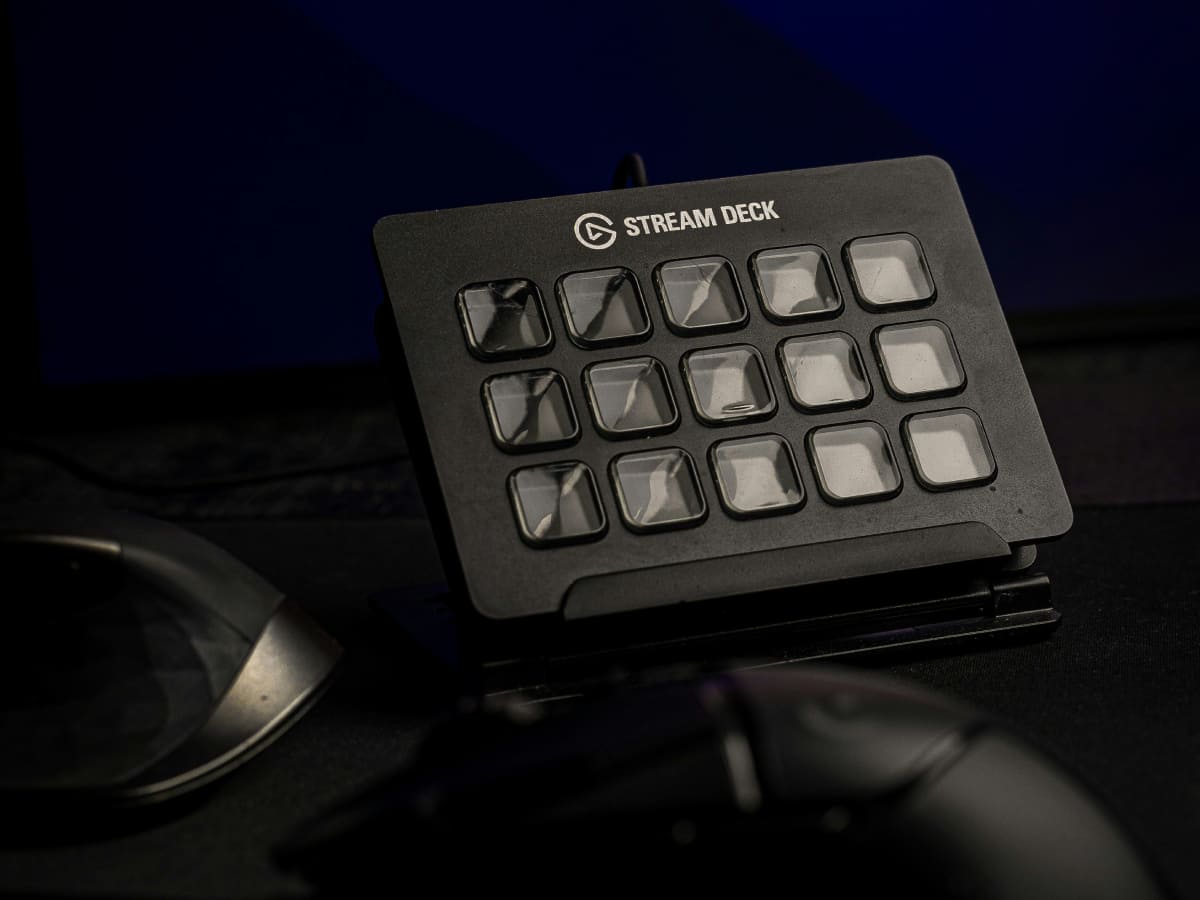
While the Elgato Stream Deck+ isn't designed exclusively for video editing, it's one of the most versatile workflow controllers available for creators who balance editing, streaming, recording, and content production. Its customizable LCD keys, tactile rotary dials, and touch strip make it easy to trigger shortcuts, adjust audio levels, scrub through timelines, or launch complex macros — all without interrupting your creative flow.
What truly sets the Stream Deck+ apart is its extensive software ecosystem. Through the Elgato Marketplace, users can access thousands of plugins and integrations for popular applications such as Adobe Premiere Pro, DaVinci Resolve, OBS Studio, Photoshop, Discord, Spotify, and many more.
Whether you're switching scenes during a livestream, controlling audio sources, or automating repetitive editing tasks, the Stream Deck+ can be tailored to fit almost any workflow.
Although it doesn't offer the analog editing controls of devices like the TourBox Elite Plus or XPPen Pilot Pro, its flexibility makes it an excellent choice for creators who do more than just edit videos. If your workflow includes livestreaming, podcasting, content creation, or production automation alongside video editing, the Stream Deck+ is one of the most capable controllers on the market.
Why We Recommend It:
Its unmatched plugin ecosystem and highly customizable controls make the Stream Deck+ the ideal controller for creators who combine video editing with streaming, recording, and content production.
Best For:
- YouTubers and content creators who edit and publish regularly
- Streamers using OBS Studio, Twitch, or YouTube Live
- Creators looking to automate repetitive editing and production tasks
- Anyone who wants a controller that extends beyond video editing into a broader creative workflow
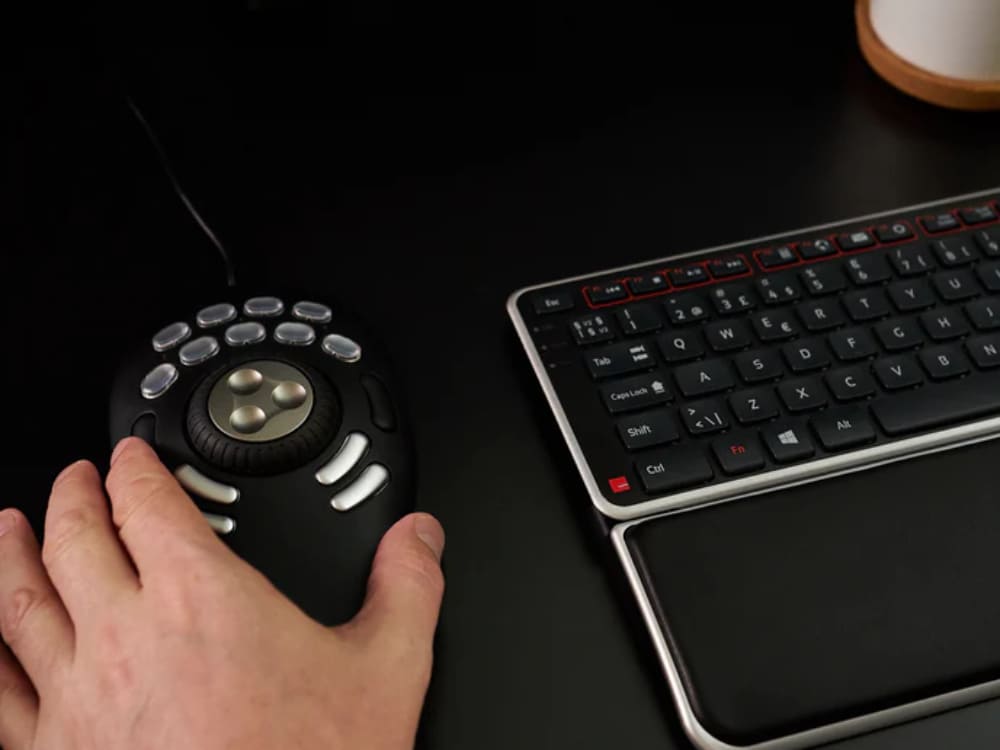
4. Best Budget Editing Controller: Contour ShuttlePRO v2
The Contour ShuttlePRO v2 has been around for years, but it remains one of the most affordable ways to speed up a video editing workflow. Rather than relying on a touchscreen or advanced software ecosystem, it focuses on the fundamentals: a dedicated jog wheel, shuttle ring, and programmable buttons that make timeline navigation and repetitive editing tasks faster and more comfortable.
Designed to complement your keyboard and mouse, the ShuttlePRO v2 allows you to map frequently used shortcuts, macros, and editing commands to its physical controls. Its jog wheel is particularly useful for frame-by-frame navigation, while the shuttle ring provides smooth variable-speed scrubbing through footage—features that many editors still appreciate despite the controller's age.
The controller comes in two versions: the ShuttleXpress and the ShuttlePRO v2. While both support programmable shortcuts and application-specific profiles, we recommend the ShuttlePRO v2 for most users. Its 15 programmable buttons offer significantly more flexibility than the ShuttleXpress's five-button layout, making it a better long-term investment for anyone editing regularly.
One thing to keep in mind is that the ShuttlePRO v2 is a mature product that has seen relatively few hardware updates in recent years. It doesn't offer wireless connectivity, deep software integrations, or the modern customization features found on newer controllers. However, if you're looking for a reliable, budget-friendly editing controller that covers the essentials, it still represents excellent value.
Why We Recommend It:
Its dedicated jog wheel, reliable shortcut mapping, and affordable price make the ShuttlePRO v2 one of the best entry points for editors looking to improve their workflow without a significant investment.
Best For:
- Budget-conscious video editors
- Users who prefer tactile jog-wheel timeline navigation
- Editors transitioning from keyboard-only workflows
- Anyone looking for a simple, reliable editing controller without paying for premium features
5. Best for Professional Color Grading: Tangent Element Panels
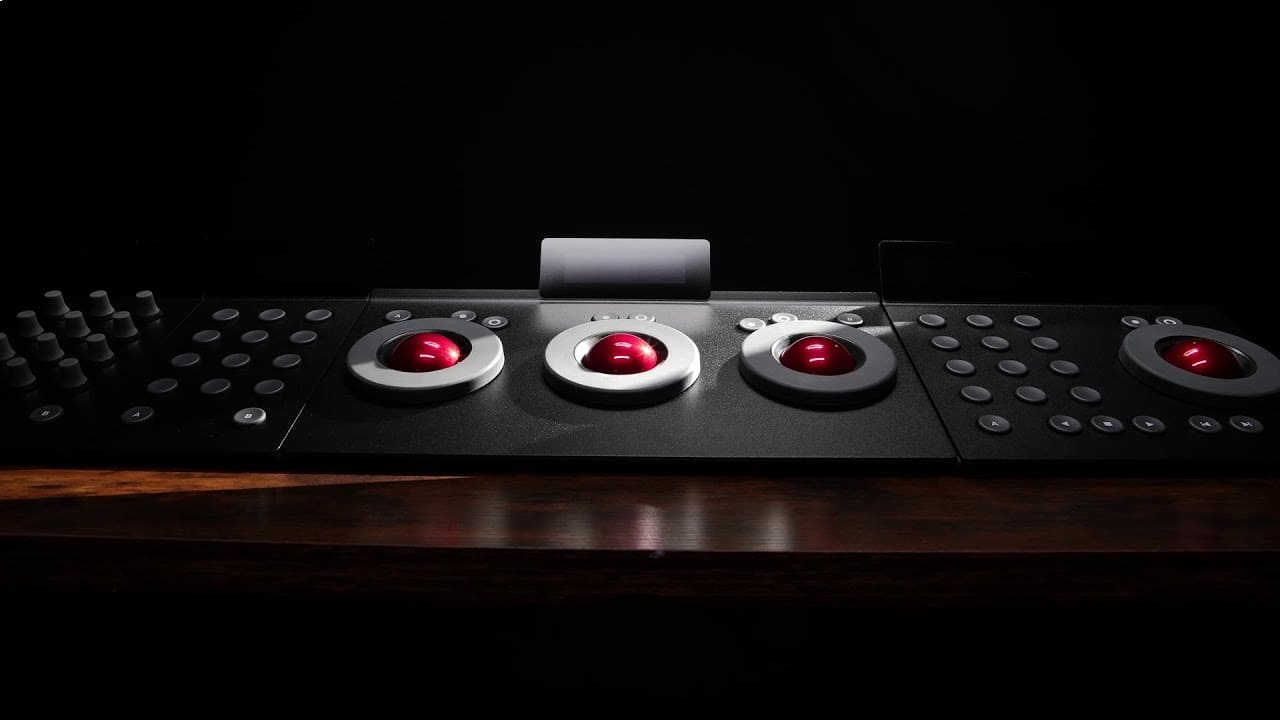
For professional colorists, few controllers are as respected as the Tangent Element Panels. Rather than serving as a general-purpose editing controller, the Element system is purpose-built for high-end color grading, offering the kind of precision and tactile control that's difficult to achieve with a mouse and keyboard alone.
Instead of a single all-in-one device, the Element series consists of four modular panels that can be combined to suit your workflow. Depending on your needs, you can build a compact grading setup or a full-featured control surface with dedicated trackballs, rings, knobs, and programmable buttons.
This modular approach gives professionals the flexibility to expand their workstation over time without replacing the entire system.
The trackballs and rotary controls are where the Element Panels truly shine. Adjusting lift, gamma, gain, or making subtle color corrections feels significantly more natural than manipulating on-screen controls with a mouse. For editors and colorists working in DaVinci Resolve, Baselight, or other professional finishing software, the hands-on experience can improve both speed and precision during long grading sessions.
That said, the Element Panels are designed for a niche audience. They're considerably more expensive than most editing controllers and require time to configure and master. If your primary focus is video editing rather than color grading, an all-around controller such as the TourBox Elite Plus or XPPen Pilot Pro will likely provide better value.
Why We Recommend It:
Its modular design and industry-leading color grading controls make the Tangent Element Panels the gold standard for professional colorists and finishing artists.
Best For:
- Professional colorists and finishing artists
- DaVinci Resolve and Baselight users
- Studios building dedicated color grading workstations
- Editors who perform advanced color correction on a daily basis
6. Best for DaVinci Resolve: Blackmagic Speed Editor
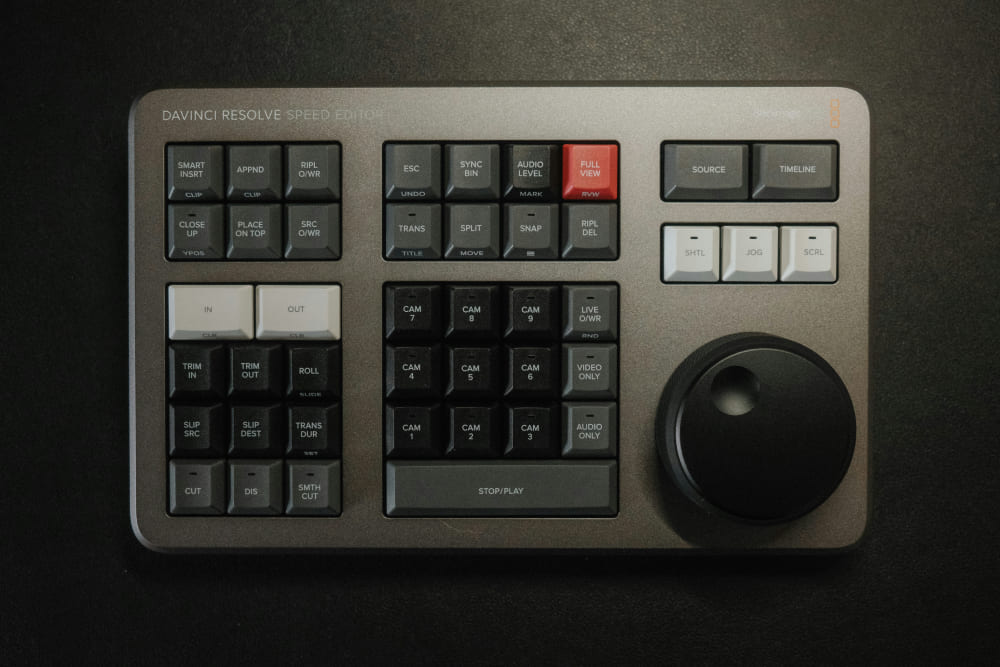
If your editing workflow revolves around DaVinci Resolve, it's hard to overlook the Blackmagic Speed Editor. Unlike general-purpose creative controllers, it's designed exclusively for Resolve, with dedicated hardware controls that mirror the software's editing workflow.
For editors who spend hours trimming clips, reviewing footage, and navigating complex timelines, it delivers one of the most intuitive editing experiences available.
The Speed Editor's standout feature is its large, high-precision search dial. Combined with dedicated transport, trim, and timeline navigation buttons, it allows editors to scrub through footage, make precise edits, and review sequences far more efficiently than with a mouse alone.
The compact wireless design also makes it easy to slip into a laptop bag, making it a practical companion for editors who frequently work on location or between studios.
For larger post-production environments, Blackmagic also offers the DaVinci Resolve Editor Keyboard. It combines a full-size mechanical keyboard with the same professional search dial and an expanded set of dedicated editing controls, making it a powerful option for editors who work exclusively in Resolve and prefer a permanent desktop setup.
The biggest trade-off is software compatibility. Unlike controllers such as the TourBox Elite Plus or Stream Deck+, both Blackmagic controllers are built specifically for DaVinci Resolve and don't support other creative applications. However, if Resolve is where you spend nearly all of your editing time, that level of specialization is exactly what makes them so effective.
Why We Recommend It:
Its precision search dial and Resolve-specific controls deliver one of the fastest and most intuitive editing experiences for dedicated DaVinci Resolve users.
Best For:
- Professional editors who work primarily in DaVinci Resolve
- Editors who perform extensive timeline trimming and clip management
- Post-production professionals looking for a dedicated Resolve editing console
- Creators who don't need cross-application compatibility
7. Best Value: Logitech MX Creative Console
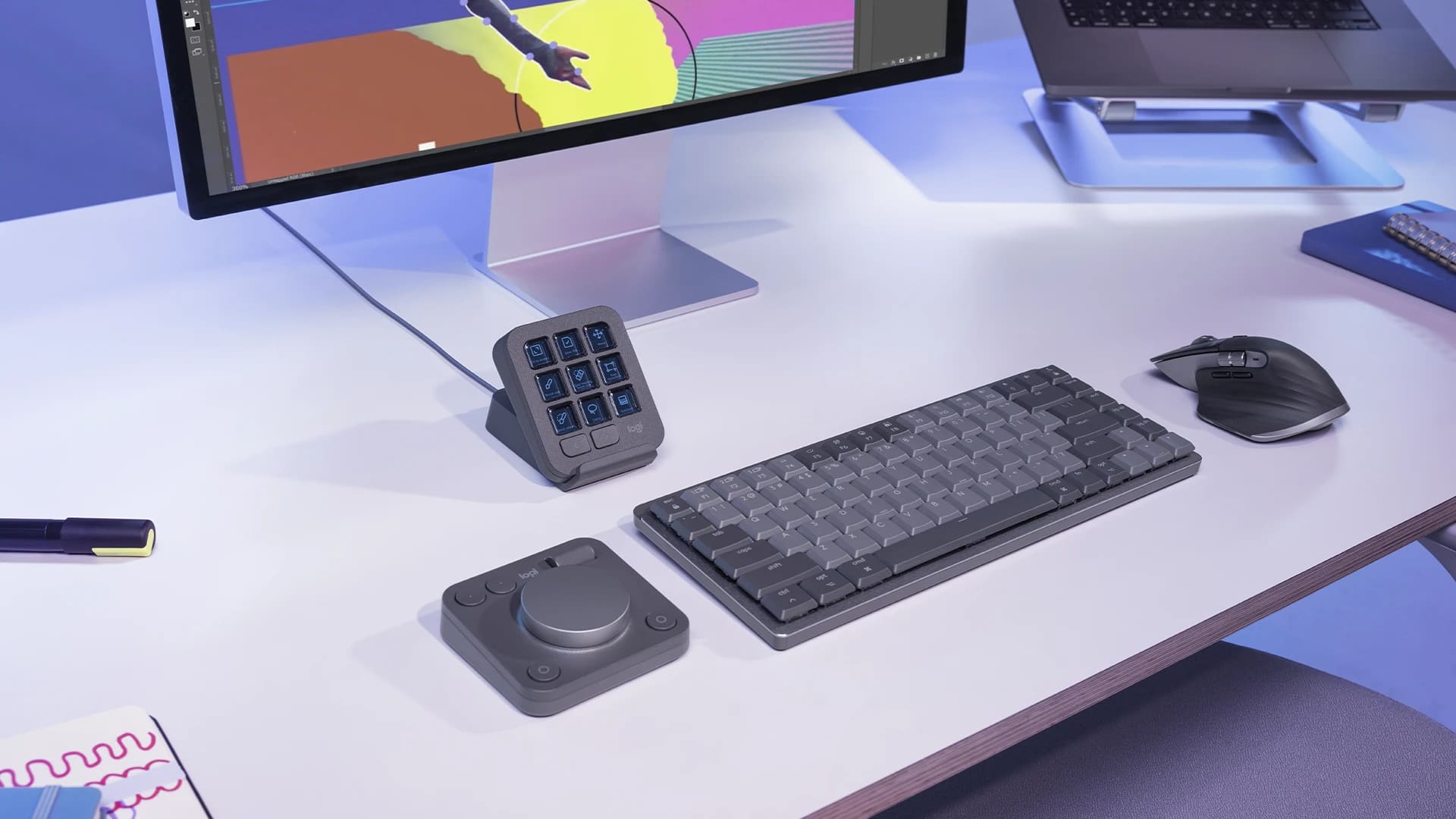
The Logitech MX Creative Console offers one of the best balances of functionality, flexibility, and price among today's creative controllers. Designed as a two-piece system with a customizable Keypad and a wireless Dialpad, it provides quick access to shortcuts, macros, and precision adjustments without requiring the larger investment of many professional editing consoles.
One of its biggest strengths is its modular design. The Dialpad and Keypad can be positioned independently, allowing users to create a workspace that feels comfortable whether they're editing videos, retouching photos, or designing graphics. The Keypad's customizable LCD keys display app-specific icons and commands, making it easy to navigate multiple shortcuts without memorizing complex key combinations.
Logitech has also continued to expand the MX Creative Console's software ecosystem. Native integrations support many of today's most popular creative applications — including Adobe Premiere Pro, Photoshop, Lightroom Classic, After Effects, DaVinci Resolve, Figma, and Affinity Photo — while custom keyboard shortcuts allow the controller to work with virtually any software.
For creators who regularly switch between editing, design, and productivity apps, this cross-application flexibility is one of its greatest advantages.
Compared to dedicated editing consoles, the MX Creative Console offers fewer physical controls, making it less suitable for workflows that rely heavily on continuous dial adjustments, such as advanced color grading. However, for most video editors and content creators, it delivers an excellent combination of customization, ease of use, and overall value.
Why We Recommend It:
Its modular design, customizable LCD keys, and broad software support make the MX Creative Console one of the best-value creative controllers for editors working across multiple applications.
Best For:
- Adobe Creative Cloud users
- Video editors who frequently switch between creative applications
- Content creators looking for an affordable, customizable controller
- Designers and photographers who want a single controller for multiple creative workflows
How to Choose the Right Video Editing Controller?
Choosing the right video editing controller ultimately comes down to how you work.
If your workflow spans multiple creative apps — switching between Premiere Pro, Photoshop, Lightroom, or even an iPad — the TourBox Elite Plus is hard to beat. Its flexibility and deep customization make it the most versatile option on this list, which is why it earned our Best Overall recommendation.
On the other hand, if video editing is all you do, a more specialized controller may be a better fit. The XPPen Pilot Pro is built specifically for editing, while the Blackmagic Speed Editor is an excellent choice for creators who spend nearly all of their time in DaVinci Resolve.
Not every editor needs a premium controller, though. If you're just getting started, the TourBox Lite and Contour ShuttlePRO v2 offer a much more affordable way to speed up repetitive tasks without a major investment. And if your workflow extends beyond editing into livestreaming, podcasting, or content production, the Elgato Stream Deck+ is still one of the most versatile tools you can add to your desk.
At the end of the day, the best video editing controller isn't the one with the most buttons. It's the one that fits naturally into your workflow. Think about the software you use most often, the kind of projects you create, and how much customization you actually need.
Once you find the right fit, you'll spend less time reaching for shortcuts and more time focusing on the creative side of editing.


