
Commonly Asked Questions
Can TourBox be used in both Lightroom and Lightroom Classic?
Yes. We have done deep built-in development for both Lightroom and Lightroom Classic, and both come with ready-to-use default presets. You can use our Dynamic Panel feature in both software.
How do I map Lightroom's Exposure, Contrast, and White Balance sliders to TourBox?
You can create a default preset for Lightroom or Lightroom Classic in the TourBox Console software. Our default preset already comes with efficient settings. After creating it, you can edit it to match your workflow. Just check the Exposure, Contrast, White Balance, and other slider options in TourBox Console, then adjust the preset as needed.
Can TourBox really speed up Lightroom editing? When does it work best?
Yes. TourBox can greatly speed up repeated editing tasks, and it is very easy to use. For example, you can quickly adjust exposure, contrast, curves, brush size, and feathering. You can also zoom, browse images, and switch presets in batches.
That is why TourBox is loved by batch editors, photography fans, and advanced Lightroom users. It is especially useful for wedding photographers and anyone who needs to edit a large number of photos. TourBox can cut the time spent rating and sorting from hours to minutes. With quick button presses and dial turns, you can apply Lightroom presets, make fast edits, and adjust hundreds of photos at once. If you want to go further, you can also use macros to automate repetitive tasks.
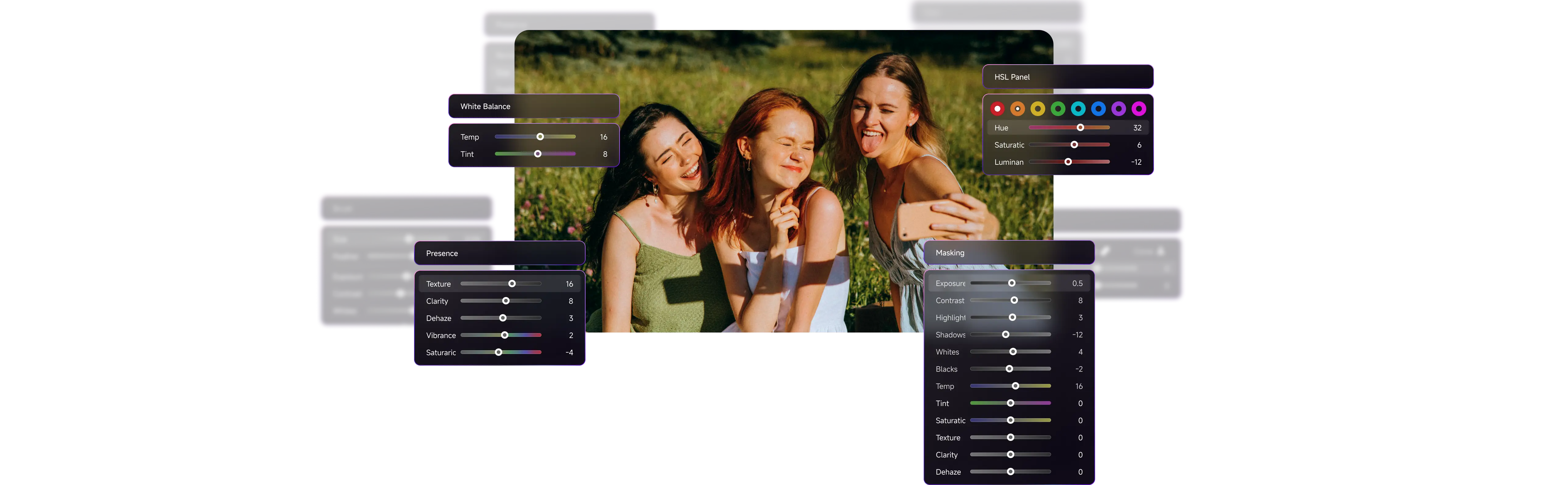
Beyond speed, TourBox also makes editing more enjoyable. With our Dynamic Panel, you get a floating custom panel for full-screen color work. As you turn the dial, you can clearly feel each value change. Even if you only shoot sometimes and do not batch edit often, TourBox can still make post-processing more fun.
I am just a hobby photographer. Is TourBox still a good fit for me?
For hobby users with only light photo editing needs, the speed boost from TourBox may not be obvious, but it can still be a great fit.
On one hand, TourBox can help improve the final quality of your work. Dial control is more precise and finer than mouse sliders. You do not need to keep checking slider positions or make small adjustments over and over. It works a lot like manual focus, giving you very precise control in Lightroom.
On the other hand, if you use a model with haptic feedback, your fingertips can clearly feel each small change. It feels more like you are touching and shaping the image, not just using software. Because there is no delay at all, the changes appear on screen right away. That hands-on feeling is something a keyboard and mouse cannot match.
Besides Lightroom and Lightroom Classic, does TourBox also support other photo editing software?
Yes. TourBox works with many photo editing and creative software programs. You can use it in Photoshop, Capture One, and any editing software that supports keyboard shortcuts. TourBox also offers default presets and built-in support for major photo editing software. And Dynamic Panel will soon support more popular photo editors, including Capture One and Camera Raw.
Which TourBox is best for Lightroom workflow?
All TourBox models offer the same core features for Lightroom and Lightroom Classic, including Dynamic Panel, button mapping, built-in functions, macros, and more. So no matter which TourBox model you use, it can fit your Lightroom workflow very well.
We recommend starting with the Comparison Page and Buying Guide to learn the differences between models. Then think about whether you need Bluetooth, haptic feedback, or tablet support. In the end, you can choose based on your workflow, budget, and personal preference.
