Full API Integration for PhotoshopBeyond Shortcuts, One Click AwayFull API Integrationfor PhotoshopBeyond Shortcuts,One Click Away
API-level control
instant response with no delay
Zero conflicts
won't interfere with other shortcuts
Your Creative Flow, Right at Hand
Deeply integrated with Photoshop and packed with exclusive features designed to make drawing faster, smoother, and more intuitive.
API-level control
instant response with no delay
Zero conflicts
won't interfere with other shortcuts
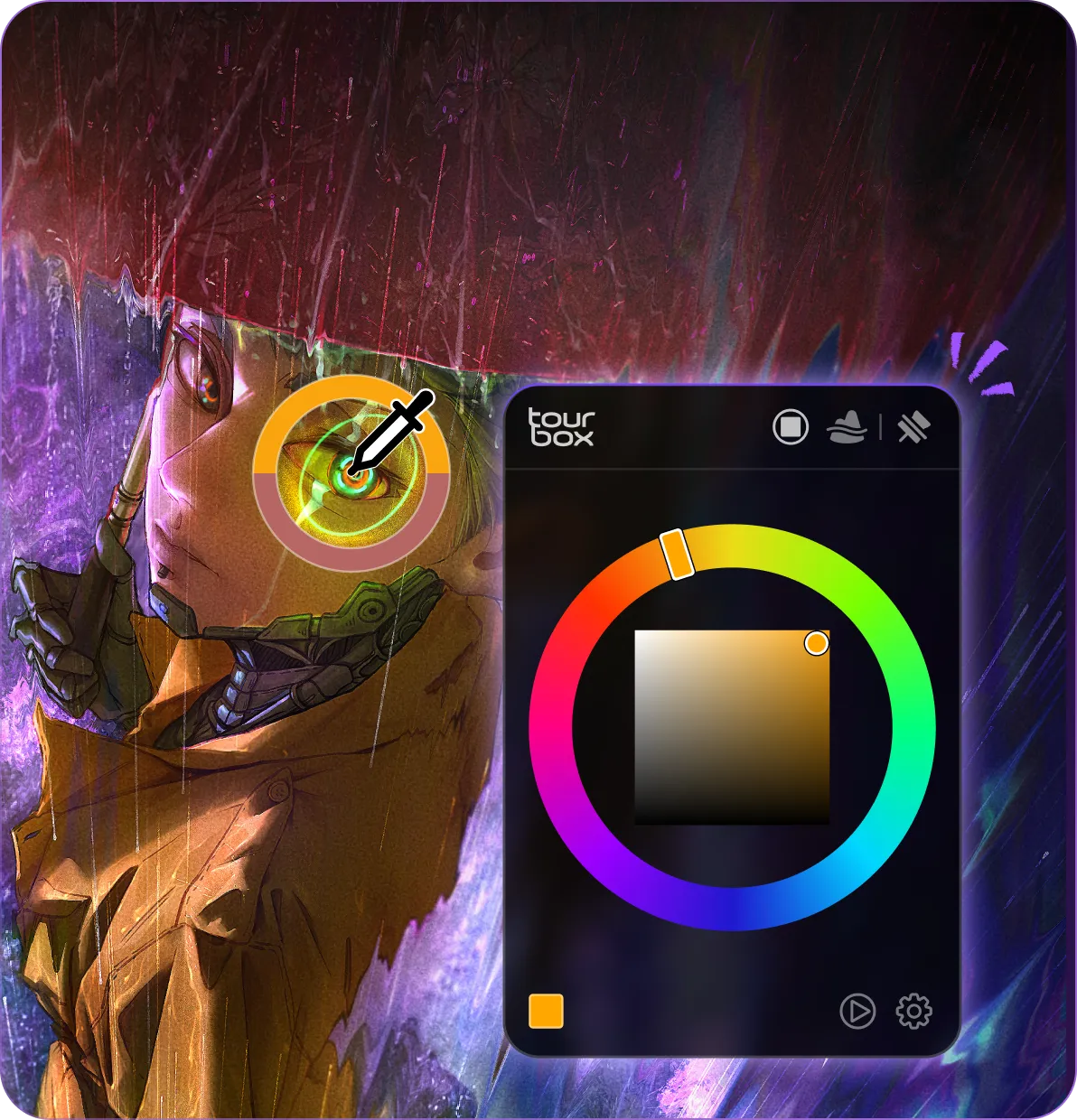
Pick, adjust, and paint - all in one place. Featuring our exclusive Luma-Based Palette.
Adjust brush size, opacity, flow, hardness, smoothing, and more - all without breaking your drawing flow.
AB Mode, REP Mode, UP Mode, STD Mode, Smart Speed, and more.
Rotate, zoom, and reset your canvas with fluid, natural control.
Select layers, switch blend modes, and adjust opacity without breaking your flow.
TourBox combines hardware and software to unlock a faster, more intuitive creative workflow.
Keep your favorite tools just one tap away.
Enter values without reaching for your keyboard. Stay focused on your artwork.
...excellent addition to any creative workflow. ... making them incredibly easy to identify by feeling alone, allowing you to concentrate on your screen and not interrupt your workflow fully.
Adjust brush size, angle, hardness, opacity, flow, smoothing, and more with a single knob. Switch brushes and blend modes instantly without interrupting your drawing flow.
Using hand-tracking technology, we compared the drawing workflow of illustrator Green322 (X @green322green) using TourBox versus a traditional keyboard setup.
Pick colors, adjust them, and keep painting — right where your pen is.
Create richer colors while keeping your values consistent.
Richer Colors, Smoother Blends
In Dynamic Color Picker, Luma-Based Palette suggests colors with a similar value to the color you sampled. This helps you explore richer color options while keeping your lighting and shading consistent — no more endless trial and error.
The panel appears right next to your pen tip, with customizable display direction.
Keep a panel fixed on screen while using Follow Mode for another, so different color tools are always ready when you need them.
Color Wheel, Luma-Based Palette
Adapt it to your screen
Switch between HSL/HSV, Focus Palette, and Full Palette.
With deep API support, there’s no need to hunt for tiny sliders. Just turn the dial to smoothly adjust opacity from 1% to 100%.
Scroll through dozens of blend modes in seconds. Preview effects like Multiply, Screen, and Overlay in real time, and find the look that works best.
No more clicking through endless layers. Just scroll to find the one you need.
We fine-tuned the key values for smooth control from 0 to 100.
Precise across the full range.
Faster turns, bigger steps.
A virtual keypad built specifically for Photoshop. It appears automatically whenever you select a numeric input field.
Control brush size, zoom and rotate the canvas, switch tools, and access shortcuts without interrupting your workflow. Everything stays within reach, so you can focus on creating.
Built specifically for Photoshop, TourBox goes beyond shortcut mapping with deeper integration and workflow-focused tools. Customize it to fit the way you create.
TourBox is more than a controller. It’s an extension of the way you create. Customize the dials, wheel, and buttons any way you want to build a workflow that is truly yours. Your way of creating, on your terms.
From sketching and line art to coloring and final rendering, TourBox supports every stage of your creative process. Spend less time navigating software and more time creating.
Seamlessly switch between iPad, Android tablets and desktop with consistent controls. Exclusive gesture support in Procreate for rotation, zoom, and more.
For professional creators seeking power and deep customization. Haptic feedback simulates tactile steps for precise control.
Standard layout with versatile inputs, deeply optimized for creative workflows.
A simple layout designed to boost efficiency and lower the learning curve for creative software. Perfect for casual and lightweight creation.
Control brush size, zoom and rotate the canvas, switch tools, and access shortcuts without interrupting your workflow. Everything stays within reach, so you can focus on creating.
Built specifically for Photoshop, TourBox goes beyond shortcut mapping with deeper integration and workflow-focused tools. Customize it to fit the way you create.
TourBox is more than a controller. It’s an extension of the way you create. Customize the dials, wheel, and buttons any way you want to build a workflow that is truly yours. Your way of creating, on your terms.
From sketching and line art to coloring and final rendering, TourBox supports every stage of your creative process. Spend less time navigating software and more time creating.
Seamlessly switch between iPad, Android tablets and desktop with consistent controls. Exclusive gesture support in Procreate for rotation, zoom, and more.
For professional creators seeking power and deep customization. Haptic feedback simulates tactile steps for precise control.
Standard layout with versatile inputs, deeply optimized for creative workflows.
A simple layout designed to boost efficiency and lower the learning curve for creative software. Perfect for casual and lightweight creation.
Get the latest news from TourBox

 Pick colors, adjust them,