TourBox Lite Buying Guide: Is the Lite Right for You?
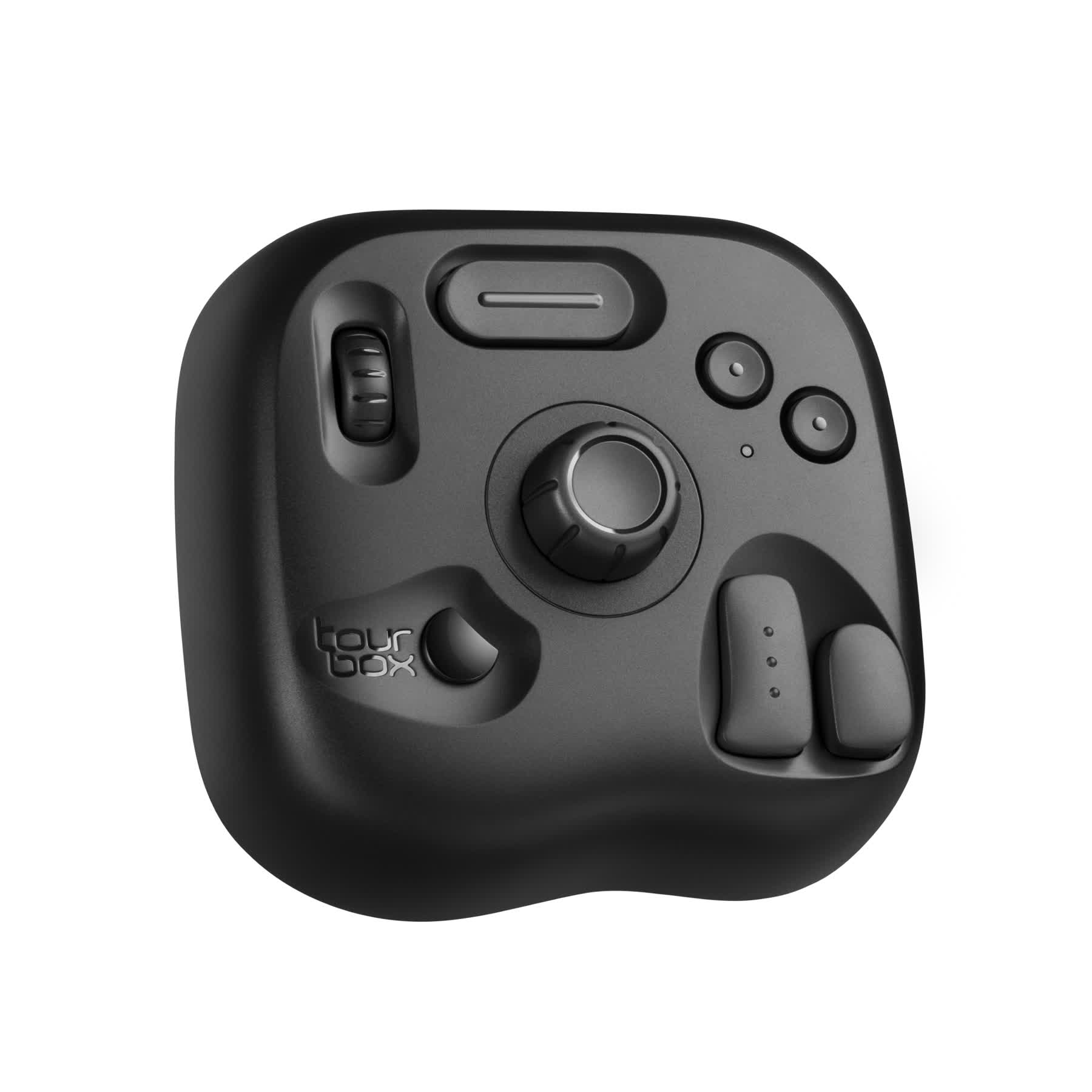
TourBox Lite is the most compact creative controller in the TourBox lineup. It's small, well-made, and looks great. If you're thinking about buying a TourBox Lite but aren't sure how it differs from other models or have questions about performance or support, read this short buying guide — it has everything you need.
In this article, you will learn:
- Differences Between TourBox Lite and Other Models
- Why Choose the TourBox Lite?
- Is the Lite the Right TourBox Model for You?
Differences Between TourBox Lite and Other Models
1. Simplified Button Layout
TourBox Lite uses a more streamlined layout with only 6 customizable buttons and 2 dials. In comparison, mid-to-high-end models like NEO and Elite come with 11 customizable buttons and 3 dials.
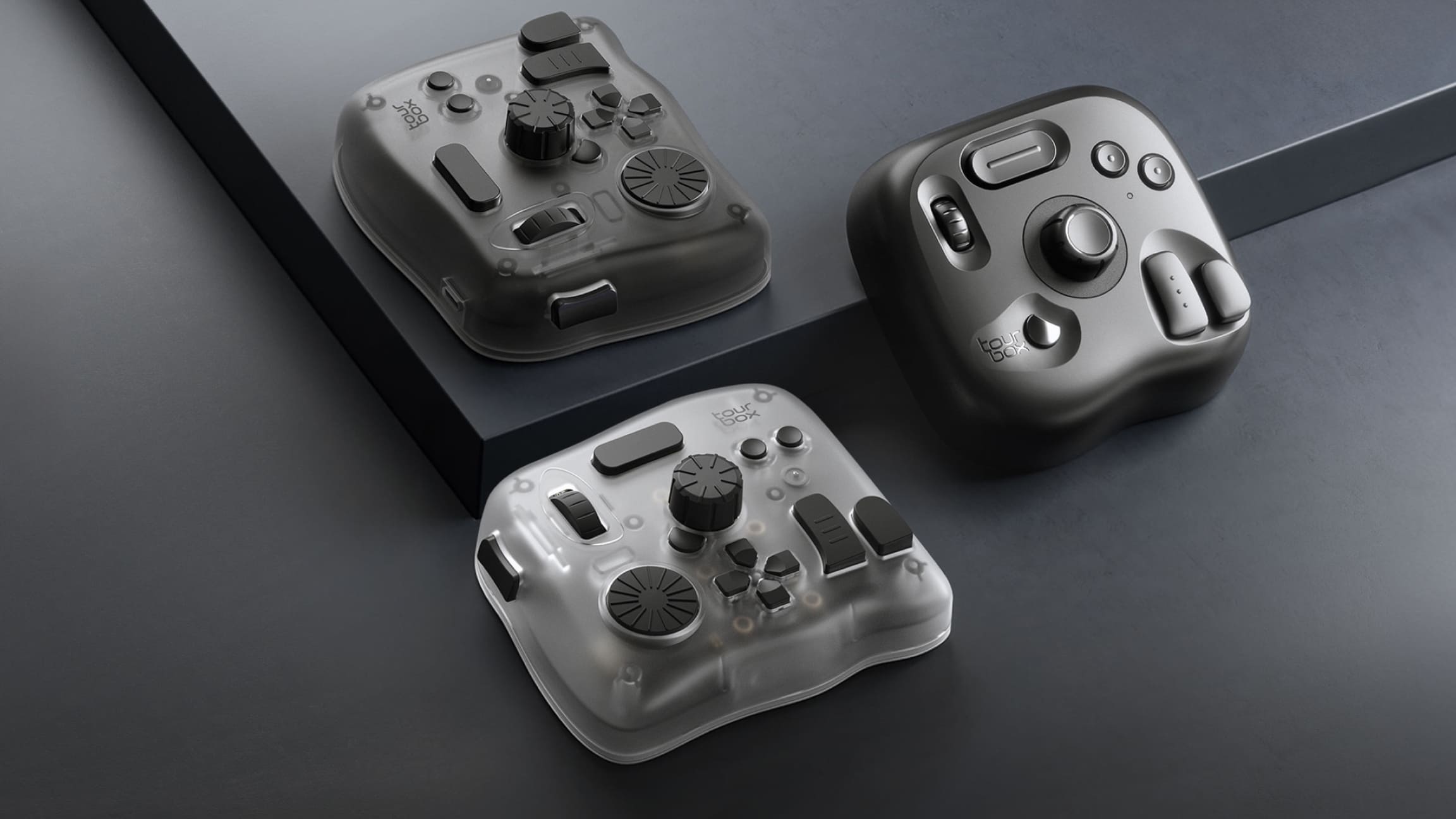
With more buttons and knobs, you naturally get more freedom when setting up your controls. Besides assigning a function to each button, TourBox also lets you assign a function to double-click actions and different button combinations. So the number of buttons directly affects how many functions you can set.
You can set up a total of 84 actions on TourBox Lite, while other mid-to-high-end TourBox models let you set up 449 actions. This makes TourBox Lite a great fit for lighter creative and work needs.
Here comes the question: Do you really need 449 actions? Even though the higher-end models offer that many options, our support data shows that almost no user ever uses that many actions. In other words, 449 actions can be more than most people actually need.
If you're planning to buy a TourBox Lite, aside from the price, you should consider whether 84 actions are enough for your creative and work needs.
2. Customizable Features
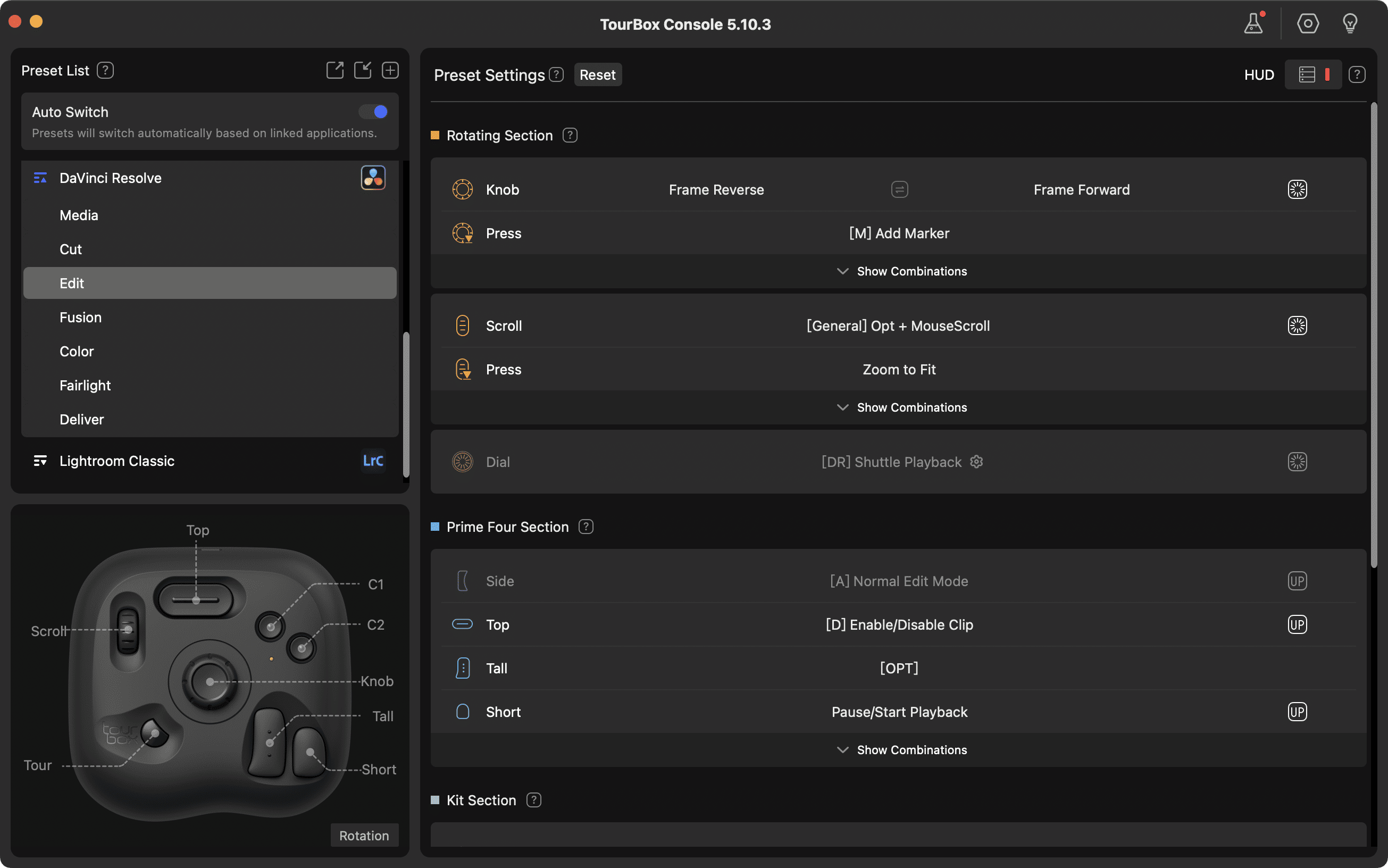
Exactly the same. Yes, exactly the same. In both the current version and future updates, the functions you can assign on TourBox Lite — including all advanced features — are completely the same as on the higher-end models.
You can assign shortcuts, built-in functions, combination actions, TourMenu, macros, and advanced features like the Virtual Numeric Keyboard and DaVinci Resolve HoverAdjust to each button on the Lite.
3. Connection Options
Unlike other TourBox models, TourBox Lite lets you choose between a wired version (USB-only connection) or a Bluetooth version (USB or Bluetooth connection).
The Bluetooth version of TourBox Lite uses a Dual-channel Bluetooth 5.0 system, so you can quickly switch between two computers you use often (for example, a desktop and a laptop).
4. System Compatibility
TourBox Lite is fully compatible with Windows and macOS, but it does not support iPadOS or Android. If you need to work or create on an iPad or Android tablet, you can check out our flagship model, the TourBox Elite Plus.

5. Haptic Feedback
TourBox Lite does not include vibration-based haptic feedback.
Further Reading:
6. Design & Materials
Most TourBox models come with a special coating that is antibacterial and UV-resistant, making them more durable. But because the TourBox Lite is our entry-level model, its surface does not have that coating.
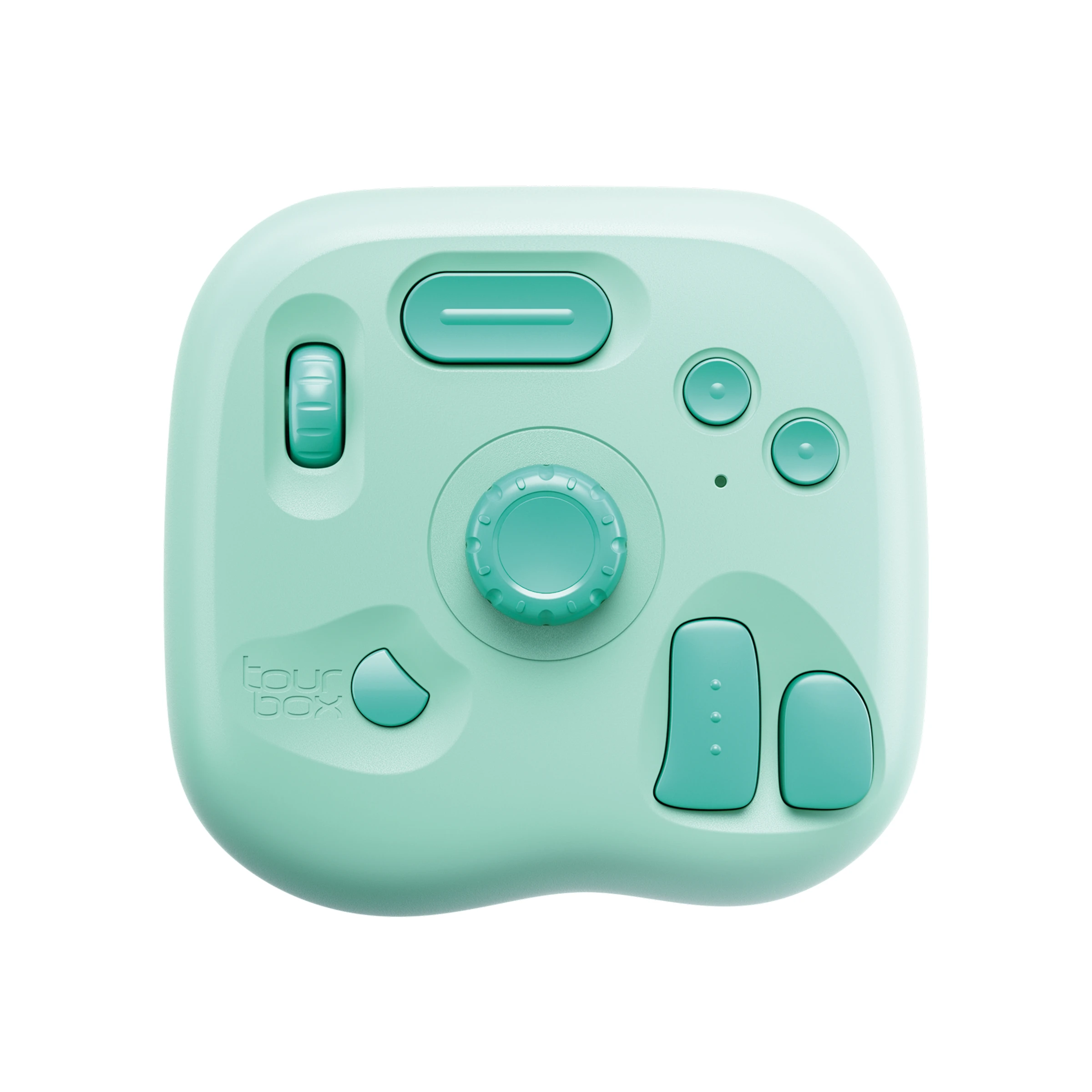
In addition to the classic black, TourBox Lite now offers the new Oasis sub-series for more color choices. The Oasis series features Aqua Green, Misty Pink, and Sunny Yellow — three fresh and attractive colors.

The design is inspired by nature and adds a fresh, creative touch to your desktop workspace.
Oasis is now open for pre-order. On the TourBox Lite Bluetooth product page, you can pick your favorite color (all three Oasis models are currently the Lite Bluetooth version).
7. Price
As the entry-level model in the TourBox lineup, the TourBox Lite is naturally the least expensive of all TourBox models. The Bluetooth version of the Lite is a bit more expensive than the wired version.
Why Choose the TourBox Lite?
Highlights of the TourBox Lite:
- A clear boost in speed: When you browse images and tweak settings, the TourBox Lite is faster and smoother than a keyboard and mouse.
- Streamlined layout, easy to learn: The simplified button design keeps the learning curve low. Just learn the mappings for the functions you use most. For first-time TourBox users, switching from a keyboard to the Lite is almost effortless — just spend a little time getting used to the button positions.
- Lightweight and sturdy: The TourBox Lite is compact (about 111×106×39 mm) and weighs only 329 g, so it's easy to carry. Its injection-molded plastic shell has a laser-textured finish that feels solid. Rubber anti-slip pads on the bottom keep it from sliding, even with long use.
- Affordable and great value: As the most budget-friendly model in the TourBox lineup, the Lite gives you excellent value. The TourBox Lite has a strong software ecosystem. Its software support is the same as the mid-to-high-end TourBox models, so it's a very worthwhile entry-level product.
- Strong compatibility: The TourBox Lite integrates deeply with major creative apps through the official TourBox Console software. It comes with built-in default presets for many popular creative programs, and you can customize the settings to fit your needs.
Overall, the TourBox Lite is a great fit for lightweight creative and work tasks. If you want to boost your workflow speed, it's a highly cost-effective choice.
Is the Lite the Right TourBox Model for You?
We've shared a lot about TourBox and its highlights above, but whether the Lite is the best choice depends on your situation.
When we buy anything, we think about many factors. So ask yourself the questions below — they may help you decide:
1. Do you need to work or create on an iPad or Android tablet?
TourBox Lite does not support tablets. You can only use it with a desktop or a laptop.
2. Do you need a large number of custom setups?
TourBox Lite has fewer buttons and dials than other TourBox models, so it's better for light-weight work and creative tasks. But as we said above, most users don't need that many actions. A few dozen actions can already double your efficiency. And in terms of built-in features, Lite and the other models are the same.
3. Do you already own a TourBox but find it bulky?
TourBox Lite is more portable than other models. If you travel for work, a Lite is easier to carry.
4. Have you never used a TourBox before and don't want a big learning curve or high trial-and-error cost?
Don't worry. TourBox offers a 30-day no-questions-asked refund policy from the date you receive the product. If you're new to TourBox, starting with the Lite can make getting started faster.
5. Bluetooth or wired?
Do you need Bluetooth? Note that the Bluetooth Lite can also connect via any USB-C cable, so the Bluetooth model is a safer, more flexible choice. It is, however, a bit more expensive.
So — did those questions help you decide? If you want to learn more about the differences between TourBox models, check out the article below:
Further Reading:
Finally, let's end this guide with the TourBox Lite video below.


